



BenQ
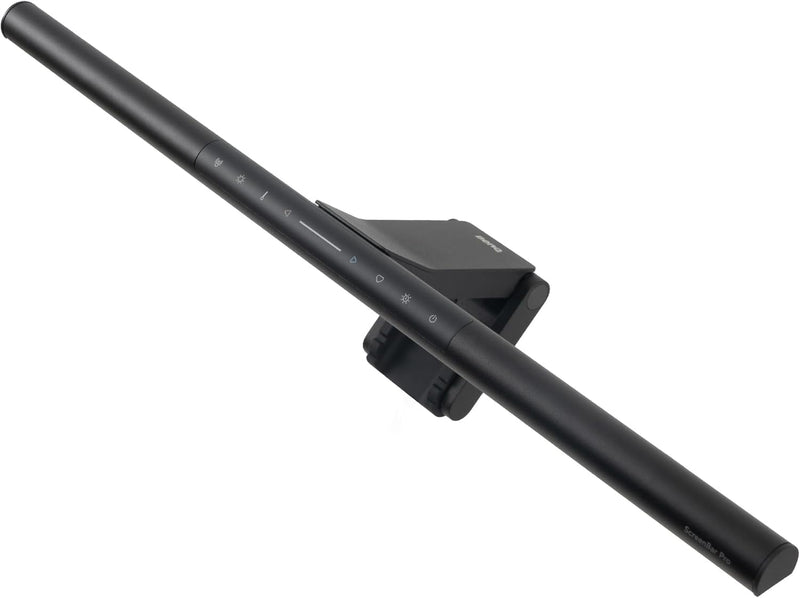
BenQ 9H.W4KWT.WS2 ScreenBar Pro Monitor Light USB-C
USB-C
Ultra-wide LED monitor light with motion sensor, asymmetric optics, and USB-C power — designed to eliminate screen glare and save desk space.
$139.00*
View on Amazon
✓ In Stock on Amazon.com
*Price sourced from Amazon.com. Last updated:Oct 24, 2026.Price and availability are subject to change — details.
Affiliate Disclosure: As an Amazon Associate, Studio Supplies earns from qualifying purchases made through links on this page, at no additional cost to you. This helps support our editorial team.
Notice a mistake? Let Us Know
Overview
Key Features
BRIGHT AND ULTRAWIDE ILLUMINATION – ScreenBar Pro offers over 1000lx central brightness and a 500lx range within 33"x20" (85cmx50cm), outperforming most desk lamps and enhancing eye comfort with ample illumination.
HIGH COMPATIBILITY – Fits monitors 0.17" - 2.56" (0.43cm-6.5cm) thick and curvature 1000-1800R. Patented clamp design accommodates monitors with special back designs or non-flat top bezel. Easy setup and no blocking to camera lens.
MOTION SENSOR – The ultrasonic motion sensor detects movements within a 24"±4" (60cm±10cm) diameter range, automatically lighting up when you're nearby and shutting down after 5 mins of absence to save energy.
ASYM-LIGHT TECHNOLOGY– ScreenBar Pro's unique asymmetrical optics prevents screen reflection and direct glare, lighting up the desktop for enhanced productivity while reducing eye strain.
SPACE SAVING – ScreenBar Pro integrates convenient function buttons for easy adjustments and sits directly on monitors to save desk space. Powered via USB-C or with the included adapter for flexible use.
Specifications
Brand
BenQ
Model
9H.W4KWT.WS2
Lamp Type
Monitor lamp
Light Source
LED
Central Brightness
Over 1000 lux
Illumination Area
33" x 20" (85cm x 50cm) at 500 lux
Monitor Thickness Compatibility
0.17" – 2.56" (0.43cm – 6.5cm)
Curvature Compatibility
1000R – 1800R
Motion Sensor
Ultrasonic, ~24" diameter detection range
Power Source
USB-C or included adapter
Dimensions
5.31"D x 19.68"W x 3.62"H
Base Material
Aluminum
Shade Material
Metal
Color
Black
Special Features
Patented Clamp, Adjustable Color Temperature, Asymmetric Optics
Frequently Asked Questions
Will the ScreenBar Pro fit my curved monitor?
Yes. The patented clamp accommodates monitors with thickness from 0.17" to 2.56" and curvature from 1000R to 1800R, including models with non-flat top bezels.
Does the light bar block my webcam?
No. BenQ designed the clamp and light bar profile to avoid obstructing webcam lenses mounted on top of the monitor.
How does the motion sensor work?
An ultrasonic sensor detects movement within approximately a 24-inch diameter range in front of the monitor. It turns the light on when you sit down and automatically shuts off after 5 minutes of no detected movement.
Can I adjust the brightness and color temperature?
Yes. The ScreenBar Pro has integrated touch-sensitive function buttons on the light bar itself for adjusting both brightness and color temperature.
What power connections does it support?
It can be powered via USB-C directly from your monitor or computer, or with the included power adapter for setups where a USB-C port is not available.
Related Products


