



Canon
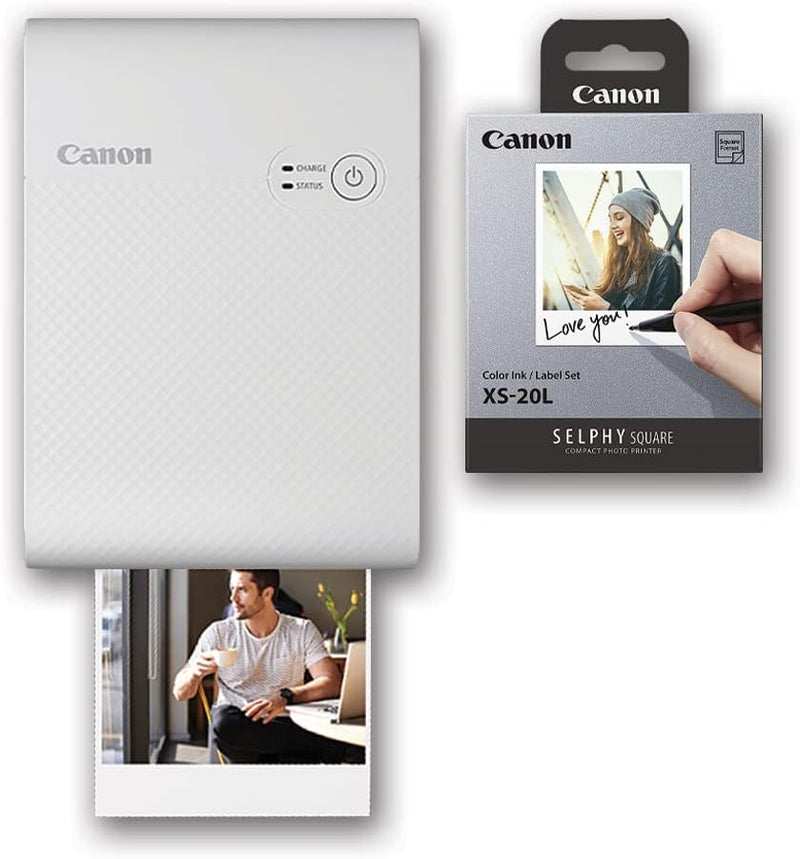
Canon 4108C023 SELPHY Square QX10 Photo Printer Bundle
★★★★★
Sticky-backed 2.7" square prints from your phone in seconds — the SELPHY QX10 bundle puts instant photo creativity in your pocket.
$164.98*
Check availability
*Price sourced from Amazon.com. Last updated:Jul 14, 2026.Price and availability are subject to change.
Affiliate Disclosure: Studio Supplies may earn a commission from qualifying purchases made through links on this page, at no additional cost to you. This helps support our editorial team.
Notice a mistake? Let Us Know
Overview
Key Features
Compact and Portable SELPHY Photo Printer
High-quality, Fast-drying 2.7" x 2.7" Square Photo Prints.
Simply Connect to Canon's SELPHY Photo Layout 2.0 App* to get Creative with Fun Filters, Stickers and More.
Print and Stick your Favorite Photos with the Paper's Adhesive Backing**.
Specifications
Print Size
2.7" x 2.7"
Print Type
Square Photo Prints
Printing Technology
Fast-drying
Connectivity
Canon's SELPHY Photo Layout 2.0 App
Paper Feature
Adhesive Backing
Pros & Cons
👍 Pros
- Dye-sublimation printing produces smooth, continuous-tone 2.7" square prints with vibrant color and fast-drying output — no smearing when handling prints immediately after printing.
- Adhesive-backed paper transforms prints into instant stickers for journals, planners, or room decor without requiring additional materials.
- SELPHY Photo Layout 2.0 app provides creative controls — filters, stickers, layout options — directly on the phone before sending to print, reducing waste from unwanted prints.
- Compact form factor makes the QX10 easy to bring to events, gatherings, or travel where on-the-spot photo gifting adds value.
- Bundle packaging includes the ink/paper cartridge (XS-20L), removing the friction of sourcing consumables separately for first use.
👎 Cons
- 2.7" x 2.7" square print format is non-standard — prints are not compatible with traditional rectangular photo frames or standard album sleeves without creative workarounds.
- Wireless-only connectivity through the Canon app means no print path without a smartphone and active Wi-Fi or hotspot — no USB or card printing fallback.
- Adhesive backing is permanent on application, which requires confident placement; misaligned sticker prints cannot be repositioned without damage.
- Ongoing consumable costs (ink/paper cartridge packs) add up for high-volume users — cost-per-print is higher than home inkjet photo printing at scale.
- App dependency means print workflow is subject to app updates, compatibility changes with new iOS/Android versions, and account or connectivity requirements.
Frequently Asked Questions
What print size does the QX10 produce, and is it compatible with standard photo frames?
The QX10 prints 2.7" x 2.7" square photos exclusively — it does not produce rectangular 4x6 or other standard print sizes. This format is designed for a square aesthetic (Instagram-era layouts, collage projects) rather than traditional framing. Factor this in if your use case requires prints for standard frames or albums.
How does the QX10 connect to a smartphone for printing?
The QX10 uses the Canon SELPHY Photo Layout 2.0 app, available for both iOS and Android, which connects via Wi-Fi. You select and edit images in the app, add filters or stickers, and send to the printer wirelessly. There is no USB-direct or SD card print option on this model.
What does the adhesive backing on the paper do, and is it repositionable?
The included print paper has a peel-and-stick adhesive backing, allowing prints to be adhered to journals, notebooks, walls, or other surfaces. The adhesive is not repositionable — once stuck, removal may damage the print or the surface. Plan placement before applying.
What ink system does the QX10 use, and how many prints does a cartridge produce?
The QX10 uses Canon's Color Ink/Label XS-20L dye-sublimation cartridge, bundled with this kit. Individual cartridge yield and replacement cartridge availability should be confirmed at point of purchase, as consumable costs are an ongoing consideration for frequent users.
Is this printer battery-powered for portable use, or does it require an outlet?
The product listing does not specify battery operation. Confirm power requirements before purchasing if portability away from a power source is a primary use case for your workflow.
Related Products


