

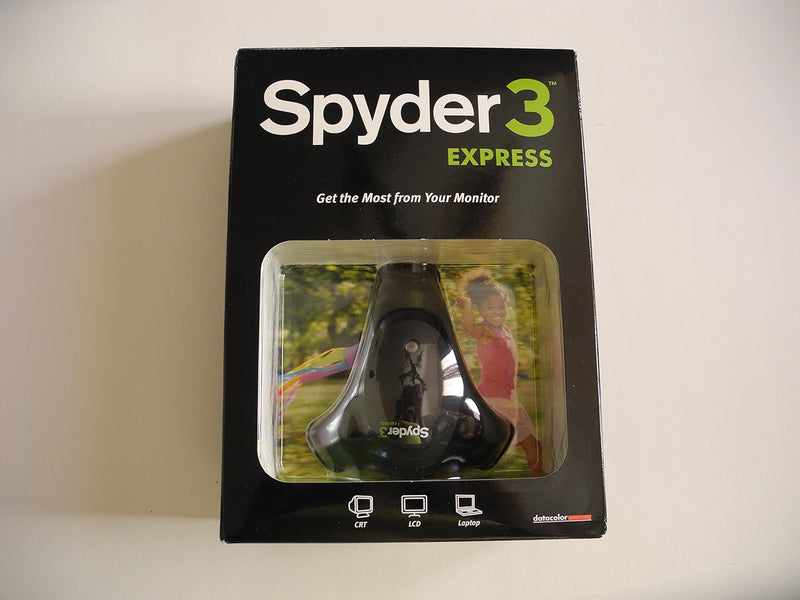


Datacolor
Datacolor DC S3X100 Spyder 3 Express Monitor Color Calibrator
Achieve accurate, consistent color across your monitors and prints with Datacolor's hardware calibration colorimeter.
$89.99*
View on Amazon
✓ In Stock on Amazon.com
*Price sourced from Amazon.com. Last updated:Aug 27, 2026.Price and availability are subject to change — details.
Affiliate Disclosure: As an Amazon Associate, Studio Supplies earns from qualifying purchases made through links on this page, at no additional cost to you. This helps support our editorial team.
Notice a mistake? Let Us Know
Overview
Key Features
Gives accurate monitor color calibration
Easy work flow
Specifications
Brand
Datacolor
Model
DC S3X100
Product Type
Colorimeter
Compatible Displays
LCD, CRT, Laptop
Target Users
Enthusiasts and Advanced Amateurs
Key Feature
Accurate Monitor Color Calibration
Frequently Asked Questions
What types of displays can the Spyder 3 Express calibrate?
It supports LCD monitors, CRT monitors, and laptop displays, covering the most common screen types used by photographers and designers.
How does the Spyder 3 Express calibrate a monitor?
The colorimeter suctions onto your screen and reads a series of color patches displayed by the software, then generates a custom ICC profile to correct your monitor's color output.
Is the Spyder 3 Express difficult to set up?
No, it is designed with a simplified workflow for enthusiasts and advanced amateurs, guiding you through the calibration process step by step.
How often should I recalibrate my monitor with this device?
Monitor colors drift over time, so recalibrating every 2 to 4 weeks is generally recommended to maintain accuracy.
Related Products


