



Datacolor
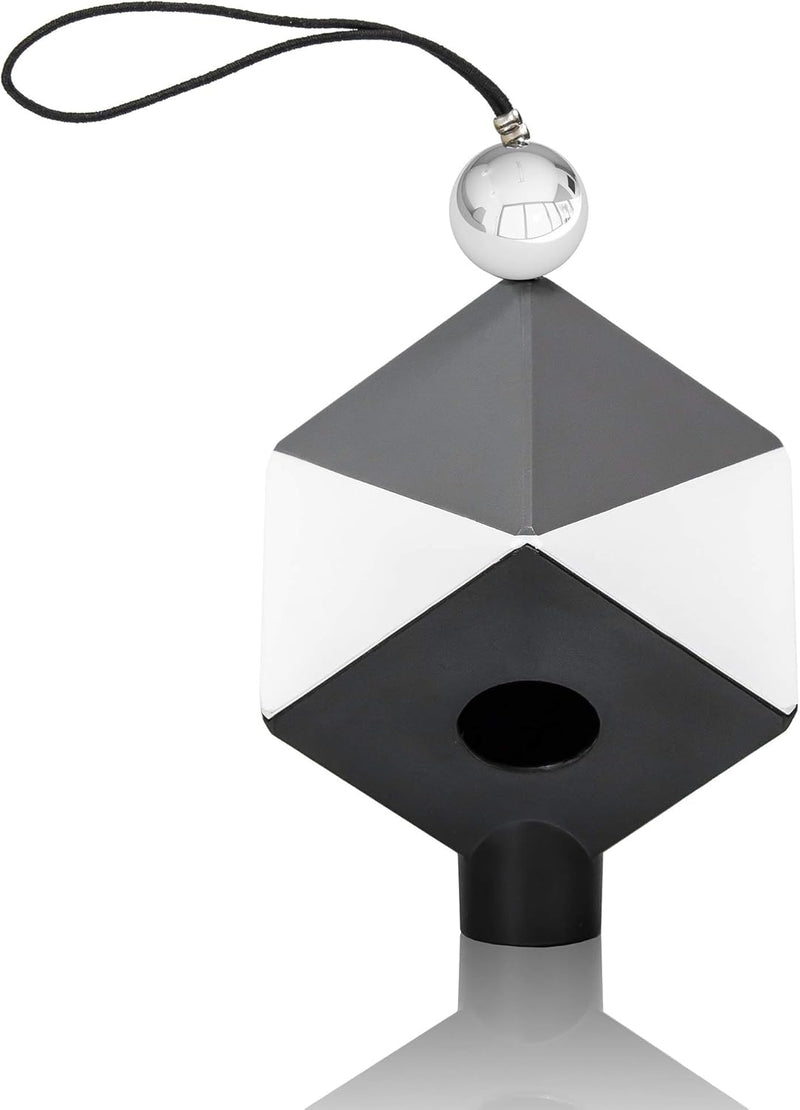
Datacolor SpyderCube 3D Color Calibration Tool
Achieve Perfect Color Accuracy in Every ShotMeet the Datacolor SpyderCube, a 3D calibration tool designed to streamline your RAW processing workflow. This tool provides essential references for setting white balance, exposure, black level, and brightness right from the start. Its unique design ca...
View price on Amazon
Affiliate Disclosure: As an Amazon Associate, Studio Supplies earns from qualifying purchases made through links on this page, at no additional cost to you. This helps support our editorial team.
Notice a mistake? Let Us Know
Overview
Achieve Perfect Color Accuracy in Every Shot
Meet the Datacolor SpyderCube, a 3D calibration tool designed to streamline your RAW processing workflow. This tool provides essential references for setting white balance, exposure, black level, and brightness right from the start. Its unique design captures primary and secondary light sources, ensuring precise color correction. Compatible with leading software like Adobe Photoshop and Lightroom, the SpyderCube is an indispensable tool for photographers seeking accurate and consistent color.
- Function: 3D Advanced Calibration Tool
- Features: References for white balance, exposure, black level, and brightness
- Design: 3-dimensional with black trap for absolute black reference
- Compatibility: Seamless integration with Adobe Photoshop, Lightroom, and Premiere Pro
Key Features
𝗠𝗔𝗦𝗧𝗘𝗥 𝗬𝗢𝗨𝗥 𝗖𝗢𝗟𝗢𝗥: Accelerate RAW processing and set the perfect white balance, exposure, contrast, and black point for your entire series of photos with ease.
𝗔𝗖𝗖𝗨𝗥𝗔𝗧𝗘 𝗖𝗢𝗟𝗢𝗥 𝗖𝗢𝗥𝗥𝗘𝗖𝗧𝗜𝗢𝗡: SpyderCube's unique 3-dimensional design allows you to see primary and secondary light sources for more precise white balance correction, and includes a black trap for absolute black reference.
𝗦𝗘𝗧 𝗬𝗢𝗨𝗥 𝗖𝗢𝗡𝗧𝗥𝗔𝗦𝗧: Use the chrome ball, white faces, black face, and black trap to ensure the correct range of detail in your images, and turn on over and under exposure warnings to see if any portion of your image is out of gamut.
𝗕𝗔𝗧𝗖𝗛 𝗔𝗣𝗣𝗟𝗬 𝗦𝗘𝗧𝗧𝗜𝗡𝗚𝗦: Once you've completed your image adjustments, use the SpyderCube image as a preset to apply settings to the rest of your images with the same lighting.
𝗦𝗘𝗔𝗠𝗟𝗘𝗦𝗦 𝗜𝗡𝗧𝗘𝗚𝗥𝗔𝗧𝗜𝗢𝗡: SpyderCube integrates seamlessly with popular software like Adobe Photoshop, Lightroom, and Premiere Pro, so you can work the way you want to.
Specifications
Design
3-Dimensional Color Calibration Tool
Features
Black Trap, Chrome Ball, White Faces, Black Face
Functionality
White Balance, Exposure, Contrast, Black Point Setting
Software Integration
Adobe Photoshop, Lightroom, Premiere Pro
Frequently Asked Questions
How does the SpyderCube help with white balance correction?
SpyderCube's unique 3-dimensional design allows you to visualize primary and secondary light sources, leading to more precise white balance correction in your images.
Can this tool help with setting contrast?
Yes, you can use the chrome ball, white faces, black face, and black trap on the SpyderCube to ensure the correct range of detail and contrast in your images.
Is the SpyderCube compatible with professional editing software?
Yes, SpyderCube integrates seamlessly with popular software, including Adobe Photoshop, Lightroom, and Premiere Pro, for an efficient workflow.
Can I apply the adjustments from one image to a batch of photos?
Yes, once you complete your image adjustments using the SpyderCube, you can use that image as a preset to apply the settings to other images taken under the same lighting conditions.
What is the purpose of the black trap on the SpyderCube?
The black trap included in the SpyderCube design provides an absolute black reference, which is crucial for achieving accurate black point settings in your photographs.
Related Products


