



Elgato
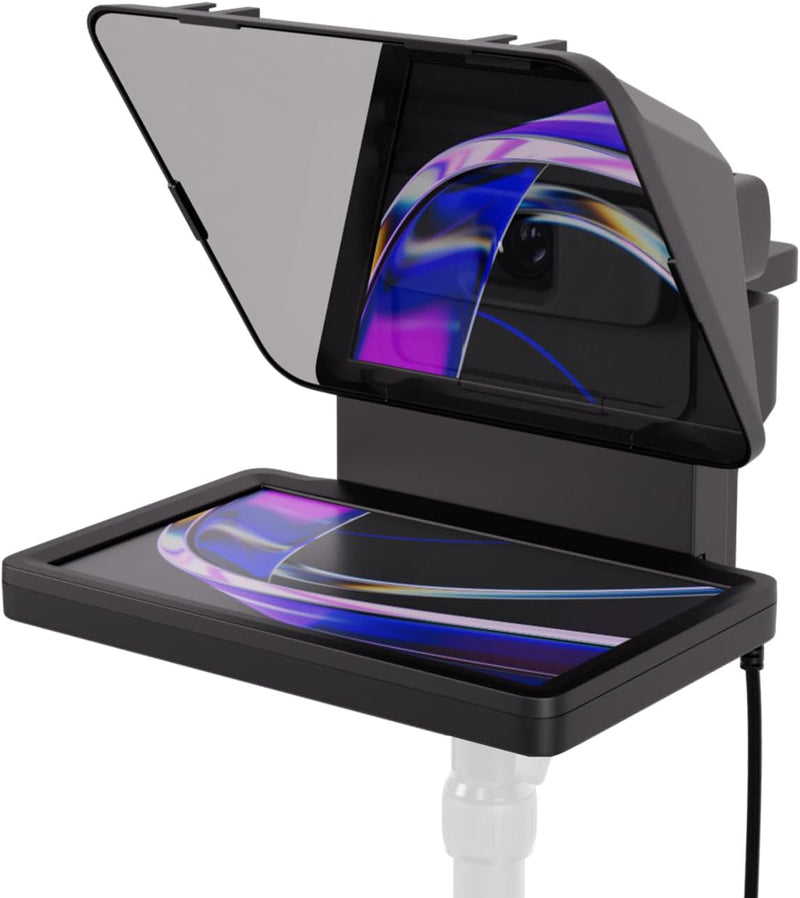
Elgato 20WAD9901 Prompter Teleprompter for Streaming
A teleprompter with a built-in screen that lets you read scripts and chat while maintaining direct eye contact with your camera.
$219.99*$299.99Save 26%
View on Amazon
✓ In Stock on Amazon.com
*Price sourced from Amazon.com. Last updated:Oct 07, 2026.Price and availability are subject to change — details.
Affiliate Disclosure: As an Amazon Associate, Studio Supplies earns from qualifying purchases made through links on this page, at no additional cost to you. This helps support our editorial team.
Notice a mistake? Let Us Know
Overview
Key Features
Built-in display, Drag-and-drop: No extra tablets or smartphone screens required. Move any window or app onto Prompter’s display, just like a monitor.
Multipurpose: Read Twitch chat or scripts while looking at your camera.
Meet face to face: Maintain professional eye contact on Zoom or Teams calls.
Super compatible, Ultra customizable: Supports more cameras than any other, even the widest lenses, includes Camera Hub app to adjust text and chat appearance. *DisplayLink software required on Mac (free to download)/ *DisplayLink Presenter software required on Android (free to download)
Easy setup, Desktop controlled: No complicated installs, just attach your camera and plug in, use your PC or Mac computer — not a third-party mobile app. Works with Stream Deck.
Specifications
Brand
Elgato
Model
20WAD9901
Type
Teleprompter
Display
Built-in Screen
Camera Compatibility
DSLR, Webcam, Smartphone (including wide-angle lenses)
Connectivity
USB
Software
Desktop-controlled (Mac/PC); DisplayLink required on Mac; DisplayLink Presenter required on Android
Integration
Stream Deck compatible
Special Features
Drag-and-drop monitor display, no external tablet required
Frequently Asked Questions
Do I need a separate tablet or phone to use as the Prompter's display?
No. The Elgato Prompter has a built-in screen that functions as an additional monitor. You drag and drop any window or app onto it directly from your computer.
What cameras are compatible with the Elgato Prompter?
It supports DSLRs, webcams, and smartphones — including wide-angle lenses. Elgato states it is compatible with more cameras than any other prompter on the market.
Does the Prompter work on Mac, PC, and mobile devices?
It works on both Mac and PC. Mac users need to install the free DisplayLink software, and Android users need the free DisplayLink Presenter app. It also integrates with Elgato's Stream Deck for workflow control.
Can I use the Prompter for video calls, not just streaming?
Yes. You can run Zoom, Teams, or any other video conferencing app on the Prompter's display so you maintain eye contact with the camera during meetings.
How complicated is the physical setup?
Setup is straightforward — attach your camera to the unit and plug it into your computer via USB. There are no complex mounting systems or third-party mobile apps required.
Related Products


