



Elgato
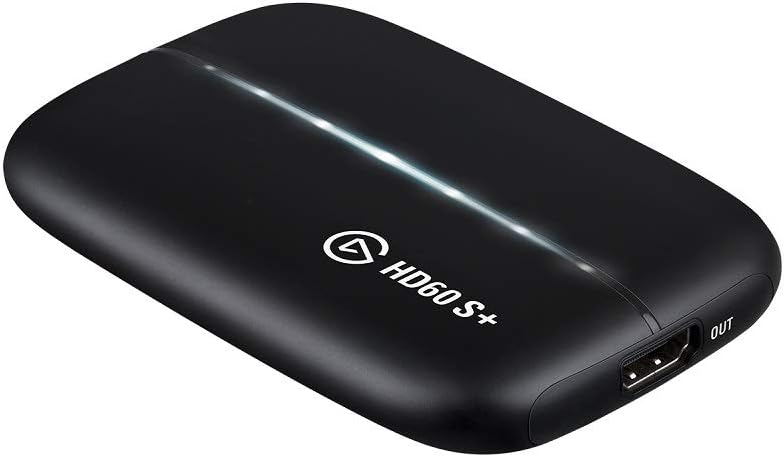
Elgato HD60 S+ External Capture Card 4K60 HDR10
HDR10
Stream and record console or PC gameplay in up to 4K60 HDR10 with Elgato's ultra-low latency USB capture card.
$290.99*$308.35Save 5%
View on Amazon
✓ In Stock on Amazon.com
*Price sourced from Amazon.com. Last updated:Aug 28, 2026.Price and availability are subject to change — details.
Affiliate Disclosure: As an Amazon Associate, Studio Supplies earns from qualifying purchases made through links on this page, at no additional cost to you. This helps support our editorial team.
Notice a mistake? Let Us Know
Overview
Key Features
1080p60 HDR10 Capture: share your gameplay in superb viewing quality.
4K60 HDR10 Zero-Lag Passthrough: play your high-fidelity Xbox Series X/S, Xbox One X, PS5 and PS4 Pro games in original format.
Instant Gameview: power your workflow with ultra-low-latency technology.
Unlimited Capture: record hours of footage directly to your hard drive.
Flashback Recording: slide back in time to save epic moments retroactively.
Specifications
Brand
Elgato
Model
HD60 S+
Capture Resolution
1080p60 HDR10
Passthrough
4K60 HDR10
Latency
Instant Gameview (ultra-low latency)
Interface
USB
Supported OS
Windows, macOS
Console Compatibility
PS5, PS4/Pro, Xbox Series X/S, Xbox One X/S
Features
Instant Gameview, Unlimited Capture, Flashback Recording
Frequently Asked Questions
Can I use the HD60 S+ to stream directly, or do I need separate software?
The HD60 S+ is a capture device — it sends video to your computer where streaming software like OBS, Streamlabs, or Elgato's own software handles the actual broadcast. It does not stream on its own.
Does the HD60 S+ add input lag to my gaming display?
No. The 4K60 HDR10 passthrough sends an unaltered signal to your TV or monitor with zero added latency, so your gameplay experience is unaffected while the card captures in parallel.
What resolution does the HD60 S+ actually record at?
It captures at up to 1080p60 with HDR10. The 4K60 HDR10 passthrough means your display still shows full 4K, but the recorded or streamed output is 1080p60.
Is the HD60 S+ compatible with PlayStation 5 and Xbox Series X?
Yes, it is compatible with PS5, PS4/Pro, Xbox Series X/S, and Xbox One X/S, as well as PC and Mac sources.
How does the HD60 S+ connect to my computer?
It connects via USB, with HDMI in and HDMI out ports for your console or source device and your display respectively.
Related Products


