

Extron
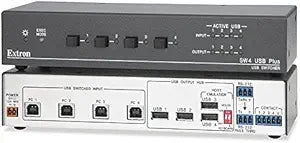
Extron 60-954-02 SW4 USB Plus Switcher
Seamless USB Integration and SwitchingIntroducing the Extron SW4 USB Plus, a versatile solution for streamlined USB device sharing and switching in professional AV environments. Model: 60-954-02
$794.42*
View on Amazon
✓ In Stock on Amazon.com
*Price sourced from Amazon.com. Last updated:Aug 27, 2026.Price and availability are subject to change — details.
Affiliate Disclosure: As an Amazon Associate, Studio Supplies earns from qualifying purchases made through links on this page, at no additional cost to you. This helps support our editorial team.
Notice a mistake? Let Us Know
Overview
Seamless USB Integration and Switching
Introducing the Extron SW4 USB Plus, a versatile solution for streamlined USB device sharing and switching in professional AV environments.
- Model: 60-954-02
Key Features
9 PIN HD CONNECTOR
EMULATION SIMPLE
FOUR INPUT
RS 232 PASS THRU PORT WIRING
SW4 USB SWITCHER
Specifications
Brand
Extron
Model
SW4 USB Plus
Device Type
Switcher
Inputs
Four
Connector Type 1
9 PIN HD
Control Port
RS 232 Pass Thru
Frequently Asked Questions
What kind of USB devices can be connected to the Extron SW4 USB Plus Switcher?
The Extron SW4 USB Plus Switcher is designed to connect and switch various USB devices, but the specific USB version (e.g., 2.0 or 3.0) is not detailed, which could affect compatibility with high-bandwidth devices.
What is the purpose of the 9-pin HD connector on this switcher?
The 9-pin HD connector typically provides specialized control or signal routing capabilities, potentially for integration with control systems or legacy equipment in professional setups.
How does the "emulation simple" feature benefit the user?
"Emulation simple" suggests that the switcher aims for straightforward functionality, potentially simplifying setup and operation by handling device enumeration or basic signal protocols without extensive configuration.
Can the RS-232 pass-through port be used for remote control of the switcher itself?
The RS-232 pass-through port is primarily for passing serial data through the switcher, but Extron devices often use RS-232 for their own control, so it might serve dual purposes.
Does this switcher require an external power supply?
The product description does not specify power requirements; typically, professional switchers like the Extron SW4 USB Plus require an external power source for stable operation.
Is this Extron switcher compatible with both Windows and Mac operating systems?
As a hardware switcher, its compatibility with operating systems generally depends on the attached USB devices, but the switcher itself should function independently of the OS for its switching purpose.
What scenarios are best suited for using the Extron SW4 USB Plus Switcher?
This switcher is best suited for environments requiring shared access to USB peripherals among multiple host computers, such as control rooms, lecture halls, or professional AV setups.
Related Products


