

JVC
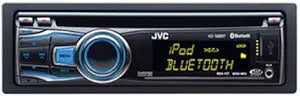
JVC KDS88BT CD Receiver with Bluetooth
★★★★★
The JVC KDS88BT CD receiver brings Bluetooth hands-free calling, CD playback, and USB input to your car stereo.
View price on Amazon
Affiliate Disclosure: Studio Supplies may earn a commission from qualifying purchases made through links on this page, at no additional cost to you. This helps support our editorial team.
Notice a mistake? Let Us Know
Overview
Specifications
Brand
JVC
Model
KDS88BT
Type
CD Receiver
Bluetooth
Built-in
USB
Front USB Input
Pandora
Ready
Remote Control
Included
Form Factor
Single-DIN
Pros & Cons
👍 Pros
- Built-in Bluetooth provides wireless hands-free calling and audio streaming without needing a separate adapter
- Front-facing USB port offers convenient access for media playback and device charging
- Pandora-ready functionality adds internet radio control directly from the receiver interface
- Included remote control allows passenger-side or rear-seat operation without reaching the head unit
👎 Cons
- Lacks Apple CarPlay and Android Auto integration which are standard on most modern head units
- No dedicated auxiliary (3.5mm) input is listed, limiting wired connection options for older devices
- Single-DIN CD receiver design offers a basic display compared to modern touchscreen units
- Feature set is minimal compared to current receivers at similar price points that include app mirroring and HD Radio
Frequently Asked Questions
Does the JVC KDS88BT support Bluetooth audio streaming?
Yes, the KDS88BT features built-in Bluetooth connectivity for hands-free calling and wireless audio streaming from your phone.
What media sources can this receiver play?
It supports CD playback, USB media via the front-mounted USB port, and Bluetooth audio streaming. It is also Pandora-ready for internet radio.
Does this receiver come with a remote control?
Yes, a remote control is included with the KDS88BT for convenient operation.
Is this receiver compatible with Pandora?
Yes, the KDS88BT is Pandora-ready, allowing you to control Pandora internet radio playback through the receiver's interface when connected to a compatible device.
Where is the USB port located on this unit?
The USB port is located on the front panel of the receiver for easy access when connecting USB drives or charging devices.
Related Products


