



Microsoft
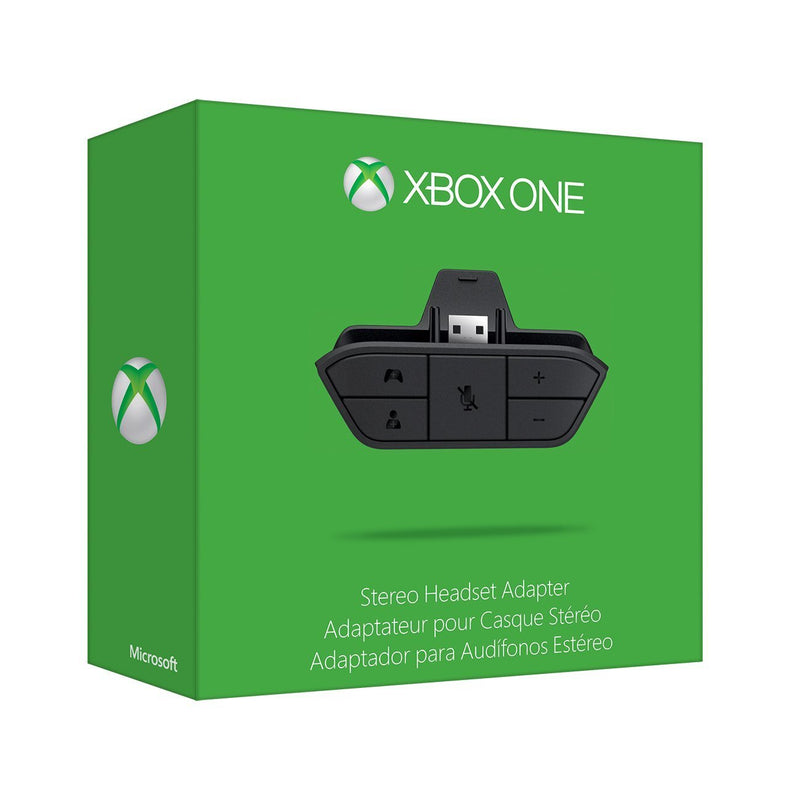
Microsoft 6JV-00006 Xbox One Stereo Headset Adapter
Enhance Your Xbox One Audio Experience with the Microsoft Stereo Headset Adapter The Xbox One Stereo Headset Adapter allows you to connect your favorite compatible headset and customize your audio experience. Easily adjust chat audio without removing your hands from the controller. For game audio...
$35.21*
View on Amazon
✓ In Stock on Amazon.com
*Price sourced from Amazon.com. Last updated:Aug 30, 2026.Price and availability are subject to change — details.
Affiliate Disclosure: As an Amazon Associate, Studio Supplies earns from qualifying purchases made through links on this page, at no additional cost to you. This helps support our editorial team.
Notice a mistake? Let Us Know
Overview
Enhance Your Xbox One Audio Experience with the Microsoft Stereo Headset Adapter
The Xbox One Stereo Headset Adapter allows you to connect your favorite compatible headset and customize your audio experience. Easily adjust chat audio without removing your hands from the controller. For game audio, simply connect directly to your console or TV. Enjoy immersive sound and clear communication with this essential accessory.
Key Features
- Compatibility: Xbox Series X, Xbox One, Windows 10
- Audio Jack: 3.5mm
- Functionality: Chat Audio Adjustment, Stereo Game Audio Support
- Connectivity: Direct Connection to Controller
Key Features
An Xbox One Stereo Headset Adapter is already included with new stereo headsets designed for Xbox One. Just plug the Xbox One Stereo Headset Adapter that came with your headset into your controller and then connect the headset
Most stereo gaming headsets with a 3.5mm audio jack (that use the CTIA plug standard) can get chat and stereo game audio directly through the Xbox One
No need to connect anything to the console or TV/ receiver. A microphone is required for chat
Legacy stereo gaming headsets for Xbox 360 can get game audio by connecting the legacy stereo headset to the back of the Xbox One console using the S/PDIF port, or to the TV/receiver with RCA cables ( just like on Xbox 360). Get chat audio by connecting the 2.5mm chat cable from your legacy stereo gaming headset to the adapter, using the included audio jack adapter cable. A microphone is required for chat
Compatible with Xbox Series X, Xbox One, Windows 10
Specifications
Brand
Microsoft
Model Number
6JV-00006
Device Type
Stereo Headset Adapter
Compatibility
Xbox Series X, Xbox One, Windows 10
Audio Jack Standard
3.5mm CTIA
Frequently Asked Questions
What types of headsets are compatible with this adapter?
Most stereo gaming headsets with a 3.5mm audio jack using the CTIA plug standard are compatible with this adapter.
Do I need to connect this adapter to my Xbox One console or TV?
No, there is no need to connect anything to the console or TV/receiver when using this adapter for audio.
Is a microphone necessary for chat functionality with this adapter?
Yes, a microphone is required for chat functionality to work when using this stereo headset adapter.
Can I use my old Xbox 360 stereo headset with this adapter?
Yes, legacy Xbox 360 stereo gaming headsets can get chat audio by connecting their 2.5mm chat cable to the adapter using the included audio jack adapter cable.
What Xbox consoles is this adapter compatible with?
This adapter is compatible with Xbox Series X, Xbox One, and Windows 10 devices.
Is this adapter included with new Xbox One stereo headsets?
Yes, an Xbox One Stereo Headset Adapter is already included with new stereo headsets designed for Xbox One.
Related Products

