



Neewer
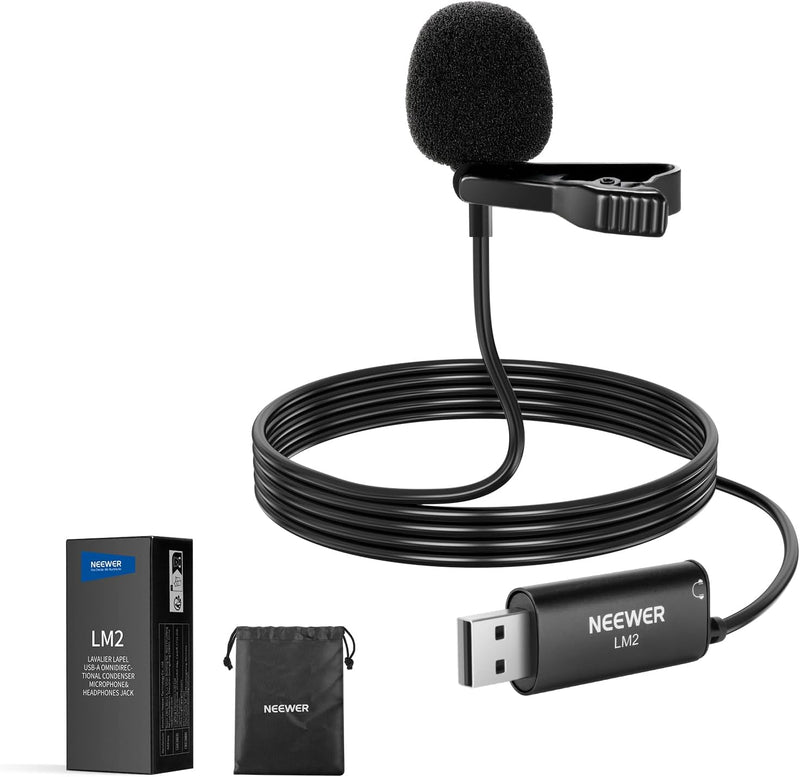
Neewer 21000134 USB Lapel Microphone with Monitoring
USB 2.0Condenser
Plug-and-play USB lavalier mic with real-time headphone monitoring for clear, hassle-free voice recording on any computer.
$14.99*
View on Amazon
✓ In Stock on Amazon.com
*Price sourced from Amazon.com. Last updated:Aug 28, 2026.Price and availability are subject to change — details.
Affiliate Disclosure: As an Amazon Associate, Studio Supplies earns from qualifying purchases made through links on this page, at no additional cost to you. This helps support our editorial team.
Notice a mistake? Let Us Know
Overview
Key Features
【Plug & Play USB A Microphone】 Directly plug the USB A lav mic into your computer or laptop. No drivers required. A 6.6ft/2m cable allows flexible positioning, and the 3.5mm TRS jack connects headphones for real time monitoring (go to Settings→System→Sound→More sound settings→Recording→Microphone→Listen, and check "Listen to this device")
【3.5mm Monitoring Headphone Jack】 Connect headphones to the 3.5mm TRS jack for real time audio monitoring without latency and get the same audio output quality as expected. Perfect for video conferencing, voiceovers, podcasts, and recordings.
【Omnidirectional Condenser Mic】 Designed with a 360° sensitive omnidirectional pickup pattern and a sampling rate, this condenser mic delivers clear, crisp, and uncompressed voice from all directions.
【Secure & Removable Collar Clip】 Securely attach the little lightweight microphone to your collar without sagging or wrinkling your shirts or other clothes. Remove the clip for handheld use or discreetly tape the mic to your body as needed
【Suitable for USB 2.0 Computers】 This external USB mic is seamlessly compatible with Mac and Windows PCs, computers, and laptops that support USB 2.0. Note: Some computers may require manually setting the USB microphone as the input device
Specifications
Brand
Neewer
Model
21000134
Microphone Type
Condenser
Pickup Pattern
Omnidirectional
Connectivity
USB-A
Monitoring Output
3.5mm TRS headphone jack
Cable Length
6.6 ft / 2 m
Compatibility
Mac and Windows (USB 2.0)
Driver Required
No (Plug & Play)
Frequently Asked Questions
Does this microphone require any driver installation?
No. The Neewer 21000134 is a plug-and-play USB microphone that works immediately when connected to a USB 2.0 port on Mac or Windows computers without any driver installation.
How do I enable the real-time monitoring feature?
Plug headphones into the 3.5mm TRS jack on the microphone. On Windows, go to Settings → System → Sound → More sound settings → Recording → Microphone → Listen, and check "Listen to this device." On Mac, monitoring can be enabled through Audio MIDI Setup or your recording software.
Can I use this microphone without the collar clip?
Yes. The collar clip is removable, so you can hold the microphone by hand or tape it discreetly to clothing or a surface depending on your recording setup.
How long is the cable?
The USB cable is 6.6 feet (2 meters) long, giving you flexibility to position yourself away from your computer while recording.
Does this microphone work with phones or tablets?
This microphone is designed for USB 2.0 computers and laptops. It uses a USB-A connector, so it will not directly connect to most phones or tablets without an adapter, and compatibility is not guaranteed.
Related Products


