

PreSonus
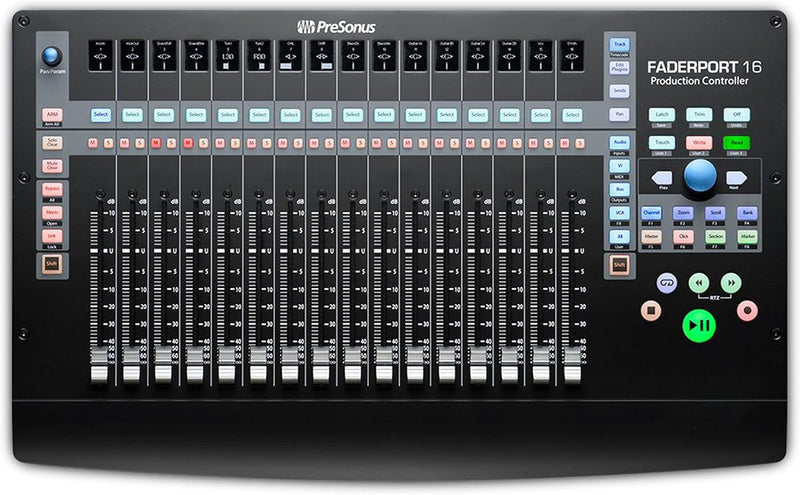
PreSonus Faderport 16 DAW Controller Motorized Faders
Mix with precision using 16 touch-sensitive motorized faders and seamless DAW integration.
Check availability
Affiliate Disclosure: As an Amazon Associate, Studio Supplies earns from qualifying purchases made through links on this page, at no additional cost to you. This helps support our editorial team.
Notice a mistake? Let Us Know
Overview
Specifications
Brand
PreSonus
Model
FaderPort 16
Faders
16 touch-sensitive, motorized
Connectivity
USB
Compatible Software
Ableton Live (plus HUI/MCU support for other DAWs)
Power Supply
12 VDC, 2A External Power Supply
Frequently Asked Questions
Which DAWs are compatible with the FaderPort 16?
The FaderPort 16 is compatible with Ableton Live and also supports other major DAWs through HUI and Mackie Control Universal protocols, including Studio One, Logic Pro, Pro Tools, and Cubase.
Are the faders touch-sensitive?
Yes, all 16 faders are touch-sensitive and motorized, meaning they respond to your touch instantly and recall positions automatically when switching between sessions or channels.
How does the FaderPort 16 connect to a computer?
It connects via USB, making setup straightforward with most computers running a compatible DAW.
Does the FaderPort 16 require an external power supply?
Yes, it uses a 12 VDC, 2A external power supply, which is included with the unit. It is not USB-powered due to the power demands of 16 motorized faders.
Can I use the FaderPort 16 to control plug-in parameters?
Yes, in addition to channel faders, it provides controls for navigating and adjusting parameters within your DAW, including pan, solo, mute, and transport functions.
Related Products


