

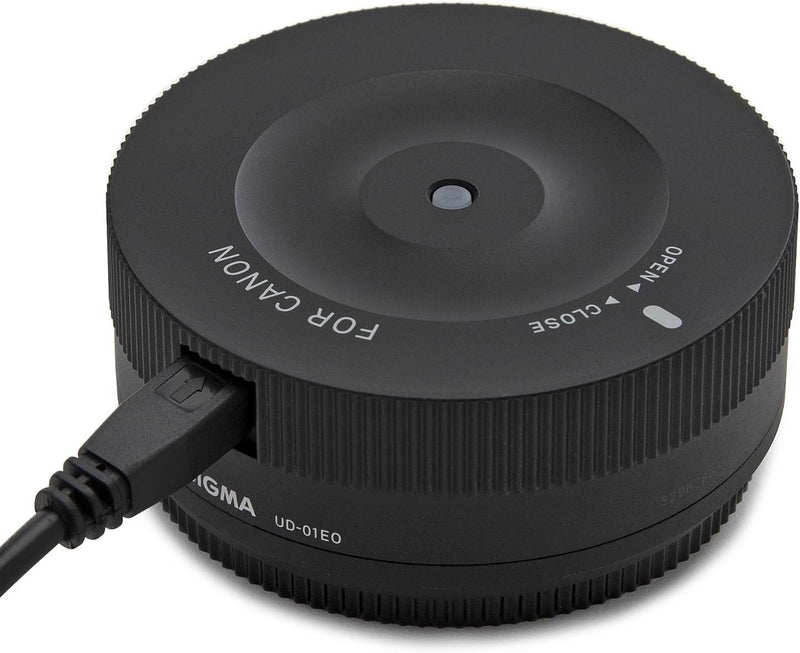


Sigma
Sigma 878954 USB Dock for Canon Lenses
★★★★★
Fine-tune autofocus, update firmware, and customize Sigma Global Vision lenses directly from your computer.
$58.80*$59.00Save 0%
Check availability
*Price sourced from Amazon.com. Last updated:Jul 14, 2026.Price and availability are subject to change.
Affiliate Disclosure: Studio Supplies may earn a commission from qualifying purchases made through links on this page, at no additional cost to you. This helps support our editorial team.
Notice a mistake? Let Us Know
Overview
Key Features
Customize: Autofocus, OS, Focus
Compatible with Global Vision Lenses
Sigma Optimization Pro software in order to connect a photographers lens to their personal computer to update firmware and other parameters such as focus, and for the Sports category
Compatible Lenses 35mm F1.4 DG HSM, 17-70mm F2.8-4 DC MACRO OS HSM / 17-70mm F2.8-4 DC MACRO HSM, and 120-300mm F2.8 DG OS HSM
The adjustment is processed with special software (SIGMA Optimization Pro).
Specifications
Compatibility
Sigma Global Vision lenses (Canon EF mount)
Functionality
Firmware updates, autofocus customization, OS adjustments
Software
Sigma Optimization Pro (free download)
Connection
USB
Brand
Sigma
Model
878954
Pros & Cons
👍 Pros
- Allows precise autofocus calibration at multiple distances without relying on in-camera micro-adjustment
- Enables firmware updates to keep lenses current with new camera body compatibility and bug fixes
- Optical stabilization parameters can be customized through the Sigma Optimization Pro software
- Simple USB connection makes the process accessible without specialized equipment
👎 Cons
- Only compatible with Sigma Global Vision lenses — not usable with older Sigma lenses or other brands
- Requires a separate dock for each lens mount system if you own Sigma lenses in multiple mounts
- The Sigma Optimization Pro software interface can feel unintuitive for first-time users
- Provides no functionality beyond what is available through the software — no standalone use
Frequently Asked Questions
Which lenses are compatible with the Sigma USB Dock?
It works exclusively with Sigma Global Vision lenses — those in the Art, Contemporary, and Sports lines. Older Sigma lenses without the Global Vision designation are not supported.
What software is needed to use the Sigma USB Dock?
You need to download Sigma Optimization Pro, a free application available from Sigma's website for both Windows and macOS. The dock connects the lens to your computer through this software.
Can I adjust autofocus calibration with this dock?
Yes, the dock allows you to fine-tune autofocus at multiple focal distances, which is especially useful for fast prime lenses or zoom lenses that may need different corrections at different focal lengths.
Is this dock compatible with lenses from other manufacturers?
No, the Sigma USB Dock only works with Sigma's own Global Vision lenses. It cannot be used with Canon, Nikon, or other third-party lenses.
Does the Canon mount version work with Canon EF mount lenses?
This dock is the Canon mount version, meaning it interfaces with Sigma Global Vision lenses that have a Canon EF mount. It does not connect to Canon-branded lenses.
Related Products


