

Sony
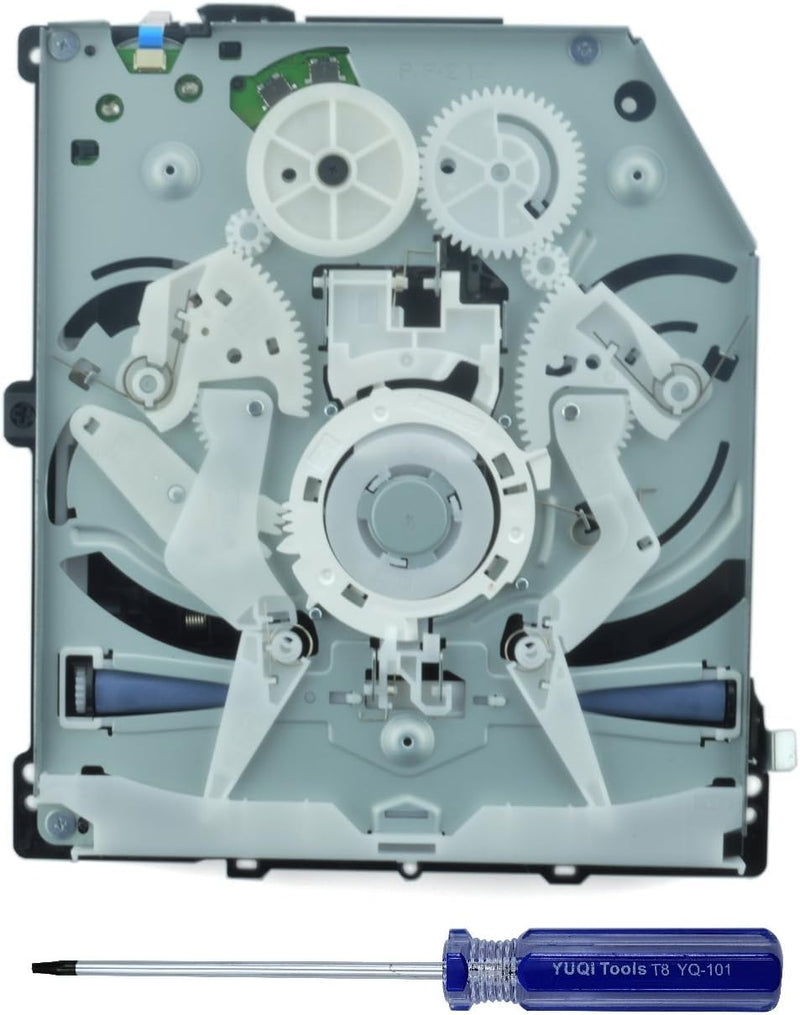
Sony BDP-020 PS4 Blu-ray DVD Drive Replacement
★★★★★
Revitalize Your Gaming Experience with the Sony PS4 Blu-ray DVD Drive Replacement Restore your PlayStation 4's multimedia capabilities with this Sony OEM Blu-ray DVD Drive Replacement. Designed for CUH-1001A, CUH-1115A, CUH-10XXA, and CUH-11XXA models, this replacement drive ensures seamless pla...
View price on Amazon
Affiliate Disclosure: Studio Supplies may earn a commission from qualifying purchases made through links on this page, at no additional cost to you. This helps support our editorial team.
Notice a mistake? Let Us Know
Overview
Revitalize Your Gaming Experience with the Sony PS4 Blu-ray DVD Drive Replacement
Restore your PlayStation 4's multimedia capabilities with this Sony OEM Blu-ray DVD Drive Replacement. Designed for CUH-1001A, CUH-1115A, CUH-10XXA, and CUH-11XXA models, this replacement drive ensures seamless playback of your favorite games and movies. Note that the original drive logic board (BDP-020/BDP-025) must be installed for functionality, and professional installation is highly recommended.
Specifications:
- Brand: Sony
- Model: BDP-020
- Compatibility: CUH-1001A, CUH-1115A, CUH-10XXA, CUH-11XXA models
- Type: Blu-ray DVD Drive Replacement
- Laser/Circuit Board: KES-490 KEM-490 KES-490A
- Includes: T8 Tool
- Condition: OEM
- Hardware Platform: Gaming Console
- Special Feature: Blu Ray Disc
- Hardware Interface: SATA 3.0 Gb/s
- Optical Storage Read Speed: 8X (Blu-ray), 8X/12X (DVD)
Key Features
Please check model number on original drive's Circuit Board BDP-020 BDP-025 before purchase.
Your original drive logic board (BDP-020/BDP-025) must be installed!
Professional installation is highly recommended.
The new DVD drive will need to be “flashed” with your console’s security key or will need to have your old drive's board swapped into the new replacement drive.
Specifications
Part Type
Blu-ray DVD Drive Replacement
Compatible PS4 Models
BDP-020, BDP-025 (check original drive's Circuit Board)
Installation Requirement
Professional installation recommended
Key Installation Step
Original drive logic board (BDP-020/BDP-025) must be installed
Technical Requirement
New drive needs "flashing" with console's security key OR old drive's board swapped
Frequently Asked Questions
Which PlayStation 4 models is this Blu-ray DVD drive replacement compatible with?
This replacement drive is compatible with PlayStation 4 consoles that have original drive circuit boards labeled BDP-020 or BDP-025. You must check your original drive's model number before purchasing.
Is professional installation necessary for this replacement drive?
Yes, professional installation is highly recommended due to the technical nature of the replacement process.
What crucial step is involved during the installation of this drive?
Your original drive logic board (BDP-020/BDP-025) must be installed into this new replacement drive for it to function correctly.
Do I need to "flash" the new DVD drive?
Yes, the new DVD drive will need to be "flashed" with your console’s security key, or alternatively, your old drive's board must be swapped into the new replacement drive.
What happens if I don't swap the original logic board or flash the new drive?
If the original drive's logic board is not swapped or the new drive is not flashed with the console's security key, the replacement drive will not work.
Related Products


