



Sony
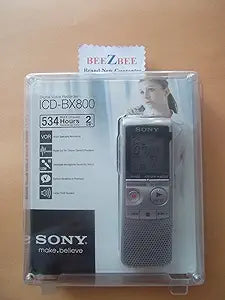
Sony ICD-BX800 2GB Digital Voice Recorder
★★★★★
Up to 534 hours of recording time in a pocket-sized device — the Sony ICD-BX800 is the reliable capture tool for lectures, meetings, and on-the-go memos.
$89.95*
Check availability
*Price sourced from Amazon.com. Last updated:Jul 14, 2026.Price and availability are subject to change.
Affiliate Disclosure: Studio Supplies may earn a commission from qualifying purchases made through links on this page, at no additional cost to you. This helps support our editorial team.
Notice a mistake? Let Us Know
Overview
Key Features
534 hours of recording time (LP mode)
Voice operated recording
Stereo recording with optional microphone
Stereo microphone jack
Selectable microphone sensitivity
Specifications
Model
ICD-BX800
Storage Capacity
2GB
Recording Time (LP mode)
534 hours
Recording Features
Voice operated recording
Audio Output
Stereo (with optional microphone)
Microphone Jack
Stereo
Microphone Sensitivity
Selectable
Pros & Cons
👍 Pros
- The 534-hour recording capacity at LP mode means you can leave the device running for days of conferences or fieldwork without managing storage.
- Voice Operated Recording automatically pauses during silence, keeping files compact and eliminating the need to scrub through dead air during playback.
- The selectable microphone sensitivity lets you dial in the right pick-up pattern for the room — broader for lecture halls, tighter for one-on-one interviews.
- The dictation correction (overwrite during playback) feature saves significant time when recording spoken notes that need real-time corrections.
- The A-B Repeat and Digital Pitch Control functions make the ICD-BX800 genuinely useful as a transcription aid, letting you loop difficult passages and slow playback without pitch shift.
👎 Cons
- The 2GB onboard storage is fixed — there is no memory card slot to expand capacity beyond the built-in flash memory.
- Stereo recording requires purchasing a separate external microphone; the built-in microphone only captures mono audio.
- The ICD-BX800 uses a proprietary Sony connection for USB transfer, so a lost cable requires a Sony-specific replacement rather than a standard cable.
- LP (long play) mode that enables the 534-hour figure applies significant compression; audio quality at LP is not suitable for music or high-fidelity transcription needs.
- There is no built-in speaker for playback without headphones — you'll need earphones or an external speaker to review recordings on the device itself.
Frequently Asked Questions
How does Voice Operated Recording (VOR) work on the ICD-BX800, and is it reliable in noisy environments?
VOR automatically starts recording when the microphone detects sound above a threshold and pauses during silence — so you're not storing minutes of dead air between speakers. In very noisy rooms, VOR can trigger continuously, which effectively disables the pause function; for loud environments, manual recording mode is more reliable.
Does the ICD-BX800 support stereo recording, and what do I need for that?
The recorder itself records in mono by default, but it includes a stereo microphone jack that accepts an optional external stereo microphone for true stereo capture. Without the external mic, recordings are mono.
How is recorded audio transferred to a computer?
The ICD-BX800 connects directly to a computer via USB for file transfer — no separate card reader or dock is needed. Files are accessible as standard audio files from the device's onboard 2GB flash memory.
What does selectable microphone sensitivity actually control?
Microphone sensitivity determines how aggressively the recorder picks up distant or quiet sounds. A higher sensitivity setting captures a wider room — useful for lectures — while a lower setting focuses on nearby voices and reduces background noise in interviews or dictation.
Can I overwrite or correct a recording without re-recording everything from the beginning?
Yes — the ICD-BX800 includes a dictation correction feature that allows you to overwrite a section of a recording during playback. You position the playback point at the passage you want to correct, then record over it, which is a significant time saver in dictation workflows.
Related Products


