



Sony
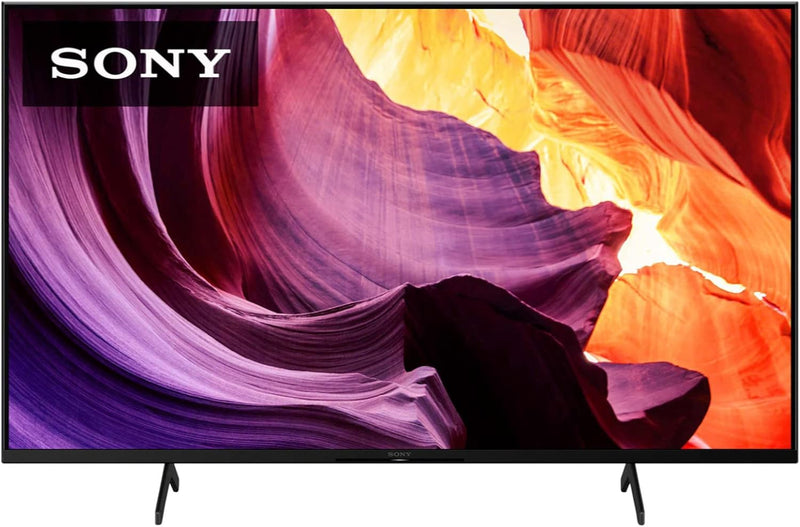
Sony KD50X80K 50 Inch 4K Ultra HD Smart Google TV
★★★★★
4K50 InchHDR
Sony's 4K HDR Processor X1 and Google TV platform put genuinely smart picture processing and seamless streaming front and center in a 50-inch TV built for the living room.
Check availability
Affiliate Disclosure: Studio Supplies may earn a commission from qualifying purchases made through links on this page, at no additional cost to you. This helps support our editorial team.
Notice a mistake? Let Us Know
Overview
Key Features
INTELLIGENT TV PROCESSING– The 4K HDR Processor X1 delivers a picture that is smooth and clear, full of rich colors and detailed contrast.Image Aspect ratio:16:9.Controller type:Voice Control
WIDE SPECTRUM OF COLORS- Reproduces over a billion accurate colors resulting in picture quality that is natural and precise, and closer than ever to real life, enhanced by TRILUMINOS Pro.
PREMIUM SMART TV– Google TV with Google Assistant organizes your favorite content all in one place. Stream from Prime Video, Netflix, Disney+, Apple TV, HBO Max, Peacock and many more. Also, stream from your Apple device with AirPlay 2 support.
ENHANCED ENTERTAINMENT– Experience immersive and engaging cinematic content as the creator intended with support for Dolby Vision & Atmos.
ALL YOUR GAME SETTINGS IN ONE PLACE– Game Menu puts all your gaming picture settings and exclusive assist features in a single easy-to-manage interface.
ENHANCED GAMING PICTURE QUALITY– Enhance your gaming experience with exclusive features for the PlayStation 5 to improve gaming picture quality.
FLUSH SURFACE DESIGN– Your eyes naturally focus on the immersive big picture with a flush surface narrow bezel design.
INTELLIGENT MOTION HANDLING– See blur-free picture quality in fast-moving sports and action-packed movies powered by Motionflow XR.
UPSCALE ALL YOUR CONTENT– Bring back lost texture and detail and see all your content upscaled to near-4K resolution with 4K XR-Reality PRO.
Specifications
Screen Size
50 inches
Resolution
4K Ultra HD (3840 x 2160)
Processor
4K HDR Processor X1
Color Technology
TRILUMINOS Pro (1 billion+ colors)
HDR Support
Dolby Vision, HDR10, HLG
Audio
Dolby Atmos
Motion Technology
Motionflow XR
Upscaling
4K XR-Reality PRO
Smart Platform
Google TV with Google Assistant
Wireless Casting
AirPlay 2, Chromecast built-in
Gaming
Game Menu, PS5 picture quality enhancements
Aspect Ratio
16:9
Pros & Cons
👍 Pros
- TRILUMINOS Pro reproduces over a billion colors, delivering noticeably more natural and accurate picture quality than budget 4K alternatives
- 4K HDR Processor X1 with TRILUMINOS Pro delivers visibly accurate, natural color across a billion color shades — a perceptible improvement over entry-level 4K panels
- Google TV aggregates content across all streaming apps into a single, personalized home screen — significantly less navigation friction than older smart TV platforms
- Google TV aggregates content from all streaming subscriptions into one unified home screen, reducing the friction of jumping between apps
- Dolby Vision and Atmos support brings scene-by-scene HDR accuracy and immersive audio to compatible streaming content
- Dolby Vision and Dolby Atmos support covers the premium HDR and audio formats used by Netflix, Disney+, and Apple TV+ for their highest-quality content tiers
- AirPlay 2 and HomeKit integration make it a natural fit for Apple device households without any additional hardware
- Motionflow XR handles fast sports and action sequences with reduced motion blur compared to sets without motion processing
- AirPlay 2 support enables wireless screen mirroring and content casting from Apple devices without additional hardware
- Dedicated Game Menu consolidates all gaming picture settings in one place, with PS5-specific enhancements built in
👎 Cons
- The 4K HDR Processor X1 is Sony's mid-tier chip — it lacks the full local dimming and processing depth of the X1 Ultimate found in Sony's premium X90K and above
- Native 60Hz panel — no support for 4K/120Hz gaming input, which limits next-gen console performance to half the frame rate headroom
- Motionflow XR is a motion processing feature, not a true high frame rate panel — motion interpolation can produce the "soap opera effect" if not carefully tuned
- No local dimming means black levels and contrast ratio cannot match OLED or mini-LED alternatives at a similar price point
- The built-in speaker system covers dialog and general audio adequately but lacks the low-frequency extension to satisfy anyone who values cinematic sound without a soundbar
- At 50 inches, viewers in larger living rooms may find the screen size feels undersized for immersive 4K viewing from typical sofa distances
- HDMI ports are not all equal — ARC is limited to one port, and HDMI 2.1 bandwidth is not available, restricting future-proofing for high-bandwidth sources
- Google TV's home screen displays promoted and recommended content prominently, which some users find intrusive compared to simpler interfaces like Roku
- Does not support HDMI 2.1, limiting 4K gaming to 60fps — console gamers wanting 4K/120fps on PS5 or Xbox Series X will need a higher-tier model
- No local dimming on the X80K series — contrast performance in dark scenes relies on the IPS-type panel's native contrast ratio, which is limited compared to OLED or mini-LED alternatives
Frequently Asked Questions
Does the Sony X80K support Netflix, Disney+, Prime Video, and other major streaming services out of the box?
Yes — Google TV comes preloaded with apps for Netflix, Prime Video, Disney+, Apple TV, HBO Max, Peacock, and many others. You don't need to add them manually; they're available immediately after signing into your Google account. Google TV also aggregates content from all your subscriptions into a single "For You" recommendations feed so you're not hunting through individual apps.
What smart TV platform does the Sony KD50X80K run, and how does it compare to other smart TVs?
It runs Google TV — not Android TV, but the updated, content-aggregation-first interface that puts recommended movies, shows, and streaming apps on the home screen organized by what you actually watch. It includes Google Assistant built-in for voice search and smart home control. Compared to Roku or Fire TV, Google TV integrates the deepest with Google account services and Android phone users, but works well regardless of ecosystem.
Does the X80K support 4K/120Hz for gaming consoles like PS5 or Xbox Series X?
No — the KD50X80K has a native 60Hz panel. It does not support 4K/120Hz input, so PlayStation 5 and Xbox Series X will run at their maximum of 4K/60Hz on this display. If 120Hz gaming is a priority, you'd need Sony's X90K or X95K series.
How does the picture quality compare to budget 4K TVs in the same price range?
Noticeably better in color accuracy and HDR handling. The 4K HDR Processor X1 and TRILUMINOS Pro combination pushes over a billion colors — significantly wider than what budget LED panels reproduce. Dolby Vision support adds dynamic metadata that adjusts HDR rendering scene by scene, which cheaper sets don't support. The gap is most visible on HDR streaming content and nature documentaries.
Is the Google TV interface easy to use for someone coming from a Roku or Fire TV?
The learning curve is minimal. Google TV's home screen surfaces content recommendations from all your apps in one place — similar in concept to Fire TV's "Find" tab. Google Assistant voice search works across apps simultaneously, which is genuinely faster than searching inside each app individually. The interface is slightly more cluttered with promoted content than Roku, but most users adapt quickly.
What HDR formats does the KD50X80K support?
It supports Dolby Vision and Dolby Atmos for both picture and audio, along with HDR10 and HLG. Dolby Vision is the premium HDR format supported by Netflix, Disney+, and Apple TV+, so this TV handles the widest content compatibility across streaming services.
Does this TV work with Apple devices like iPhones and iPads?
Yes — the X80K supports AirPlay 2, enabling wireless screen mirroring and content casting from iPhones, iPads, and Macs without any additional hardware. HomeKit support also allows it to be controlled as a smart home device through the Apple Home app.
What gaming features does the X80K offer for PS5 or Xbox Series X?
The X80K includes a dedicated Game Menu that consolidates all your gaming picture settings in one interface — no digging through the main picture menu mid-session. It supports PS5-specific picture quality enhancements. Input lag is reduced in Game Mode, which is the setting you'll want enabled for any competitive play. It does not support HDMI 2.1 or 4K/120fps gaming — that's a feature reserved for Sony's higher-end X90K and above.
Does the X80K support AirPlay 2 for iPhone or Mac mirroring?
Yes — AirPlay 2 is built in, so you can mirror your iPhone, iPad, or Mac screen wirelessly or cast specific content directly to the TV without any additional hardware or app. It works reliably for photos, videos, and presentations, making it a genuinely useful feature if you're in the Apple ecosystem.
How does the Game Menu feature work, and what gaming settings does it include?
Pressing the Game Menu button while a console is connected surfaces a dedicated interface with gaming-specific picture adjustments — including input lag settings, VRR control, and HDMI bandwidth options — in one place without navigating the main settings menu. It also includes PS5-specific picture quality enhancements that are exclusive to Sony TV and PlayStation integration.
Related Products

