

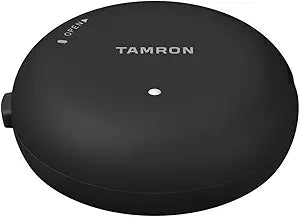
Tamron
Tamron Tap-In-Console for Canon Lens Firmware Update
Customize Your Tamron Lenses for Optimal Performance The Tamron TAP-in Console allows you to easily update the firmware and customize the functions of compatible Tamron lenses. This essential tool ensures that your lenses are always up-to-date and tailored to your specific shooting needs. Com...
View price on Amazon
Affiliate Disclosure: As an Amazon Associate, Studio Supplies earns from qualifying purchases made through links on this page, at no additional cost to you. This helps support our editorial team.
Notice a mistake? Let Us Know
Overview
Customize Your Tamron Lenses for Optimal Performance
The Tamron TAP-in Console allows you to easily update the firmware and customize the functions of compatible Tamron lenses. This essential tool ensures that your lenses are always up-to-date and tailored to your specific shooting needs.
- Compatibility: Canon
- Functionality: Firmware Updates, Lens Customization
- Software: Tamron TAP-in Utility for Mac or PC
Key Features
Update the firmware of compatible lenses
Customize functions of selected lenses
Free Tamron TAP-in Utility for Mac or PC
Specifications
Product Type
Lens Console
Software Compatibility
Tamron TAP-in Utility (Mac or PC)
Functions
Firmware update, function customization
Frequently Asked Questions
What is the primary function of the Tamron Tap-In Console?
The primary function of the Tamron Tap-In Console is to allow users to update the firmware and customize various functions of compatible Tamron lenses.
Is the Tamron Tap-In Console compatible with all Tamron lenses?
No, the Tamron Tap-In Console is compatible only with specific "selected lenses," as stated in the product features. It is not universally compatible with all Tamron lenses.
Do I need special software to use the Tamron Tap-In Console?
Yes, you need the free Tamron TAP-in Utility software, which is available for both Mac and PC operating systems, to use this console.
Can this console be used with lenses from other brands?
No, the Tamron Tap-In Console is designed specifically for Tamron lenses and cannot be used with lenses from other manufacturers.
Related Products


