
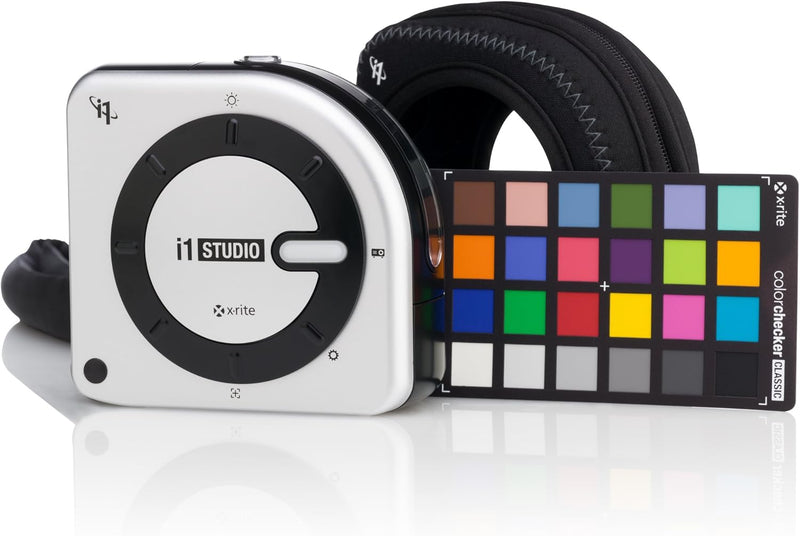


X-Rite EOSTUDIO - i1Studio Color Calibration System
Achieve Color Perfection from Capture to PrintThe X-Rite i1Studio offers an end-to-end color management solution for photographers, designers, and print professionals. This comprehensive system includes a spectrophotometer and software to calibrate monitors, projectors, scanners, and printers, en...
Check availabilityNotice a mistake? Let Us Know
Overview
Achieve Color Perfection from Capture to Print
The X-Rite i1Studio offers an end-to-end color management solution for photographers, designers, and print professionals. This comprehensive system includes a spectrophotometer and software to calibrate monitors, projectors, scanners, and printers, ensuring accurate and consistent color reproduction.
Detailed Specifications:
* Includes: i1Studio Spectrophotometer, i1Studio Software, Mini Color Checker Classic Target * Functionality: Monitor and Projector Calibration, Printer Profiling, Scanner Profiling * Mobile Device Calibration: iOS Mobile Device Calibration via Color TRUE Mobile App * Camera Calibration: Color Checker Camera Calibration SoftwareKey Features
Color Checker camera calibration software and Mini color Checker classic target for cameras
Monitor and projector calibration and profiling
Color and B&W printer profiles
Scanner profiling
IOS mobile device calibration with color true must have administrator rights to install and uninstall the application
Specifications
Frequently Asked Questions
Related Products


