



Monoprice
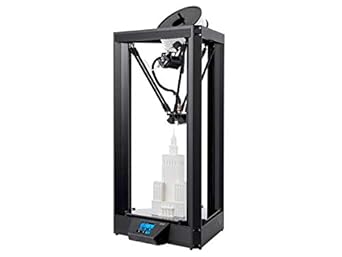
Monoprice 130993 Delta PRO Auto-Leveling 3D Printer
Auto-leveling, WiFi-connected, and built from Japanese and German components — the Delta PRO is a serious fabrication platform for makers who are done compromising.
$169.89*
View on Amazon
✓ In Stock on Amazon.com
*Price sourced from Amazon.com. Last updated:Aug 28, 2026.Price and availability are subject to change — details.
Affiliate Disclosure: As an Amazon Associate, Studio Supplies earns from qualifying purchases made through links on this page, at no additional cost to you. This helps support our editorial team.
Notice a mistake? Let Us Know
Overview
Specifications
Model
130993
Printer Type
Delta PRO 3D Printer
Feature
Auto-Leveling
Frequently Asked Questions
What does auto bed leveling actually change about my printing workflow on the Delta PRO?
Auto leveling is the difference between spending 20 minutes manually tramming before every session and just hitting print. The Delta PRO probes the build surface and compensates for any tilt or irregularity automatically — this is a genuine workflow improvement, especially for beginners who haven't yet developed the feel for manual leveling.
What is the build volume on the Delta PRO, and what kinds of projects does it support?
The Delta PRO offers a 270mm diameter circular build area and 300mm build height. The tall cylindrical envelope is a natural fit for vases, figurines, cosplay props, and long vertical components — projects that would require splitting on a shorter printer.
Can I monitor and control prints remotely, and what does the built-in WiFi enable?
The built-in WiFi lets you send files, start and monitor prints, and check status from any device on your network. You don't need to physically transfer files via SD card — useful in workshop or makerspace settings where the printer isn't at your workstation.
What filaments is the Delta PRO compatible with?
The heated glass build plate supports PLA, ABS, and PETG at minimum. The heated bed is specifically important for ABS adhesion, which requires a warm surface to prevent warping — a capability many entry-level delta printers skip.
How difficult is initial setup for a first-time delta printer user?
The Delta PRO ships fully assembled, so you're not sourcing hardware or running frame bolts. Auto leveling handles the calibration step that trips up most delta newcomers. That said, delta kinematics behave differently from Cartesian printers — expect a short learning curve on first-layer tuning before you're getting consistent results.
Related Products


