



Panasonic
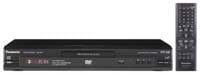
Panasonic DVD-S25 DVD CD Player with Remote
The Panasonic DVD-S25 brings reliable multi-format disc playback back to any TV — no streaming subscription required.
View price on Amazon
Affiliate Disclosure: As an Amazon Associate, Studio Supplies earns from qualifying purchases made through links on this page, at no additional cost to you. This helps support our editorial team.
Notice a mistake? Let Us Know
Overview
Specifications
Brand
Panasonic
Model
DVD-S25
Player Type
DVD CD Player
Remote Control
Included
Frequently Asked Questions
Does the DVD-S25 upscale standard DVD video to HD resolution?
The DVD-S25 outputs via HDMI, which allows your TV to display the signal on an HD screen, but the player does not perform internal upscaling processing — it outputs native DVD resolution (480p). Your TV's own upscaling engine handles the conversion. The result on a modern 1080p or 4K screen will look softer than native HD content.
What disc and file formats will the DVD-S25 actually play?
The player supports DVD-Video, DVD-R, CD-R, CD-RW, JPEG image files, and MP3 audio. It does not play Blu-ray discs, DVD+R/RW, or video file formats like MP4 or MKV stored on disc. If your library is primarily commercial DVD titles plus MP3 and photo discs, it covers those use cases well.
Is HDMI the only video output, or are there composite/component options?
The DVD-S25 connects via HDMI as its primary output. For older TVs without HDMI, you'll want to verify available output options against your specific TV's inputs before purchasing — an HDMI-to-composite adapter may be needed for older sets.
How does this player handle region coding?
The DVD-S25 is a region-coded player designed for Region 1 (North American) discs. DVDs from other regions (Region 2 Europe, Region 3 Asia, etc.) will not play by default. There is no published multi-region or region-free mode from Panasonic for this unit.
Is setup genuinely plug-and-play, or does it require configuration?
Setup is straightforward — connect HDMI to your TV, plug in power, and the player is ready. No network connection, app installation, or account creation is required. Insert a disc and press play. The remote handles all navigation without needing to access the TV's input menu repeatedly.
Related Products


