



Roku
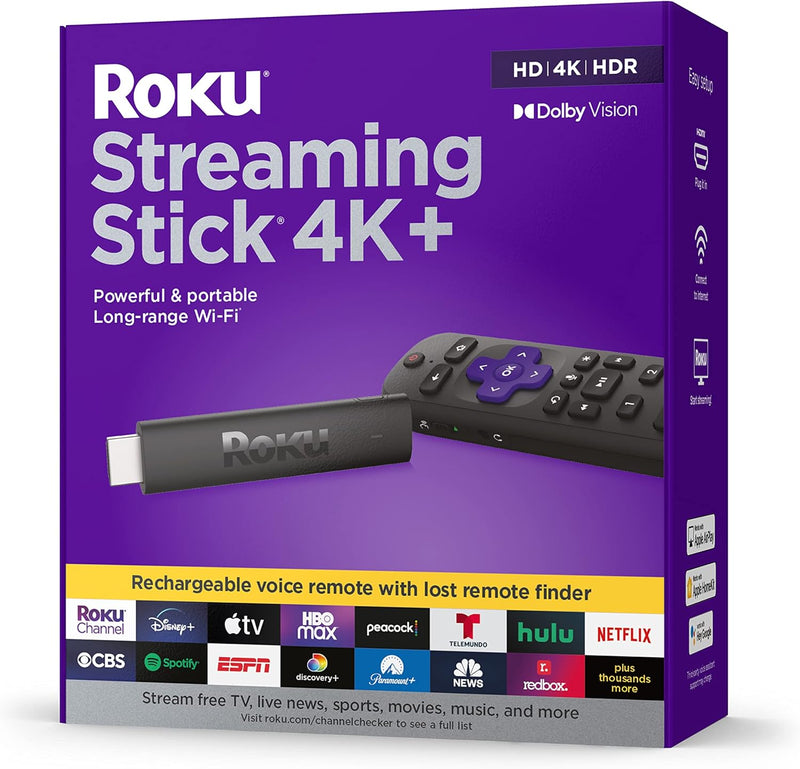
Roku Streaming Stick 4K+ - Voice Remote Pro, HDR, Dolby Vision
Experience Seamless Streaming with Enhanced Control The Roku Streaming Stick 4K+ delivers stunning 4K/HDR/Dolby Vision streaming with the convenience of the Roku Voice Remote Pro. This renewed device offers easy access to a wide range of streaming services and features a rechargeable remote with...
$44.99*$47.99Save 6%
View on Amazon
✓ In Stock on Amazon.com
*Price sourced from Amazon.com. Last updated:Aug 28, 2026.Price and availability are subject to change — details.
Affiliate Disclosure: As an Amazon Associate, Studio Supplies earns from qualifying purchases made through links on this page, at no additional cost to you. This helps support our editorial team.
Notice a mistake? Let Us Know
Overview
Experience Seamless Streaming with Enhanced Control
The Roku Streaming Stick 4K+ delivers stunning 4K/HDR/Dolby Vision streaming with the convenience of the Roku Voice Remote Pro. This renewed device offers easy access to a wide range of streaming services and features a rechargeable remote with voice control, making it the ultimate entertainment solution.Specifications:
- Streaming Resolution: 4K/HDR/Dolby Vision
- Remote: Roku Voice Remote Pro (Rechargeable)
- Connectivity: Wi-Fi
- Services: Netflix, Hulu, Amazon Prime Video
Specifications
Brand
Roku
Model
Streaming Stick 4K+
Remote Type
Voice Remote Pro
Video Technology
HDR, Dolby Vision
Resolution
4K
Frequently Asked Questions
What kind of remote comes with the Roku Streaming Stick 4K+?
The Roku Streaming Stick 4K+ includes the Voice Remote Pro, offering advanced control options for your streaming experience.
Does this streaming stick support high dynamic range (HDR) content?
Yes, the Roku Streaming Stick 4K+ supports both HDR and Dolby Vision, which are technologies that enhance picture quality with greater contrast and a wider color spectrum.
What is the maximum video resolution supported by this device?
This Roku Streaming Stick 4K+ is capable of streaming content in 4K resolution, providing a highly detailed viewing experience on compatible televisions.
Can I use voice commands with this Roku Streaming Stick?
Yes, with the included Voice Remote Pro, you can use voice commands to control your Roku Streaming Stick 4K+ for searching content and navigation.
Is this streaming device easy to install?
As a streaming stick, it typically plugs directly into an HDMI port on your TV, making for a straightforward installation process, though specific setup instructions are not detailed.
Related Products


