



ViewSonic
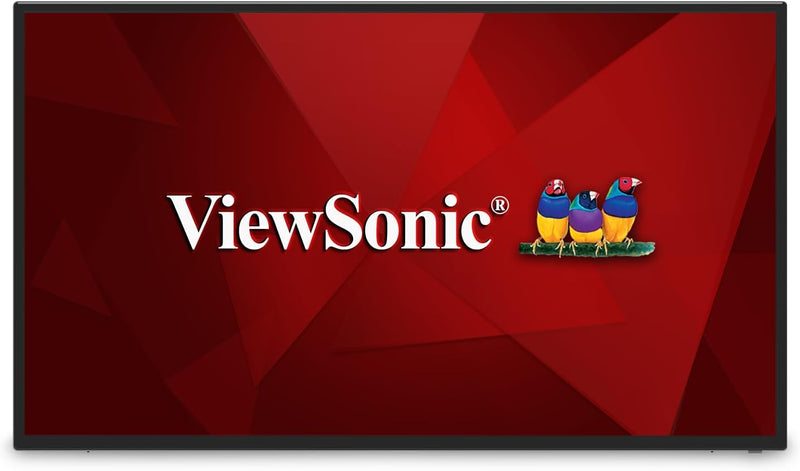
ViewSonic CDE4312 43" 4K UHD Commercial Display
4KUHD15WUSB-CUSB 2.0
Transform Your Meetings with the ViewSonic CDE4312 Commercial Display The ViewSonic CDE4312 is a 43" 4K Ultra HD commercial display designed to transform meeting rooms into dynamic communication hubs. Featuring a razor-sharp resolution, high brightness, and ultra-wide viewing angles, this display...
$538.99*
View on Amazon
✓ In Stock on Amazon.com
*Price sourced from Amazon.com. Last updated:Aug 28, 2026.Price and availability are subject to change — details.
Affiliate Disclosure: As an Amazon Associate, Studio Supplies earns from qualifying purchases made through links on this page, at no additional cost to you. This helps support our editorial team.
Notice a mistake? Let Us Know
Overview
Transform Your Meetings with the ViewSonic CDE4312 Commercial Display
The ViewSonic CDE4312 is a 43" 4K Ultra HD commercial display designed to transform meeting rooms into dynamic communication hubs. Featuring a razor-sharp resolution, high brightness, and ultra-wide viewing angles, this display ensures clear and vibrant visuals. With wireless screen sharing, USB Wi-Fi capabilities, and built-in speakers, the CDE4312 offers versatile connectivity and easy content sharing for both on-site and online participants.
Key Specifications:
- Display Size: 43 inches
- Resolution: 4K Ultra HD (3840 x 2160)
- Brightness: 230-nit
- Viewing Angles: 178 degrees
- Speakers: 2 x 10W
- Connectivity: Wireless screen sharing, USB Wi-Fi, RJ45, HDMI, USB-C
- Processor: 1.5GHz Quad-core embedded SoC
- Memory: 2GB RAM, 16GB internal storage
Key Features
STREAMLINED DEVICE MANAGEMENT: myViewBoard Manager is an easy-to-use, web-based application that allows you to securely set up, manage and maintain all of your display devices from a centralized dashboard. Cloud-based access allows IT managers to remotely access, monitor and manage devices from anywhere.
EASY CONTENT SHARING: myViewBoard Display is a cloud-based and client-free app that allows you to share your screen from anywhere in the world without having to worry about installing additional software. Alternatively, ViewBoard Cast enables content to be streamed from mobile devices directly onto the display via local area networks, and includes split screen features.
USB-C WITH POWER DELIVERY: USB-C connectivity provides up to 15W power delivery for convenient charging of your peripherals and accessories. It can also support DisplayPort 1.2 and USB 2.0 with optional adapters.
CONTENT MANAGEMENT MADE EASY: The optional Signage Manager (SW-216) software lets users transfer multimedia content onto the display from Windows PCs and laptops. This embedded content management tool also lets you format, schedule, and save playback settings. Push content with up to five zones via the local network or USB thumb drive.
AV CONTROL SYSTEM INTEGRATION: ViewSonic presentation displays are compatible with Extron, AMX and Crestron Pro-AV control systems, and can be integrated into your existing AV infrastructure and monitored and controlled on-site or remotely.
Specifications
Display Size
43 inches
Resolution
4K UHD
Product Type
Commercial Display
Device Management
myViewBoard Manager (web-based)
Content Sharing
myViewBoard Display (cloud-based, client-free), ViewBoard Cast (local network, split screen)
USB-C Power Delivery
Up to 15W
USB-C Support
DisplayPort 1.2, USB 2.0 (with optional adapters)
Content Management Software
Optional Signage Manager (SW-216)
AV Control System Integration
Extron, AMX, Crestron Pro-AV
Frequently Asked Questions
How can I manage multiple ViewSonic CDE4312 displays?
You can manage multiple displays using myViewBoard Manager, an easy-to-use, web-based application that provides secure, centralized control from a dashboard.
Can I share content from my mobile device to this display wirelessly?
Yes, myViewBoard Display is a client-free, cloud-based app for sharing your screen from anywhere, and ViewBoard Cast allows streaming content from mobile devices via local area networks, including split-screen features.
Does the USB-C port on this display provide power?
Yes, the USB-C connectivity offers up to 15W power delivery, suitable for convenient charging of peripherals and accessories.
Is it possible to integrate this display with existing AV control systems?
Yes, ViewSonic presentation displays are compatible with Extron, AMX, and Crestron Pro-AV control systems, allowing integration into your current AV infrastructure.
What content management options are available for this display?
The optional Signage Manager (SW-216) software enables users to transfer multimedia content from Windows PCs, format, schedule, and save playback settings, and push content with up to five zones.
Does the USB-C port support video output?
Yes, the USB-C port can support DisplayPort 1.2 and USB 2.0 with optional adapters, allowing for video and data transfer.
Related Products


