

Acer
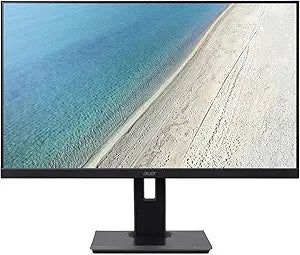
Acer B227Q bmiprzx 21.5" FHD IPS USB 3.0 Monitor
★★★★★
FHD1920 x 1080USB 3.0
See the Difference with Acer's ZeroFrame DesignThe Acer B227Q bmiprzx is a 21.5" Full HD monitor that combines stylish aesthetics with exceptional visual clarity. Featuring an IPS panel and a ZeroFrame design, this monitor delivers immersive visuals and enhanced productivity. Screen Size: 2...
$155.74*
View on Amazon
✓ In Stock on Amazon.com
*Price sourced from Amazon.com. Last updated:Jul 13, 2026.Price and availability are subject to change.
Affiliate Disclosure: Studio Supplies may earn a commission from qualifying purchases made through links on this page, at no additional cost to you. This helps support our editorial team.
Notice a mistake? Let Us Know
Overview
See the Difference with Acer's ZeroFrame Design
The Acer B227Q bmiprzx is a 21.5" Full HD monitor that combines stylish aesthetics with exceptional visual clarity. Featuring an IPS panel and a ZeroFrame design, this monitor delivers immersive visuals and enhanced productivity.
- Screen Size: 21.5"
- Resolution: Full HD (1920 x 1080)
- Panel Type: IPS
- Ports: DisplayPort, HDMI, VGA, 4 x USB 3.0
Key Features
21. 5" Full HD (1920 x 1080) widescreen IPS zero frame Design Display
Response time: 4ms
2 speakers, 2 Watts per speaker
Acer visioncare technologies
Ports: 1 x Display Port 1 x HDMI, 1 x VGA, 4 x USB 3. 0 Ports (Display port, VGA & USB cables included)
Specifications
Display Size
21.5"
Resolution
Full HD (1920 x 1080)
Panel Type
IPS
Design
Zero Frame
Response Time
4ms
Speakers
2 x 2 Watts
Video Ports
1 x Display Port, 1 x HDMI, 1 x VGA
USB Ports
4 x USB 3.0
Included Cables
Display port, VGA, USB
Technology
Acer VisionCare
Pros & Cons
👍 Pros
- Enjoy expanded and immersive visuals with the 21.5" Full HD widescreen IPS zero-frame design display.
- Experience smooth visual transitions and reduce ghosting with a fast 4ms response time.
- Enhance your multimedia experience with two integrated 2-watt speakers, providing clear audio.
- Benefit from reduced eye strain during prolonged use due to Acer VisionCare technologies.
- Connect a wide array of devices efficiently with multiple ports including DisplayPort, HDMI, VGA, and four USB 3.0 ports.
👎 Cons
- The 2-watt speakers, while convenient, may not offer the audio fidelity or volume desired by audiophiles.
- Specific details on the refresh rate are not provided, which could be a factor for users with specific gaming or video needs.
- While "zero frame" is beneficial for multi-monitor setups, it's not truly borderless, still having a thin bezel.
- The monitor's specifications do not detail ergonomic adjustments like height or pivot, which are important for some users.
- The inclusion of VGA may indicate compatibility with older systems, but could also suggest a design not fully focused on modern, digital-only inputs.
Frequently Asked Questions
What is the display size and resolution of the Acer B227Q monitor?
This monitor features a 21.5" Full HD (1920 x 1080) widescreen IPS display with a zero-frame design.
What is the response time of this monitor?
The Acer B227Q monitor has a response time of 4ms, contributing to smooth visual performance.
Does this monitor include built-in speakers?
Yes, it comes with two built-in speakers, each delivering 2 Watts of audio output.
What types of ports are available for connectivity?
It offers versatile connectivity with 1 Display Port, 1 HDMI port, 1 VGA port, and 4 USB 3.0 ports. Display port, VGA, and USB cables are included.
Does this monitor have features to reduce eye strain?
Yes, it incorporates Acer VisionCare technologies, designed to help reduce eye strain during extended viewing periods.
Related Products

