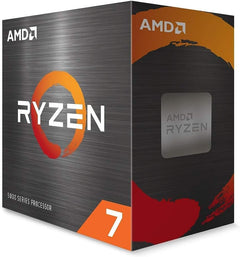
AMD

AMD RYZEN 7 7700X 8-Core Unlocked Processor

4.7 (2148 reviews)
RYZEN 7 7700X

Experience Unrivaled Gaming and Creation with AMD Ryzen 7 The AMD Ryzen 7 7700X unlocked desktop processor is built for high-performance gaming and content creation. Featuring "Zen 4" architecture, PCIe 5.0 support, and DDR5 compatibility, this processor delivers exceptional speed and responsive...

$239.99*$399.00Save 39%
In Stock on Amazon.com
View on Amazon

*Price sourced from Amazon.com. Last updated:Jun 04, 2026.Price and availability are subject to change.

Affiliate Disclosure: Studio Supplies may earn a commission from qualifying purchases made through links on this page, at no additional cost to you. This helps support our editorial team.

Notice a mistake? Let Us Know

Overview

Experience Unrivaled Gaming and Creation with AMD Ryzen 7

The AMD Ryzen 7 7700X unlocked desktop processor is built for high-performance gaming and content creation. Featuring "Zen 4" architecture, PCIe 5.0 support, and DDR5 compatibility, this processor delivers exceptional speed and responsiveness.

Specifications:

  • Cores: 8
  • Threads: 16
  • Base Clock: 4.5 GHz
  • Max Boost Clock: Up to 5.4 GHz
  • L3 Cache: 32 MB
  • L2 Cache: 8 MB
  • Socket: AM5
  • Graphics: Radeon Graphics
  • TDP: 105W

Key Features

This dominant gaming processor can deliver fast 100+ FPS performance in the world's most popular games

8 Cores and 16 processing threads, based on AMD "Zen 4" architecture

5.4 GHz Max Boost, unlocked for overclocking, 80 MB cache, DDR5-5200 support

For the state-of-the-art Socket AM5 platform, can support PCIe 5.0 on select 600 Series motherboards

Cooler not included

Base Clock - 4.5GHz

Specifications

Cores
8
Processing Threads
16
Architecture
AMD "Zen 4"
Max Boost Clock
5.4 GHz
Base Clock
4.5 GHz
Overclocking
Unlocked
Cache
80 MB
Memory Support
DDR5-5200
Socket Platform
Socket AM5
PCIe Support
PCIe 5.0 (on select 600 Series motherboards)
Cooler Included
No

AMD Ryzen 7 7700X — Editorial Review

The Ryzen 7 7700X is AMD's eight-core Zen 4 mainstream chip — and for many builders it's the sweet spot of the non-X3D Ryzen 7000 line. TechPowerUp frames it as the best Zen 4 part for gaming among the standard chips, since its single-CCD design actually games better than the pricier 12- and 16-core 7900X and 7950X.

Featured Video Review

Ryzen 7 7700X — Zen 4 Launch Review — Gaming & Productivity Testing — AMD AM5 Overview
Tech Deals · "Ryzen 7 7700X — Zen 4 Launch Review — Gaming & Productivity Testing — AMD AM5 Overview" · Watch on YouTube

Strong gaming, capable all-round

Trusted Reviews and TweakTown both highlight that eight Zen 4 cores comfortably handle gaming-plus-streaming and creative apps, with a big generational jump over the 5800X. It's a genuinely fast, well-rounded CPU for a high-refresh gaming and content build. In Tech Deals' launch review — featured above — the build-focused channel benchmarks it as a strong gaming foundation, with the platform caveats below.

Honest cons

  • Runs hot under load. Like other high-end AM5 chips, it needs strong cooling for sustained heavy workloads.
  • AM5 platform cost. It requires a new AM5 motherboard and DDR5 memory, pushing total build cost well above older platforms.
  • Multi-core trails Intel's flagship. The i9-13900K roughly doubles it in heavy multi-core rendering — for productivity-first builds, more cores are better value.
  • Gaming trails the X3D parts. For pure gaming, the 7800X3D's 3D V-Cache pulls ahead — at a higher price.

Where this CPU fits

  • Mainstream gaming builds that want excellent high-refresh gaming plus enough cores to stream and multitask.
  • Gaming + content creators who balance gaming with editing, streaming, and general productivity.
  • AM5 first-time builders wanting a long-lived socket and solid all-round Zen 4 performance.
  • Not pure-gaming buyers (the 7800X3D is faster in games) or rendering-first users (a higher-core chip offers better threaded value).

Sources & Citations

  1. TechPowerUp, "AMD Ryzen 7 7700X Review - The Best Zen 4 for Gaming," techpowerup.com (accessed 2026-05-25)
  2. Trusted Reviews, "AMD Ryzen 7 7700X Review," trustedreviews.com (accessed 2026-05-25)
  3. TweakTown, "AMD Ryzen 7 7700X 'Zen 4' CPU Review," tweaktown.com (accessed 2026-05-25)

Last verified: 2026-05-25

How to Swap a CPU on an AM5 Motherboard (Ryzen 7000 / 9000)

AMD's AM5 platform (LGA 1718 socket) carries AMD's official support commitment through at least 2027, making it the right upgrade foundation for Ryzen 7000 and 9000 series CPUs. Unlike AM4's PGA design where pins are on the CPU, AM5 is an LGA (Land Grid Array) socket: the 1718 contact pins are on the motherboard, and the CPU has flat gold contact pads. This means CPU handling is more forgiving — a dropped AM5 CPU does not risk bent pins — but the socket itself requires careful protection from bare metal tools. According to TechPowerUp's Ryzen 7 7800X3D review, the 3D V-Cache architecture delivers gaming performance that exceeds non-X3D parts at much higher price points. The 9800X3D adds Zen 5 IPC gains to that foundation, earning top gaming benchmark scores in TechPowerUp's independent testing.

BIOS Update Prerequisite for Ryzen 9000-Series

Installing a Ryzen 9000-series (Zen 5) CPU on a 600-series AM5 board (X670, X670E, B650, B650E) requires AGESA 1.2.0.2 or later. Without the correct firmware, the board will not POST. Check the board's CPU Support List on the manufacturer's product page to confirm compatibility and the required BIOS revision before swapping. 700-series boards (X870, X870E, B850) typically support Ryzen 9000 out of the box. Ryzen 7000-series upgrades within the 7000 lineup generally do not require a BIOS update on 600-series boards. Use BIOS Flashback (ASUS) or equivalent to flash without a working CPU installed if needed — consult the board manual for the specific port and button combination.

Safety — Protect the Socket Pins

On AM5, the socket holds 1718 LGA contact pins. Never bring a bare metal tool, screwdriver shaft, or finger directly over the open socket. A single bent socket pin is a motherboard repair, not a CPU problem. When the retention lever is open and the CPU is removed, keep the work area clear of tools. Power off fully — flip the PSU rocker switch off, press the power button once after disconnecting to discharge capacitors, touch the bare metal chassis before reaching inside.

Tools Needed

  • Phillips #1 screwdriver (most AM5 cooler bracket screws)
  • Isopropyl alcohol 90%+ and lint-free cloth (thermal paste removal)
  • Fresh thermal paste
  • Contact frame (optional — addresses IHS flatness variation on some early AM5 boards)

Installation Steps

  1. Back up BIOS settings and note the EXPO profile — DDR5 EXPO profile number and frequency reset after a CPU swap. Write them down or photograph the BIOS screen. Re-enabling EXPO after the swap is the most commonly missed step.
  2. Update BIOS if needed — for Ryzen 9000-series on 600-series boards, flash the required AGESA version with the current CPU installed before proceeding.
  3. Power off and discharge — shut down through the OS, flip the PSU switch off, press the power button once, touch the chassis before reaching inside.
  4. Remove the cooler — loosen screws diagonally, twist gently to break paste bond, lift straight up. Disconnect the CPU fan header.
  5. Clean IHS and cooler base — isopropyl alcohol on a lint-free cloth until both surfaces are clean and dry.
  6. Release the retention lever and frame — push the lever down and away from the latch, raise the retention frame. Lift the CPU out by its edges. Inspect socket pins under bright light — all pins should be uniformly straight.
  7. Install the new CPU — locate the orientation notch on the CPU edge. Align with the socket key and lower the CPU flat. It should seat without lateral force. Lower the retention frame and lever. Moderate resistance when latching is normal.
  8. Apply thermal paste and remount the cooler — pea-sized dot or light X-pattern at the center of the IHS. Most AM5 coolers use AM4-compatible mounting geometry. Tighten screws diagonally in multiple passes. Reconnect the fan header.
  9. Boot to BIOS, verify CPU detection — check that the correct model name and core count appear. Wrong or generic CPU name means the BIOS microcode doesn't support the new chip; flash required before continuing.
  10. Re-enable EXPO — memory runs at JEDEC baseline after a CPU swap. Navigate to memory settings, re-enable the EXPO profile, confirm the expected frequency. The first POST can take 60–90 seconds as the AM5 IMC re-trains DDR5 — this is normal. Do not reset during this window.
  11. Boot to OS and update chipset drivers — install the latest AMD chipset driver package from AMD's support and downloads page. Reboot after installation.

Troubleshooting in Brief

  • 60–90 second POST delay after swap: Normal. AM5 IMC re-trains DDR5 on first boot with a new CPU. Wait it out — do not press reset.
  • BIOS shows wrong CPU name: BIOS microcode does not support the new CPU. Flash the required firmware update.
  • 7800X3D or 9800X3D reading 89°C at full load: Normal — AMD's official Tjmax for these 3D V-Cache parts is 89°C. Per TechPowerUp's reviews, full boost clocks are maintained up to this limit. Idle above 50°C at stock indicates a cooler seating problem.
  • Memory shows at JEDEC speed: EXPO was not re-enabled. Re-enable in BIOS memory settings.

AM5 Platform Longevity

AMD committed to AM5 support through at least 2027, with Zen 5 (Ryzen 9000) not the last architecture planned for the platform. Users investing in AM5 now have a viable upgrade path for additional CPU generations without a platform change. According to AnandTech's review of the 7800X3D architecture, the AM5 IMC's DDR5 implementation offers stable EXPO support with current firmware — a meaningful improvement over early-launch behavior. The combination of DDR5 headroom and AM5's longevity makes the platform a well-positioned base for multi-generational CPU upgrades.

The full guide with BIOS update procedures, LGA socket handling, pin inspection, DDR5 EXPO re-enable, and complete troubleshooting is at studio-supplies.com/blogs/guides/cpu-swap-am5-ryzen-upgrade-guide.

Sources & Citations

  1. AMD, "Ryzen 7000 Series Desktop Processors," amd.com (accessed 2026-05-31)
  2. AMD, "Ryzen 7 7800X3D Specifications," amd.com (accessed 2026-05-31)
  3. AMD, "Ryzen 7 9800X3D Specifications," amd.com (accessed 2026-05-31)
  4. TechPowerUp, "AMD Ryzen 7 7800X3D Review," techpowerup.com (accessed 2026-05-31)
  5. TechPowerUp, "AMD Ryzen 7 9800X3D Review," techpowerup.com (accessed 2026-05-31)
  6. AnandTech, "The AMD Ryzen 7 7800X3D Review," anandtech.com (accessed 2026-05-31)
  7. AMD, "AM5 Platform Support FAQ," amd.com (accessed 2026-05-31)

Last verified: 2026-05-31

Now that you've seen the details — ready to take a closer look?

View on Amazon

Similar Products

Other products from the same family that visitors often consider:

Pros & Cons

👍 Pros

  • Delivers fast 100+ FPS performance in popular games, making it a dominant gaming processor.
  • Features 8 Cores and 16 processing threads, based on the advanced AMD "Zen 4" architecture, for strong multitasking.
  • Achieves a 5.4 GHz Max Boost clock speed and is unlocked for overclocking, offering performance customization.
  • Equipped with an 80 MB cache, contributing to quick data access and improved application responsiveness.
  • Supports DDR5-5200 memory, enabling faster data transfer rates for compatible systems.
  • Compatible with the state-of-the-art Socket AM5 platform, ensuring future-proofing for new technologies.
  • Can support PCIe 5.0 on select 600 Series motherboards, providing high-speed connectivity for peripherals.
  • Operates with a 4.5GHz base clock speed, providing solid performance even under standard loads.

👎 Cons

  • A cooler is not included with the processor, requiring users to purchase one separately.
  • Requires a motherboard with the Socket AM5 platform, limiting compatibility with older systems.
  • To fully utilize PCIe 5.0, a "select 600 Series motherboard" is necessary, which might involve specific compatibility checks.
  • The benefits of DDR5-5200 support require DDR5 RAM, which may be a more expensive upgrade for some users.

Frequently Asked Questions

No, a cooler is not included with this processor, and users will need to purchase one separately.
This AMD RYZEN 7 7700X processor is designed to deliver fast 100+ FPS performance in the world's most popular games, making it a dominant gaming choice.
The AMD RYZEN 7 7700X can achieve a Max Boost clock speed of 5.4 GHz, and it is also unlocked for overclocking.
This processor is designed for the state-of-the-art Socket AM5 platform, which is required for compatibility.
Yes, the AMD RYZEN 7 7700X supports DDR5-5200 memory, allowing for high-speed data transfer rates.