

Canon
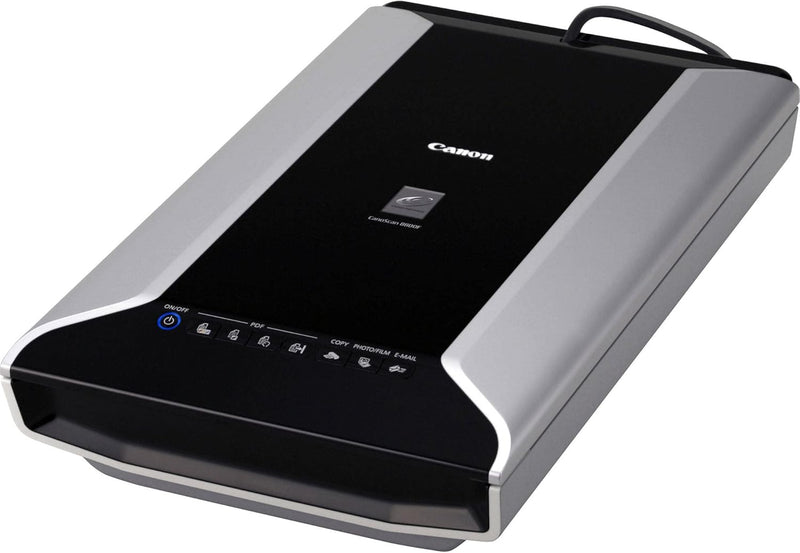
Canon 2168B002 CanoScan 8800F Color Film Scanner
★★★★★
Digitize film, negatives, and prints at 4800 x 9600 dpi with instant-on LED scanning and built-in dust removal.
View price on Amazon
Affiliate Disclosure: Studio Supplies may earn a commission from qualifying purchases made through links on this page, at no additional cost to you. This helps support our editorial team.
Notice a mistake? Let Us Know
Overview
Key Features
Color film, negative, photo scanner featuring high-luminance white LED lamps helps to scan, copy, and create emails and multi-paged PDFs
Batch-scan up to 4 slides or 12 35mm frames and rich, vivid color: 48-bit color depth yields over 281 trillion possible colors
Digitally remove dust, scratches, and other imperfections from old or precious photos
Large function buttons automate the scanning process-select the use for the image, and it's ready in seconds
Built-in retouching technology removes much of the dust and scratches on original prints, improving image quality
Specifications
Brand
Canon
Model
2168B002
Scanner Type
Flatbed — Color, Film, Photo
Max Optical Resolution
4800 x 9600 dpi
Color Depth
48-bit
Light Source
High-Luminance White LED Lamps
Interface
USB 2.0
Film Scanning Capacity
Up to 4 slides or 12 frames of 35mm
Dust/Scratch Correction
Built-in digital retouching
Pros & Cons
👍 Pros
- 4800 x 9600 dpi optical resolution captures fine film grain detail suitable for large-format reprints
- White LED light source enables zero warm-up time, eliminating the delay found in fluorescent-lamp scanners
- 48-bit color depth processes over 281 trillion colors, preserving tonal gradations in shadow and highlight regions
- Batch film scanning handles up to 12 frames of 35mm per pass, reducing per-frame handling time significantly
- Built-in digital dust and scratch correction reduces post-processing workload for archived print and film scanning
👎 Cons
- USB 2.0 interface limits transfer bandwidth compared to FireWire or USB 3.0 alternatives available on newer scanners
- No dedicated infrared dust removal channel (Digital ICE equivalent), so scratch correction relies on software algorithms rather than hardware detection
- Film scanning at maximum resolution produces large file sizes and extended scan times, particularly at 9600 dpi interpolated
- Flatbed design means film holders must be carefully aligned to avoid skew across multi-frame batch scans
- Scanner driver and software compatibility is limited to older operating systems, with no guaranteed support for current macOS or Windows 11 releases
Frequently Asked Questions
What is the maximum optical resolution of the CanoScan 8800F?
The scanner delivers 4800 x 9600 dpi optical resolution. For 35mm film, that translates to enough detail to produce sharp prints up to roughly 8x10 inches, and for flatbed photo scanning, it far exceeds what most prints can resolve.
How many film frames can be scanned in a single batch?
The 8800F supports batch scanning of up to 4 mounted slides or 12 strips of 35mm film in one pass using the included film guides. This significantly reduces hands-on time when digitizing large film archives.
Does this scanner require a warm-up period before use?
No. The high-luminance white LED light source reaches full brightness instantly, eliminating the 30-60 second warm-up cycle typical of cold-cathode fluorescent lamp scanners. You can scan immediately after powering on.
How does the built-in dust and scratch removal work?
Canon's retouching technology digitally detects and corrects surface imperfections like dust particles and light scratches on prints and film. It processes during the scan pipeline, so corrected images are ready without manual Photoshop cleanup.
What interface does the 8800F use to connect to a computer?
It connects via USB 2.0, which provides sufficient bandwidth for high-resolution scans. A single full-resolution 4800 dpi film scan transfer takes only a few seconds over USB 2.0's 480 Mbps theoretical throughput.
Related Products


