



Canon
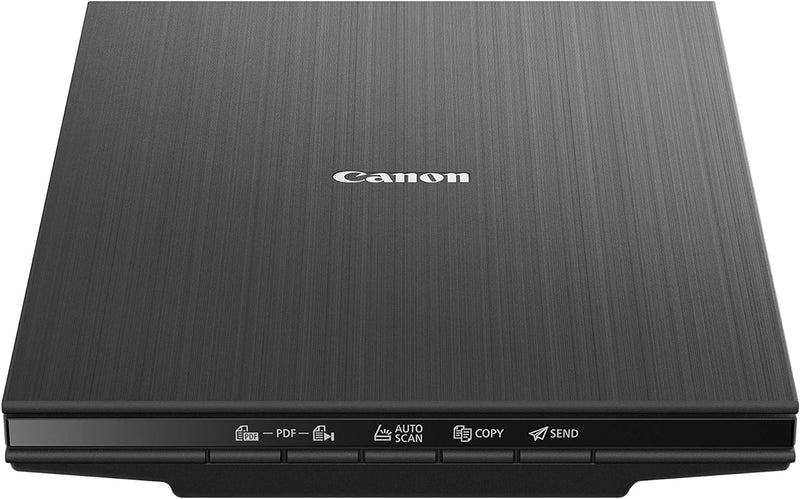
Canon CanoScan LiDE400 Flatbed Document Photo Scanner
★★★★★
USB-powered flatbed scanning at 4800 dpi optical resolution eliminates the power adapter and the setup friction — one cable, one connection, full document and photo capability.
$97.01*
Check availability
*Price sourced from Amazon.com. Last updated:Jun 27, 2026.Price and availability are subject to change.
Affiliate Disclosure: Studio Supplies may earn a commission from qualifying purchases made through links on this page, at no additional cost to you. This helps support our editorial team.
Notice a mistake? Let Us Know
Overview
Specifications
Model
CanoScan LiDE400
Optical Resolution
4800 dpi
Power Source
USB (no external adapter)
Connectivity
USB
Z-Lid
Yes — accommodates books and thick media
Cloud Connectivity
Yes
Compatible OS
Windows 10/8.1/7 SP1; macOS 10.10.5–10.13; Linux (ScanGear MP)
Dimensions
4.92 x 6.7 x 1.42 inches
Weight
3.6 lbs
Pros & Cons
👍 Pros
- Single USB cable delivers both power and data — zero wall adapters, zero cable clutter, fully portable
- 4800 dpi optical resolution captures fine detail in photos and documents, with headroom for heavy cropping or enlargement
- Z-Lid expands to accommodate books and thick bound media without forcing the lid or risking glass damage
- Direct cloud upload integration bypasses local storage for scan-and-share workflows
- At 1.42 inches thin, the scanner stores vertically or slides into a bag without meaningful footprint impact
👎 Cons
- macOS support ceiling at 10.13 (High Sierra) excludes users on Mojave and later — a significant compatibility gap given the age of those OS versions
- No automatic document feeder — high-volume document scanning requires manual page-by-page placement
- Scan speed is moderate; this is a light-to-medium workload scanner, not a throughput device
- USB-A connection requires a USB-C adapter on most current-generation laptops
- Linux support depends on third-party ScanGear MP driver availability, which may lag OS updates
Frequently Asked Questions
What optical resolution does the LiDE400 deliver, and when does it actually matter?
The LiDE400 scans at 4800 dpi optical resolution. For standard document archiving, 300 dpi is sufficient. For photo prints, 600–1200 dpi covers most use cases. The full 4800 dpi is most useful when scanning film negatives, small originals you plan to enlarge, or images you need to crop heavily without losing detail.
Does the LiDE400 require a separate power adapter?
No. The unit runs entirely off USB power via a single cable — no wall adapter, no second port required. This is the defining convenience feature for desk space management and portability.
What operating systems are supported, and is there a macOS compatibility ceiling?
The LiDE400 officially supports Windows 10/8.1/7 SP1 and macOS 10.10.5 through 10.13 (High Sierra). macOS users on Mojave (10.14) or later are outside the supported range — verify driver availability for your specific OS version before purchasing. Linux support is available via the ScanGear MP driver.
Can the Z-Lid handle a hardcover book without damaging the scanner glass?
Yes. The Z-Lid is specifically engineered to flex open and accommodate books, binders, and other thick media. It relieves pressure from the hinge rather than forcing the lid flat, which protects both the spine of the book and the scanning surface.
How does the cloud connectivity feature work in practice?
The bundled Canon software includes direct-upload integration with select cloud services, allowing you to push a completed scan to a cloud destination without first saving it to a local folder. It streamlines the scan-to-share workflow for users who regularly work with Google Drive, Dropbox, or similar services.
Related Products


