

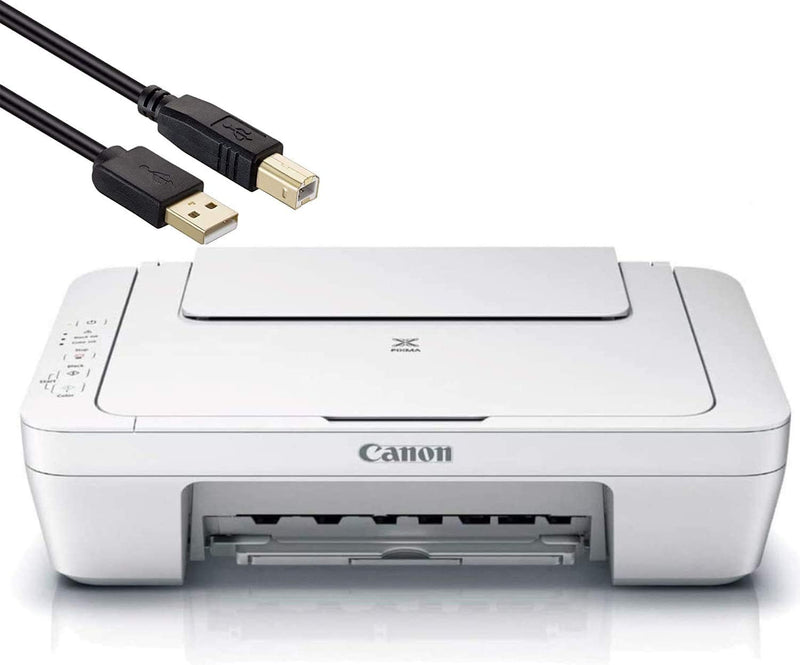


Canon
Canon PIXMA MG Series All-in-One Color Inkjet Printer
★★★★★
Print, scan, and copy at up to 4800 x 600 dpi without the driver headaches that derail a home office workflow.
$109.00*
Check availability
*Price sourced from Amazon.com. Last updated:Jun 28, 2026.Price and availability are subject to change.
Affiliate Disclosure: Studio Supplies may earn a commission from qualifying purchases made through links on this page, at no additional cost to you. This helps support our editorial team.
Notice a mistake? Let Us Know
Overview
Specifications
Functions
Print, Scan, Copy
Maximum Print Resolution
4800 x 600 dpi
Color
Black
Brand
Canon
Series
PIXMA MG
Model
PIXMA MG Series
Pros & Cons
👍 Pros
- 4800 x 600 dpi maximum resolution delivers photo-quality output beyond what most inkjet competitors offer at this class level.
- Integrated print, scan, and copy functions eliminate the need for separate devices in a compact home office.
- Auto Scan Mode intelligently detects document types, removing manual configuration from routine scanning tasks.
- Individual ink cartridge architecture means replacing only depleted colors, reducing ongoing consumable cost.
👎 Cons
- At 4800 x 600 dpi, the resolution is asymmetric — horizontal resolution significantly exceeds vertical, which limits true photographic detail compared to symmetric high-resolution dedicated photo printers.
- The MG Series product line spans multiple sub-models with varying feature sets; the specific capabilities of this particular configuration are not fully itemized in available documentation.
- Print speed specifications are not published for this listing, making it difficult to evaluate throughput for time-sensitive workflows.
- Inkjet technology means nozzle clogging is a risk during periods of low print frequency — requires periodic maintenance prints.
Frequently Asked Questions
What does 4800 x 600 dpi resolution actually mean for everyday document and photo printing?
4800 x 600 dpi is the horizontal-by-vertical resolution specification. At that resolution, text prints with crisp, clean edges and photos render with smooth tonal gradations — sufficient for high-quality inkjet photo output at 4x6 or letter size. For pure document printing, it's well above what's needed for sharp, readable output.
Does the All-in-One handle scan and copy from the same unit, or is that a separate attachment?
All three functions — print, scan, and copy — are integrated into the single unit. The Auto Scan Mode automatically detects the document type on the glass and adjusts scan settings accordingly, removing the need to manually configure each scan job.
Will this printer work with both Windows and macOS without significant driver configuration?
Canon PIXMA MG Series printers use Canon's IJ driver ecosystem, which supports both Windows and macOS. Auto Scan Mode simplifies software-side setup, though optimal functionality with scanning software requires the full Canon IJ Scan Utility installation.
What ink system does this printer use — individual cartridges or combined color tanks?
The PIXMA MG Series uses Canon's separate ink tank architecture, meaning individual color cartridges replace only the depleted color rather than a combined tri-color unit. This reduces per-page ink cost over time compared to combo cartridges.
Is this suitable for small office volume, or is it designed primarily for light home use?
The PIXMA MG Series is designed for home and small office environments — moderate duty cycles, not high-volume continuous print runs. For daily document and occasional photo output, it performs well. It is not engineered for high-volume production or heavy commercial workloads.
Related Products


