

Canon
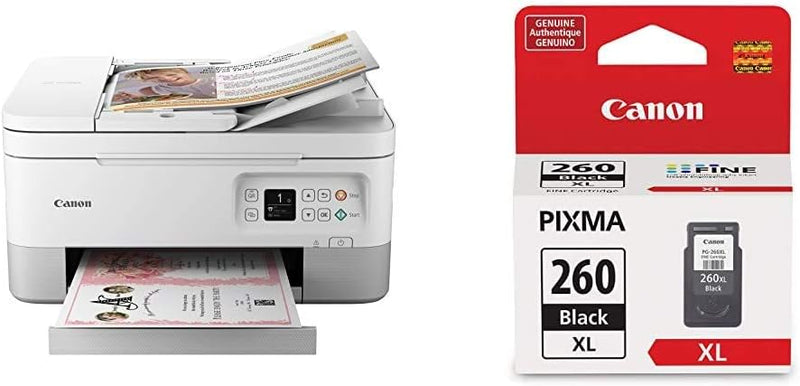
Canon TR7020 All-in-One Wireless Home Printer
The Canon TR7020 delivers compact all-in-one printing, scanning, and copying with wireless convenience and auto duplex for everyday home use.
View price on Amazon
Affiliate Disclosure: Studio Supplies may earn a commission from qualifying purchases made through links on this page, at no additional cost to you. This helps support our editorial team.
Notice a mistake? Let Us Know
Overview
Streamline Your Home Printing with Wireless Convenience
The Canon TR7020 All-in-One Wireless Printer is designed for home use, offering a compact design and versatile features. With wireless connectivity, front & rear paper feeding, and auto duplex printing, this printer makes printing, copying, and scanning a breeze.
- Features: Compact Design
- Paper Feeding: Front & Rear Paper Feeding
- Display: 1.44” OLED Display
- Printing: Auto Duplex
- Document Feeder: Compact Auto Document Feeder
- Ink Cartridge: Canon PG-260XL Black
- Ink Compatibility: Compatible with Canon CL-261 Color Ink Cartridge and Canon Photo Paper
- Technology: ChromaLife100 system
Pros & Cons
👍 Pros
- Compact footprint fits easily on desks and shelves without dominating workspace
- Auto duplex printing saves paper by printing on both sides automatically
- Both front and rear paper trays allow flexible media handling without swapping paper
- Wireless connectivity enables printing from anywhere in the home
- Built-in auto document feeder simplifies multi-page scanning and copying jobs
👎 Cons
- The 1.44-inch OLED display is quite small and may be difficult to navigate for detailed settings
- Uses only two ink cartridges, which can lead to higher cost-per-page compared to individual color tank systems
- No ethernet port limits it to wireless-only network connectivity
- Print speed may be slower than laser printers for high-volume document output
Frequently Asked Questions
What ink cartridges does the Canon TR7020 use?
The TR7020 uses the Canon PG-260XL Black ink cartridge and is compatible with the Canon CL-261 Color ink cartridge.
Can the Canon TR7020 print on both sides of the paper automatically?
Yes, the TR7020 features auto duplex printing, so it can print on both sides without manually flipping the page.
Does the Canon TR7020 have a document feeder for multi-page scanning or copying?
Yes, it includes a compact auto document feeder, allowing you to load multiple pages for scanning or copying without feeding them one at a time.
How do you connect the Canon TR7020 to a computer or phone?
The TR7020 connects wirelessly via Wi-Fi, so you can print from computers, smartphones, and tablets without a direct cable connection.
What is the display on the Canon TR7020 like?
It features a 1.44-inch OLED display for navigating menus, checking ink levels, and managing print settings directly on the printer.
Related Products


