

Corsair
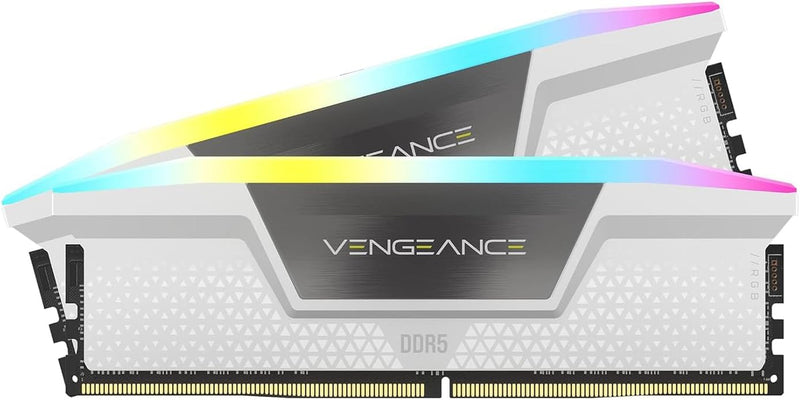
Corsair Vengeance RGB DDR5 32GB 6000MHz RAM
DDR5-6000 at CL30 with per-module voltage regulation gives this 32GB kit the frequency headroom and stability to feed Intel's fastest 700-series platforms.
$691.19*
Check availability
*Price sourced from Amazon.com. Last updated:Oct 23, 2026.Price and availability are subject to change — details.
Affiliate Disclosure: As an Amazon Associate, Studio Supplies earns from qualifying purchases made through links on this page, at no additional cost to you. This helps support our editorial team.
Notice a mistake? Let Us Know
Overview
Key Features
Dynamic Ten-Zone RGB Lighting: Illuminate your system with ten individually addressable, ultra-bright RGB LEDs per module, encased in a panoramic light bar for vivid RGB lighting from any viewing angle.
Onboard Voltage Regulation: Enables easier, more finely-tuned, and more stable overclocking through CORSAIR iCUE software than previous generation motherboard control.
Custom Intel XMP 3.0 Profiles: Customize and save your own XMP profiles via iCUE to tailor performance by app or task for greater efficiency.
Create and Customize: Choose from dozens of preset lighting profiles, or create your own in iCUE.
Part Number: CMH32GX5M2B6000C30W | Latency: 30-36-36-76 | Voltage: 1.4V | Compatibility: Intel 600 and 700 Series
Specifications
Capacity
32GB (2x16GB)
Memory Type
DDR5
Frequency
6000MHz
Timings
CL30-36-36-76
Voltage
1.4V
RGB
Ten-zone addressable RGB per module
Compatibility
Intel 600 and 700 Series motherboards
XMP Support
XMP 3.0 (custom profile creation supported)
Voltage Regulation
Onboard PMIC
Part Number
CMH32GX5M2B6000C30W
Frequently Asked Questions
Does this kit require XMP to run at 6000MHz, and how do I enable it?
Yes. DDR5 memory runs at JEDEC default speeds (typically 4800MHz) without XMP enabled. To run at the rated 6000MHz with CL30 timings, you must enable XMP 3.0 in your motherboard BIOS. The CMH32GX5M2B6000C30W ships with pre-configured XMP 3.0 profiles — entering BIOS and selecting the XMP profile is a one-step operation on compatible Intel 600 or 700 series boards.
Is this kit compatible with AMD AM5 platforms?
Officially, the CMH32GX5M2B6000C30W specifies compatibility with Intel 600 and 700 series motherboards. AMD AM5 boards use a similar XMP/EXPO standard and can often run Intel-tuned XMP DDR5 kits, but performance and stability at 6000MHz are not guaranteed. AMD's own EXPO-tuned kits are more reliable choices for Ryzen 7000 builds.
What does the onboard voltage regulation on these modules actually do?
DDR5 modules contain PMIC (Power Management Integrated Circuit) chips that regulate voltage on the module itself, unlike DDR4 which relied on the motherboard's VRM for memory voltage. Corsair's iCUE software provides software-level control over this PMIC, enabling finer-grained voltage adjustments for overclocking stability than previous-generation memory allowed via motherboard settings alone.
What is the significance of the CL30 latency at 6000MHz?
CL30 at 6000MHz yields an absolute latency (tCL / frequency) of approximately 10ns — competitive for high-frequency DDR5. Lower-speed DDR5 kits at 4800MHz with CL40 produce similar absolute latency. The 6000MHz + CL30 combination targets a sweet spot where frequency gains (bandwidth) don't come at a relative latency penalty, which matters for gaming frame-time consistency and memory-latency-sensitive productivity workloads.
Do both sticks need to be installed in specific slots for dual-channel operation?
Yes. For dual-channel, install both sticks in the A2 and B2 slots (the second and fourth slots from the CPU on most Intel motherboards — typically the colored or labeled slots). Consult your motherboard manual to confirm the correct dual-channel configuration, as incorrect placement will run the kit in single-channel mode at half the effective bandwidth.
Related Products
