
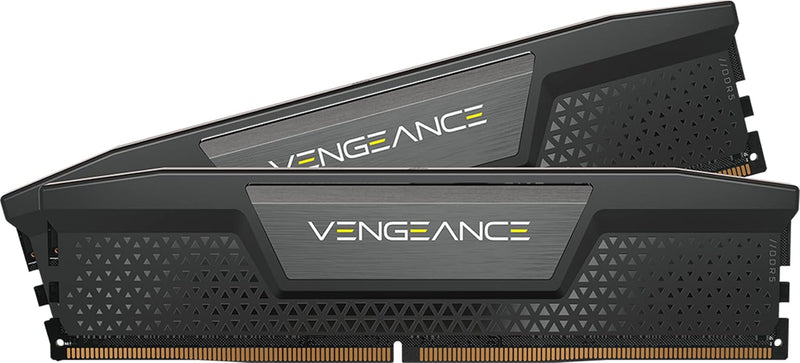


Corsair Vengeance DDR5-6000 CL36 vs CL30 — Which to Buy
This kit is Corsair's CL36 variant at DDR5-6000, sitting one tier below the CL30 variant in the same Vengeance family. Both kits use a similar PCB and silicon binning approach; the difference is the validated primary timing. The decision comes down to whether the 2 ns true-latency difference is worth the price premium for your specific workload.
The Two Kits Side-by-Side
| Spec | Vengeance DDR5-6000 CL30 | Vengeance DDR5-6000 CL36 (this kit) |
|---|---|---|
| Data rate | 6000 MT/s | 6000 MT/s |
| Primary timings | 30-36-36-76 | 36-38-38-76 |
| True latency (CL × 2000/data rate) | 10.0 ns | 12.0 ns |
| Voltage | 1.35 V (EXPO/XMP) | 1.35 V (EXPO/XMP) |
| Capacity tiers | 32 / 64 / 96 GB | 32 / 64 GB |
| AM5 EXPO support | Yes | Yes |
| Intel XMP support | Yes (XMP 3.0) | Yes (XMP 3.0) |
Spec details drawn from Corsair's Vengeance DDR5 product family pages.
Real-World Performance Gap
Across multiple independent testing sources, the gaming-FPS difference between CL30 and CL36 at DDR5-6000 on the same platform consistently lands in the sub-2% range. Tom's Hardware community testing and Linus Tech Tips community benchmarks reach matching conclusions: CL30 is technically faster but the gap is below what most users would feel in practice.
Productivity-tool benchmarks (AIDA64 memory latency, 7-Zip compression, C++ compile times) show the latency gap more clearly than gaming workloads do, because those workloads are more sensitive to small-block random memory access patterns where the 2 ns gap accumulates.
Why CL36 Often Makes Better Sense
- Lower price for nearly identical performance — kit-for-kit, CL36 typically prices 10-15% lower than the CL30 variant at the same capacity
- Lower validation difficulty — looser timings means more motherboards run the kit at rated speed without troubleshooting
- Same EXPO and XMP one-click profiles — no functional difference in BIOS setup, just a different timing target
- Same lifetime warranty from Corsair
When the CL30 Kit Is the Better Choice
- Competitive gaming at high refresh rates (240 Hz+) at 1080p — frame-time stability slightly favors CL30; sub-2% but consistent
- Latency-sensitive productivity — software compilation, DAW production with heavy plugin chains, memory-benchmark hobbyism
- Buyers building an AM5 system targeting AMD's published 1:1 Infinity Fabric sweet spot — CL30 kits ship with EXPO profiles slightly more conservatively tuned for this configuration
32 GB vs 64 GB Sizing
32 GB is the current sweet spot for new builds:
- Comfortable for current gaming with active background applications
- Headroom for browser, Discord, OBS, and the other typical streaming-while-gaming load
- Sufficient for most photo / Lightroom workflows, light video editing in 1080p / 4K, and most software development
Step up to 64 GB only if the workload specifically demands it — see the Corsair Vengeance DDR5 96GB PDP module for the workload examples where larger kits genuinely earn their place.
Sources & Citations
- Corsair, "Vengeance DDR5 product family," corsair.com (accessed 2026-05-16)
- Tom's Hardware forums, "6000 MHz CL30 vs CL36 in gaming," forums.tomshardware.com (accessed 2026-05-16)
- Linus Tech Tips forums, "Does DDR5 CAS Latency Timing Really Matter," linustechtips.com (accessed 2026-05-16)
- AMD, "Ryzen Memory Optimization Guidance," amd.com (accessed 2026-05-16)
- JEDEC, "DDR5 SDRAM specifications," jedec.org (accessed 2026-05-16)
Last verified: 2026-05-16

