
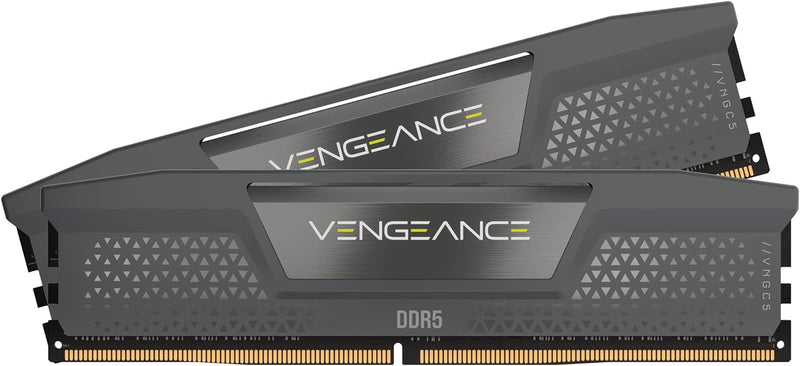
Corsair Vengeance DDR5 96GB — When 96 GB Actually Pays Off
Most gaming PCs run comfortably on 32 GB of DDR5. The 96 GB tier (2× 48 GB) exists for creator workstations and workloads where the working set genuinely exceeds 32 GB or even 64 GB. The kit's value is workload-specific — for everyday computing it provides no advantage over a 32 GB kit, but for the workloads listed below it eliminates swap pressure that a smaller kit cannot.
Workloads Where 96 GB Actually Helps
- Large-frame video editing — DaVinci Resolve and Premiere Pro working with 4K-8K timelines, particularly with many tracks of color-graded footage and effects. Resolve specifically benefits from RAM headroom for the GPU frame cache and the project database
- 3D rendering and modeling — Blender, Cinema 4D, Maya, and Houdini scenes with high-polygon assets, dense particle systems, and detailed volumetric simulations. Render preview windows hold the scene's geometry resident in RAM
- Local AI / ML inference — running large language models locally (Llama 3, Mistral, DeepSeek) where the model's parameter count drives RAM consumption. Per Hugging Face's optimization documentation, model loading sizes scale roughly with parameter count multiplied by precision width
- Virtualization with multiple concurrent VMs — running Windows + multiple Linux VMs simultaneously for development, sandboxing, or homelab work
- Audio production with extremely large sample libraries — orchestral libraries (Spitfire Audio's full orchestral collections, EastWest's Hollywood Orchestra) can consume 50-80 GB of RAM when fully loaded into Kontakt or another sampler
- Photogrammetry and CAD with massive assemblies — RealityCapture, SolidWorks large assemblies, automotive-design workflows
Workloads Where 96 GB Provides No Practical Benefit
- Gaming, including the most demanding modern titles — no current game uses anywhere near 32 GB of RAM, let alone 96 GB
- Office productivity, web browsing, light creative work — 16-32 GB is sufficient with substantial headroom
- Single-VM development or web development — 32 GB handles most local development environments with multiple browser instances, Docker, IDE, and supporting tooling
2 × 48 GB Configuration Matters
This kit is two 48 GB modules — a single-rank-per-channel configuration. On consumer DDR5 platforms (Intel LGA1700 / 1851, AMD AM5), running two modules instead of four is often the difference between hitting rated EXPO/XMP speeds versus being forced to drop to slower JEDEC defaults. AMD's published memory guidance for Ryzen 7000 / 9000 specifically recommends two-DIMM configurations for optimal Infinity Fabric synchronization at DDR5-6000.
Per Corsair's product page, this kit is XMP/EXPO-rated at 6000 MHz CL30 — the sweet spot for AM5 1:1 Infinity Fabric operation and a competitive default profile on Intel platforms.
Practical Buying Guidance
Buyers asking "should I get 32 GB, 64 GB, or 96 GB?" should examine their actual peak working-set size:
- Open the workloads simultaneously that you expect to use together
- Open Task Manager (Windows) or Activity Monitor (macOS) and observe the "committed" or "memory pressure" figure under realistic load
- If peak commit exceeds 80% of current RAM and the workload is one of the categories above, the upgrade is justified
- If peak commit stays below 60% with current RAM, more memory provides no benefit beyond psychological headroom
Sources & Citations
- Corsair, "Vengeance RGB 96GB (2x48GB) DDR5-6000 C30 product page," corsair.com (accessed 2026-05-16)
- AMD, "Ryzen Processors and Memory Compatibility," amd.com (accessed 2026-05-16)
- Hugging Face, "LLM Inference Optimization," huggingface.co (accessed 2026-05-16)
- JEDEC Solid State Technology Association, "DDR5 SDRAM specifications," jedec.org (accessed 2026-05-16)
Last verified: 2026-05-16

