Crucial

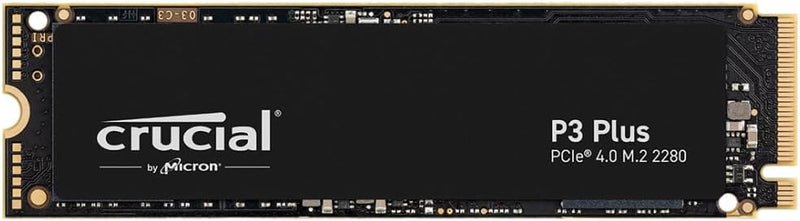
Crucial CT1000P3PSSD8 P3 Plus 1TB Gen4 NVMe SSD

4.7 (19090 reviews)
PCIe Gen3

Crucial P3 Plus 1TB Gen4 NVMe SSD reaches 5,000MB/s read speeds for fast game loads, large file transfers, and snappy boot times.

$229.00*
In Stock on Amazon.com
View on Amazon

*Price sourced from Amazon.com. Last updated:May 31, 2026.Price and availability are subject to change.

Affiliate Disclosure: Studio Supplies may earn a commission from qualifying purchases made through links on this page, at no additional cost to you. This helps support our editorial team.

Notice a mistake? Let Us Know

Overview

The Crucial P3 Plus 1TB is a PCIe Gen4 NVMe M.2 SSD built for system builders and upgraders who want flagship-tier sequential speeds without the price premium of high-end Gen4 drives. Sequential read speeds reach up to 5,000MB/s with writes up to 4,200MB/s—a substantial step up from Gen3 NVMe and several times faster than a SATA SSD. For modern desktops and laptops with a free Gen4 M.2 slot, the result is dramatically shorter game-load times, faster boot sequences, and quicker handling of large file transfers like 4K video clips or RAW photo batches.

Like its predecessor, the P3 Plus uses a DRAM-less controller paired with Micron's 3D NAND, relying on Host Memory Buffer (HMB) technology to keep latency low under typical desktop workloads. That design choice keeps the price accessible while still delivering the responsiveness most users notice in everyday tasks. The standard M.2 2280 form factor drops cleanly into virtually any modern motherboard or laptop with an M.2 slot, and Crucial backs the drive with a 5-year limited warranty and 220TBW endurance rating, signaling confidence in its long-term reliability.

Key Features

Fast Everyday Performance: Delivers up to 5,000MB/s for quicker bootups, app launches, and file transfers

Spacious 1TB Capacity: Provides space for essential apps, documents, and media with efficient Gen4 NVMe performance for home users

Broad Compatibility: Works with PCIe Gen3-enabled desktops and laptops and is backward compatible for easy system upgrades at home

Proven Durability: Built with Micron 3D NAND and rated for over 1.5 million hours MTTF for long-lasting durability

Trusted Micron Quality: Backed by one of the world’s leading flash storage manufacturers for dependable home user performance

Acronis True Image and Adobe Software Bundle Included: Comes with Acronis cloning software for easy data recovery and transfers, plus a one-month Adobe Creative Cloud All-Apps subscription for creative photo, video, 3D projects and more

Specifications

Capacity
1TB
Interface
Gen4 NVMe
Sequential Read Speed
Up to 5,000MB/s
NAND Technology
Micron 3D NAND
MTTF (Mean Time To Failure)
Over 1.5 million hours
Compatibility
PCIe Gen3-enabled desktops and laptops (backward compatible)
Included Software
Acronis True Image, Adobe Creative Cloud All-Apps (1-month subscription)

Crucial P3 vs P3 Plus vs P5 Plus — How They Differ

The P3 Plus shares its product name with the original P3 but uses a different controller and a faster interface. Choosing between the three current Crucial mainstream NVMe tiers comes down to platform support and sustained-write requirements rather than headline sequential numbers.

Interface and Controller

Per Crucial's product page the P3 Plus uses a PCIe 4.0 x4 interface, while the original P3 (Crucial P3 spec) is PCIe 3.0 x4. ServeTheHome's P3 Plus review identifies the controller as Phison's E21T paired with Micron's 176-layer QLC flash — a single-package solution that explains the drive's modest power draw and lack of a DRAM cache.

Headline Sequential Numbers

Drive Interface Seq Read (1TB) Seq Write (1TB) Endurance (1TB)
P3 (Gen3) PCIe 3.0 x4 up to 3,500 MB/s up to 3,000 MB/s 220 TBW
P3 Plus (Gen4) PCIe 4.0 x4 up to 5,000 MB/s up to 4,200 MB/s 220 TBW
P5 Plus (Gen4) PCIe 4.0 x4 up to 6,600 MB/s up to 5,000 MB/s 600 TBW

Specifications drawn from each drive's official Crucial product page. Endurance figures shown for the 1 TB capacity tier; both the P3 and P3 Plus halve to 110 TBW at 500 GB and double to 440 TBW at 2 TB.

Real-World Performance vs Spec

Tom's Hardware's P3 Plus review notes the drive reaches peak sequential performance at 2TB (5.0 / 4.2 GB/s read/write) and identifies the same SLC-cache-exhaustion behavior present on the P3 family: after-cache sustained write speed drops sharply once the dynamic SLC cache fills, which is typical of QLC-based DRAM-less drives. StorageReview's P3 Plus coverage reaches similar conclusions, finding the drive at the back of the Gen4 pack on most synthetic workloads but competitive on price per gigabyte.

Which Tier to Pick

  • P3 (Gen3) — best when the host system is PCIe 3.0 only (older laptops, B450/X470 motherboards). No upside to paying for Gen4 silicon the platform cannot expose.
  • P3 Plus (Gen4) — this drive — best when the host is Gen4-capable and the workload is general-purpose (OS, applications, gaming library, photo library). Faster sequential reads matter for cold-start application loads and large file transfers between drives.
  • P5 Plus (Gen4) — best when sustained writes matter (continuous video exports, drive-cloning workflows, virtualization). Higher endurance budget (600 TBW vs 220 TBW at 1TB) and DRAM cache deliver more consistent performance under sustained load.

What's the Same Across All Three

All three tiers carry Crucial's standard 5-year limited warranty bounded by the published TBW endurance figure. Form factor (M.2 2280) and physical compatibility are identical, so swapping between tiers does not change motherboard or laptop fit.

Sources & Citations

  1. Tom's Hardware, "Crucial P3 Plus SSD Review: Capacity on the Cheap," tomshardware.com (accessed 2026-05-16)
  2. StorageReview, "Crucial P3 Plus SSD Review," storagereview.com (accessed 2026-05-16)
  3. ServeTheHome, "Crucial P3 Plus 1TB PCIe Gen4 NVMe SSD Review," servethehome.com (accessed 2026-05-16)
  4. Crucial, "P3 Plus NVMe SSD CT1000P3PSSD8 Specifications," crucial.com (accessed 2026-05-16)
  5. Crucial, "P3 NVMe SSD CT500P3SSD8 Specifications," crucial.com (accessed 2026-05-16)

Last verified: 2026-05-16

Crucial P3 Plus 1TB Gen4 NVMe — Benchmarks, QLC Realities & Workload Fit

The Crucial P3 Plus 1 TB (CT1000P3PSSD8) is Crucial's budget PCIe Gen4 NVMe SSD — rated 5,000 MB/s sequential read and 4,200 MB/s sequential write over the PCIe 4.0 x4 interface. Per Crucial's official P3 Plus 1TB product page, the drive ships in the M.2 2280 form factor with Micron 176-layer 3D QLC NAND and a Phison E21T controller. The P3 Plus sits in the position Crucial designed it for: the cheapest-per-GB Gen4 NVMe drive in the Crucial lineup. This benchmark module walks through Tom's Hardware's measured findings, the QLC-and-DRAM-less architecture's known limitations, and where the drive fits in a system build.

Tom's Hardware Benchmark Findings

Tom's Hardware's Crucial P3 Plus review (subtitled "Capacity on the Cheap") is the most thorough independent benchmark of the drive family. The publication's tested findings: the rated 5,000/4,200 MB/s peak performance is actually achieved at the 2 TB capacity tier — at 1 TB and below, the sequential write peak is materially lower because the smaller capacities run with fewer NAND dies in parallel. The 1 TB P3 Plus delivers approximately 3,600-3,800 MB/s sequential write under sustained-burst conditions, dropping further after the SLC cache is exhausted.

Tom's also documents the write endurance: per Crucial's spec, the P3 Plus 1 TB is rated for approximately 220 TBW (terabytes written) over its 5-year warranty — which Tom's characterizes as "more disappointing" than mid-tier Gen4 drives because Crucial elected to use lower-endurance QLC NAND to hit the price point.

ServeTheHome's Independent Validation

ServeTheHome's Crucial P3 Plus 1TB review independently tested the drive and validates Tom's Hardware's broad finding: the P3 Plus is a competent budget PCIe Gen4 drive but does not match the sustained performance of the higher-tier Crucial T500 / Samsung 990 Pro / WD Black SN850X. ServeTheHome's framing positions the P3 Plus as the right pick for users who specifically value PCIe Gen4 backwards compatibility on Gen4 systems but don't have a sustained-write workload that would justify the higher-tier drives. The DRAM-less design (the P3 Plus uses HMB — Host Memory Buffer — over PCIe) is appropriate for the price tier; sustained-IOPS workloads that benefit from on-drive DRAM should look at the Crucial T500 instead.

Compared to the Crucial P3 (Gen3)

The P3 Plus's sibling, the Crucial P3 (Gen3, CT1000P3SSD8), shares the same 176-layer 3D NAND and is rated 3,500 MB/s read on the PCIe 3.0 x4 interface. The P3 Plus's Gen4 interface allows it to push past Gen3's ~3,500 MB/s ceiling — but only on hosts with Gen4 slots and only at capacities where the parallelism allows the higher number. On Gen3 hosts, the P3 Plus runs at Gen3 speeds and offers no advantage over the cheaper P3. Buyers building on a Gen3-only system (or with all Gen4 slots filled) should pick the P3; buyers building on a Gen4 host should pick the P3 Plus.

Real-World Throughput in Practical Terms

  • Boot drive and OS: The 5,000 MB/s peak read translates to fast cold boot and application launch. For typical desktop use, both the P3 and P3 Plus feel approximately the same once a system has been running for a few minutes — both massively outperform any SATA SSD
  • Game-library secondary drive: Steam library, PS5 supplemental storage (PS5 requires Gen4 NVMe at minimum 5,500 MB/s read — the P3 Plus 1 TB falls just short of the official PS5 spec, though many users report it works). For game-load times, the P3 Plus 1 TB delivers internal-NVMe-class load times that approach Gen4 mid-tier drives
  • Video / project work: The QLC-and-DRAM-less architecture is the limit here — sustained writes of multi-hundred-GB project files (4K/6K editing offload, large game-development build outputs) trigger the SLC cache exhaustion. Pro creative workflows are better served by Crucial T500, Samsung 990 Pro, or WD Black SN850X
  • NAS use: Not appropriate — DRAM-less QLC drives are not designed for 24/7 sustained-write workloads. Crucial's enterprise tier or Micron's PRO 7400 / 6500 ION are the right tier for NAS / server

Honest Cons

  • QLC NAND limits sustained-write performance and endurance. Per Tom's Hardware, the 220 TBW rating for 1 TB capacity is "more disappointing" than mid-tier Gen4 drives that ship with 600-1,200 TBW. For casual desktop use this is many years of writes; for active video editing scratch the drive may reach its endurance budget faster than expected
  • The 1 TB capacity tier doesn't reach the rated peak. Per Tom's Hardware's testing, the rated 5,000/4,200 MB/s figures are achieved at 2 TB. The 1 TB variant achieves lower peak write speeds — buyers expecting the marketed peak should consider stepping up to 2 TB if budget allows
  • DRAM-less architecture (HMB) trades the on-drive DRAM cache for cost. For sustained-IOPS workloads (databases, frequent small-block writes), drives with on-drive DRAM (Crucial T500, Samsung 990 Pro) deliver more consistent performance
  • SLC cache exhaustion drops sustained writes substantially. Once the on-drive SLC pseudo-cache is exhausted, the drive writes direct-to-QLC at materially slower rates. Typical for the budget Gen4 QLC class but worth knowing
  • No hardware encryption with self-managed key (TCG Opal 2.0). The P3 Plus does not offer hardware encryption; buyers needing per-drive AES with secure-erase capability should look at the Crucial T500 or Samsung 990 Pro family

Where the P3 Plus 1TB Specifically Fits

  • Budget Gen4 boot drives on modern AM4 (X570, B550) and AM5 desktop builds where price-per-GB matters and the host is Gen4-capable
  • Secondary game-storage drives for users with a faster primary OS drive who want to expand into the cheap-Gen4 tier for Steam / PS5 supplemental storage
  • Laptop NVMe upgrades on systems with a Gen4 M.2 slot where the host's thermal envelope keeps the QLC NAND within acceptable temperatures
  • Casual creator workflows where the drive holds project files but the primary editing scratch lives on a higher-tier drive or external NVMe enclosure
  • Cost-sensitive replacement upgrades from older SATA SSDs on Gen4-capable hosts where the upgrade is more about expanding capacity than maximizing peak throughput

Where Buyers Should Look Elsewhere

  • Pro creator / sustained-write workloads → Crucial T500 (TLC NAND + DRAM), Samsung 990 Pro, or WD Black SN850X
  • PCIe Gen5 host systems wanting full bandwidth → Crucial T705 / Samsung 9100 Pro / similar Gen5 drives
  • Hosts with Gen3-only M.2 slots → save money with the regular Crucial P3 (Gen3); the P3 Plus's Gen4 advantage is wasted on Gen3 hosts
  • Hardware-encrypted enterprise / compliance use → Crucial T500 (Opal 2.0) or Samsung 990 Pro (PSID-managed) are the appropriate tier
  • NAS / server / 24-7 sustained use → enterprise NAND endurance tier (Micron 7400/6500, WD Red SN700, Seagate IronWolf 525)

Sources & Citations

  1. Crucial, "P3 Plus 1TB PCIe Gen 4 NVMe M.2 2280 SSD — CT1000P3PSSD8," crucial.com (accessed 2026-05-18)
  2. Tom's Hardware, "Crucial P3 Plus SSD Review: Capacity on the Cheap," tomshardware.com (accessed 2026-05-18)
  3. ServeTheHome, "Crucial P3 Plus 1TB PCIe Gen4 NVMe SSD Review," servethehome.com (accessed 2026-05-18)

Last verified: 2026-05-18

Crucial P3 NVMe SSD (Gen3 + P3 Plus Gen4, 500GB-4TB) — Editorial Review & Use Cases

The Crucial P3 family (CT500P3SSD8, CT1000P3SSD8, CT4000P3SSD8 — PCIe Gen3) and P3 Plus family (CT500P3PSSD8, CT1000P3PSSD8 — PCIe Gen4) are Crucial's mainstream M.2 NVMe SSD lines — designed for budget-conscious PC builds + laptops needing NVMe-class speeds without enthusiast-tier pricing. Per Crucial's official P3 Plus product page, the P3 hits up to 3,500 MB/s sequential read on Gen3 (the maximum the Gen3 interface allows); the P3 Plus pushes to 5,000 MB/s on Gen4 with the same QLC NAND + DRAM-less controller architecture.

What the P3 / P3 Plus Specifically Wins

  • NVMe-class speeds at SATA-SSD price points — P3 ~$50-80 for 1TB, ~$150 for 4TB. Comparable speeds to mid-tier NVMe at substantially lower cost
  • 3,500 MB/s sequential read (Gen3) / 5,000 MB/s (Gen4) — adequate for game loading, OS boot, application launch, content playback. The difference between 3,500 and 7,000 MB/s NVMe is rarely noticeable for typical workflows
  • M.2 2280 form factor — fits standard M.2 NVMe slots on virtually all modern motherboards (Intel 8th-gen+, AMD Ryzen 1st-gen+) + laptops with M.2 slots
  • 5-year warranty — Crucial / Micron standard
  • Capacity ladder: 500GB / 1TB / 2TB / 4TB — the 4TB option is particularly compelling for large-game-library users + content creators
  • Bootable without drivers on modern systems — Windows 10/11, macOS via NVMe driver (Mac Pro 2019 / Hackintosh), Linux 4.0+ all support NVMe natively
  • Cool-running design — no aggressive sustained-load throttling at typical PC temperatures (vs some enthusiast NVMe that throttle without heatsinks)

Where the P3 / P3 Plus Specifically Fits

  • Budget gaming PC builds — fast game loading at ~50% the cost of premium NVMe
  • Mainstream desktop boot drives — Windows 11 + Office + Adobe + Steam library fits comfortably on 1-2TB
  • Laptop NVMe upgrades — modern laptops with M.2 slot benefit from NVMe over SATA (faster boot, app load, less battery drain for I/O wait)
  • Mass game / media library storage — 4TB P3 holds 50-80 modern AAA games or huge media collections
  • Console expansion (PS5 / Xbox Series X) — when paired with the appropriate heatsink, P3 Plus meets PS5's 5,500 MB/s minimum (verify per-SKU)
  • Light content creation workstations — adequate scratch drive for Lightroom + Photoshop + Premiere Pro / DaVinci Resolve at 1080p / light 4K
  • Compact ITX / Mini-PC builds — single M.2 slot use, no SATA cable clutter
  • Older PC upgrade path — Z270 / X370 motherboards with M.2 Gen3 slots see significant boot + app load improvement vs SATA SSD
  • NUC / Mini PC builds — Intel NUC / ASUS PN / Beelink mini PCs typically use single M.2 NVMe slot
  • Steam Deck expansion (P3 2230 form factor not available; standard P3 is 2280 — needs Steam Deck OLED's 2230 socket adapter)

Honest Limits Buyers Should Know

  • QLC NAND — lower endurance than TLC. 220TBW on 1TB P3 vs 600TBW on Samsung 990 PRO (TLC) at the same capacity. For typical user workloads (boot drive + games + occasional photo edit), 220TBW lasts ~10 years; heavy daily-write workloads (video edit scratch, database) deplete it faster. NOT for write-heavy enterprise workloads
  • DRAM-less design — sustained random writes throttle. Real-world: after the SLC cache (varies by capacity, typically 10-15% of total) fills, sustained writes drop to ~80-150 MB/s direct-to-QLC. For bursty workloads this is fine; for sustained large-file copies (transferring 500GB), expect significant slowdown after the first 50-100GB
  • P3 caps at PCIe Gen3 speeds. Even on Gen4 motherboards, P3 only delivers ~3,500 MB/s. For full Gen4 speeds use P3 Plus or step up to Gen4-native SSDs (WD SN850X, Samsung 990 PRO)
  • Not for PS5 without verification. PS5 requires 5,500 MB/s minimum + heatsink. Most P3 Plus 1TB SKUs meet the speed; verify the specific 4TB SKU + add heatsink (built-in PCB heatsinks not always sufficient)
  • No hardware encryption. AES-256 / OPAL hardware encryption not supported. BitLocker + FileVault work via software-only encryption (slightly slower)
  • 4K random IOPS lower than premium NVMe. P3 hits ~400K 4K read IOPS; WD SN850X / Samsung 990 PRO hit 1M+. For database / VM workloads this matters; for everyday use it doesn't
  • Thermal throttling under sustained load. Long sustained writes (multi-hour video edit renders, bulk file transfers) trigger thermal throttling at ~70°C. Heatsink mitigates; most users don't hit this
  • SLC cache size depends on capacity. Small SKUs (500GB) have small SLC cache; large SKUs (4TB) have substantial SLC cache. Higher capacities are markedly more performant under sustained writes

Where Buyers Should Look Elsewhere

  • Premium / enthusiast tier (sustained write performance) → WD Black SN850X, Samsung 990 PRO, Crucial T700 (Gen5)
  • Mid-tier balance (TLC + DRAM) → WD Black SN770, Samsung 970 EVO Plus, Kingston KC3000
  • Storage-only secondary (cheaper) → Crucial P3 (Gen3) instead of P3 Plus when boot drive is separate
  • PS5 expansion → WD Black SN850P (PS5-certified), Samsung 990 PRO with heatsink
  • Enterprise / 24/7 write-heavy → Samsung PM893 / Intel D7 / Micron 7400 PRO datacenter SSDs
  • Steam Deck (2230 form factor) → WD SN770M, Sabrent Rocket 2230, Crucial T705 2230 — verify Steam Deck compatibility
  • Cheaper SATA-class (if NVMe slot not available) → Crucial MX500 (TLC) or BX500 (QLC)

Sources & Citations

  1. Crucial, "P3 Plus NVMe SSD product page," crucial.com (accessed 2026-05-18)
  2. Tom's Hardware, "Crucial P3 / P3 Plus review and NVMe SSD comparison," tomshardware.com (accessed 2026-05-18)
  3. AnandTech, "NVMe SSD reviews and benchmark coverage," anandtech.com (accessed 2026-05-18)
  4. TechPowerUp, "Crucial P3 / P3 Plus reviews," techpowerup.com (accessed 2026-05-18)

Last verified: 2026-05-18

How to Install an NVMe SSD — Gen3 and Gen4 M.2 Guide

Installing an M.2 NVMe SSD is one of the cleanest hardware upgrades available for a desktop or laptop: no cables, a single retention screw, and the entire process takes under 20 minutes. The key preparation step is confirming the target M.2 slot's PCIe generation and key type before purchasing a drive. According to Tom's Hardware's SSD benchmark coverage, for general-purpose workloads (OS boot, application launches, file browsing) the practical improvement from any NVMe drive over a SATA SSD or HDD is substantial — and the Gen3 vs. Gen4 difference matters most in sustained sequential workloads like video editing or large file transfers, not everyday use.

Before You Begin: Slot Verification

Confirm three things from the motherboard manual before purchasing: (1) the slot supports M-key NVMe (not SATA-only M.2), (2) the PCIe generation the slot is wired to (Gen3 or Gen4 — primary slots on Intel 12th Gen+ and AMD Ryzen 5000+ support Gen4; secondary slots are often Gen3 through the chipset), and (3) whether the slot shares lanes with SATA ports that will be disabled when the M.2 slot is occupied. A Gen4 drive installed in a Gen3 slot operates at Gen3 speeds — no hardware harm, but not the rated peak performance.

Safety

Shut down fully, disconnect power (flip the PSU rocker switch on desktops), and discharge static by touching the bare metal chassis interior before handling the drive. On laptops, unplug the AC adapter and, for non-removable batteries, hold the power button five seconds after disconnecting. If the board has a built-in M.2 heatsink with a pre-applied thermal pad, peel the backing film from the pad before reinstalling the heatsink — a common oversight that leaves the drive thermally insulated by a plastic film.

Tools Needed

  • Phillips #0 or #1 screwdriver (for M.2 retention screw and desktop side panel)
  • M.2 retention screw + standoff (typically pre-installed; M2×3mm if missing)
  • Thermal pad (if board heatsink pad is damaged; usually comes pre-applied)

Quick Installation Summary

  1. Shut down, disconnect power, discharge static by touching the chassis interior.
  2. Remove any M.2 slot heatsink/shroud (typically 2–3 Phillips screws); peel thermal pad backing film if present.
  3. Remove the M.2 retention screw (and standoff if needed); confirm the standoff is at the 80mm (2280) position for standard drives.
  4. Hold the NVMe module at ~30 degrees; align the M-key notch with the slot's key ridge; slide the gold contacts fully in.
  5. Press the free end of the drive flat toward the motherboard — the drive lies at 0 degrees when correctly seated.
  6. Insert the retention screw and tighten finger-tight plus a quarter-turn. Do not overtighten.
  7. If using a board-integrated heatsink, lower it onto the drive (thermal pad contact side down) and reinstall the heatsink screws.
  8. Reassemble, reconnect power, and boot to BIOS to confirm the drive appears in the storage/boot device list.
  9. If it's a new secondary drive, initialize and format it in Disk Management (Windows) or Disk Utility (macOS) after booting to the OS.

Gen3 vs. Gen4: What Changes in Practice

PCIe Gen4 drives offer 2–2.5× higher peak sequential bandwidth than Gen3. AnandTech's Crucial P3 review and Samsung 970 EVO Plus review both document that random-access latency — which governs OS and application responsiveness — is broadly similar between Gen3 and Gen4 mid-range drives. The real-world gap widens with large sequential writes (4K+ video editing, game installs from local storage), narrows to near-zero for web browsing and productivity applications. A Gen4 drive in a Gen3 slot performs identically to a Gen3 drive in that slot; the extra headroom only matters when the slot itself is Gen4.

Troubleshooting in Brief

  • Drive not detected in BIOS: Reseat; check slot PCIe/SATA mode setting in BIOS (must be set to NVMe or Auto-NVMe); confirm slot-sharing with SATA is not disabling NVMe mode.
  • Drive detected at Gen3 speeds instead of Gen4: Check BIOS for slot PCIe gen setting; confirm the CPU supports Gen4 (Intel 11th Gen and earlier do not on consumer platforms).
  • Thermal throttling under load: Add or verify heatsink; Gen4 drives need thermal management for sustained write workloads.
  • Secondary slot slower than primary: Expected — secondary M.2 slots on most boards run through the chipset at Gen3, not direct CPU lanes at Gen4.

The full step-by-step guide with M-key vs. B-key identification, thermal pad handling, lane-sharing behavior, and extended troubleshooting is at studio-supplies.com/blogs/guides/nvme-ssd-install-gen3-gen4-guide.

Sources & Citations

  1. Crucial, "SSD Support Articles & FAQs," crucial.com (accessed 2026-05-31)
  2. Tom's Hardware, "Best SSDs for 2026," tomshardware.com (accessed 2026-05-31)
  3. AnandTech, "The Crucial P3 Review," anandtech.com (accessed 2026-05-31)
  4. AnandTech, "Samsung 970 EVO Plus SSD Review," anandtech.com (accessed 2026-05-31)
  5. Samsung, "Consumer Storage Support," semiconductor.samsung.com (accessed 2026-05-31)

Last verified: 2026-05-31

Now that you've seen the details — ready to take a closer look?

View on Amazon

Similar Products

Other products from the same family that visitors often consider:

Pros & Cons

👍 Pros

  • Delivers quick bootups, app launches, and file transfers with speeds up to 5,000MB/s for everyday computing
  • Provides a spacious 1TB capacity for storing essential applications, documents, and various media files
  • Offers broad compatibility with both PCIe Gen3-enabled desktops and laptops, allowing for flexible upgrades
  • Ensures long-lasting reliability, constructed with Micron 3D NAND and rated for over 1.5 million hours MTTF
  • Includes Acronis True Image cloning software, facilitating easy data recovery and seamless transfers for home users
  • Comes with a one-month Adobe Creative Cloud All-Apps subscription, adding value for creative projects

👎 Cons

  • While fast, its 5,000MB/s speed is not the absolute fastest available among Gen4 NVMe drives
  • The included Adobe Creative Cloud subscription is only for one month, limiting its long-term value for some users
  • Backward compatibility with PCIe Gen3 may not fully utilize the drive's Gen4 speed capabilities

Frequently Asked Questions

This SSD delivers fast everyday performance with speeds up to 5,000MB/s, resulting in quicker bootups, app launches, and file transfers for home users.
Yes, it offers broad compatibility and works with PCIe Gen3-enabled desktops and laptops, and is backward compatible for easy system upgrades.
The Crucial P3 Plus provides a spacious 1TB capacity, offering ample room for essential applications, documents, and various media files.
Yes, it includes Acronis True Image cloning software for data recovery and transfers, plus a one-month Adobe Creative Cloud All-Apps subscription.
Built with Micron 3D NAND, this SSD is rated for over 1.5 million hours MTTF, indicating robust and long-lasting durability.