

Crucial
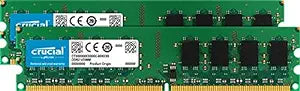
Crucial DDR2 PC2-6400 4GB (2x2GB) Dell OptiPlex 755 Upgrade
★★★★★
Upgrade Your Dell OptiPlex 755 with Reliable Crucial Memory Enhance the performance and stability of your Dell OptiPlex 755 Series (Desktop Mini-Tower and Small Form Factor) with this 4GB Crucial memory upgrade kit. Designed for reliability and compatibility, this memory ensures smooth multitaski...
$59.99*
Check availability
*Price sourced from Amazon.com. Last updated:Jul 21, 2026.Price and availability are subject to change.
Affiliate Disclosure: Studio Supplies may earn a commission from qualifying purchases made through links on this page, at no additional cost to you. This helps support our editorial team.
Notice a mistake? Let Us Know
Overview
Upgrade Your Dell OptiPlex 755 with Reliable Crucial Memory
Enhance the performance and stability of your Dell OptiPlex 755 Series (Desktop Mini-Tower and Small Form Factor) with this 4GB Crucial memory upgrade kit. Designed for reliability and compatibility, this memory ensures smooth multitasking and optimal system performance. Trust Crucial for high-quality memory you can depend on.
Specifications:
- Brand: Crucial
- Type: DDR2 PC2-6400
- Capacity: 4GB kit (2GBx2)
- Compatibility: Dell OptiPlex 755 Series (Desktop Mini-Tower and Small Form Factor)
- Features: Non-ECC
Key Features
240-pin DIMM
DDR2-800
Desktop/PC
Specifications
Capacity
4GB (2x2GB)
Type
DDR2
Speed
PC2-6400 (DDR2-800)
Pin Count
240-pin
Form Factor
DIMM
Compatibility
Desktop/PC, Dell OptiPlex 755 Upgrade
Frequently Asked Questions
What specific Dell model is this Crucial DDR2 RAM designed for?
This Crucial DDR2 PC2-6400 RAM is specifically designed as an upgrade for the Dell OptiPlex 755.
What is the total RAM capacity provided by this product?
This product provides a total of 4GB of RAM, consisting of two 2GB modules.
What type and speed of RAM is this?
This is DDR2 PC2-6400 RAM, operating at a speed equivalent to DDR2-800.
What is the physical form factor of these RAM modules?
These are 240-pin DIMM modules, which is the standard form factor for desktop and PC memory of this generation.
Can this RAM be used in laptops or other types of computers?
No, these are 240-pin DIMM modules specifically for Desktop/PC systems, and explicitly listed as an upgrade for the Dell OptiPlex 755, meaning they are not suitable for laptops or systems requiring different form factors or memory types.
Related Products


