
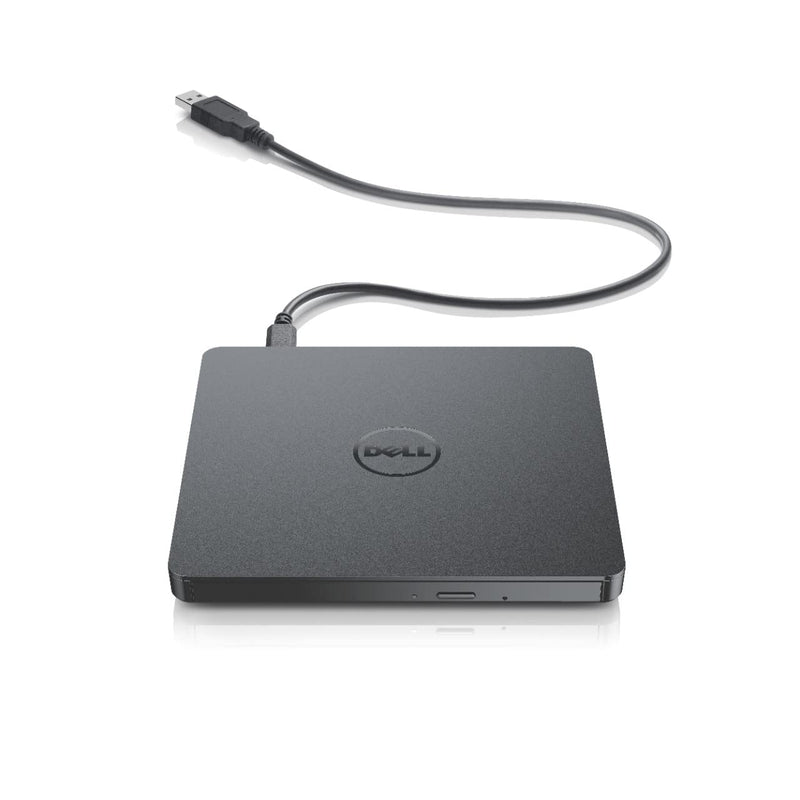


LG GP60NB50 Ultra Slim Portable DVD Rewriter — Editorial Review & Use Cases
The LG GP60NB50 (and its iterative successors GP65NB60, GP95NB70) is LG's USB 2.0 powered external slim DVD drive — reads and writes standard DVDs, CDs, and CD-R/RW / DVD-R/RW / DVD+R/RW double-layer media at 8x DVD write speed / 24x CD write speed. Per LG's official GP60NB50 product page, the drive runs entirely from USB bus power (no AC adapter needed), supports Windows 7/8/10/11 with native drivers, supports macOS with native drivers, and ships with bundled media-mastering software for typical DVD authoring needs.
What the GP60NB50 Specifically Wins
- Bus-powered USB 2.0 operation — no AC adapter required — single USB cable handles both data and power. Modern laptops with adequate USB power deliver the ~750mA the drive needs at peak
- Native OS support across Windows + macOS + Linux — works without driver installation on Win 7/8/10/11, macOS 10.6+, Ubuntu 14.04+ and similar Linux distributions
- Reads and writes the major optical formats — DVD-ROM / DVD-R / DVD+R / DVD-RW / DVD+RW / DVD+R DL / CD-ROM / CD-R / CD-RW
- LG manufacturing reliability + warranty — vs no-name external DVD drives (failure-prone), LG's optical drive line has decades of OEM history (most laptop slim DVD drives 2000-2015 were LG-manufactured)
- Compact + ultra-slim form factor — fits in a laptop bag without significant added bulk; suitable for travel + portable workflow
- Bundled CD/DVD authoring software — bundled CyberLink Power2Go or similar Windows authoring suite for simple disc creation; macOS users use Finder's burn function (which the drive supports natively)
Where the GP60NB50 Specifically Fits
- Modern laptops without built-in optical drives needing CD / DVD playback or burning capability (current MacBooks, ultrabooks, Surface devices all lack optical drives)
- Software install from physical CD/DVD media for legacy applications, professional software (older Adobe / Microsoft / Autodesk installers), or installation discs
- Backup / archival CD-R / DVD-R writing for users who prefer optical archives over cloud/external drives for long-term storage
- Music CD ripping to iTunes / Music app / digital library for users moving from physical CD collections to digital
- DVD movie playback on modern laptops
- BIOS / firmware update from optical media for older servers / embedded systems requiring optical boot media
- Vehicle / home audio CD burning for users with older car stereos / home receivers that only accept CDs
- School / educational use for classes with CD-only software or media
Honest Limits Buyers Should Know
- USB 2.0 only — no Blu-ray. The GP60NB50 reads/writes DVDs at most. Blu-ray media (BD-R, BD-RE, UHD Blu-ray) is not supported. Step up to LG BP55EB40 / WP50NB40 for Blu-ray
- Slow write speeds vs internal SATA drives. 8x DVD write speed = ~10 MB/s — adequate for occasional discs, slow for high-volume burning
- Bus-power can be marginal on weak USB ports. Some older USB ports / unpowered USB hubs don't supply enough current. The drive may stop mid-burn or fail to spin up. Solution: use a powered USB hub or laptop's direct USB-A port. Modern USB-C-only laptops with USB 3 → USB-A adapter usually work fine
- No SSD-class read speeds — disc spin-up takes seconds. Random-seek and disc-load operations are slow vs SSD-based storage. Suitable for archive / install media, not for active project storage
- Discs cost money + space. DVDs at ~$0.20 each + storage shelving + degradation over decades is the typical cost-vs-cloud-storage tradeoff. Cloud / external SSD is cheaper per GB at any given capacity
- Native OS support, but bundled software is Windows-only. The included authoring software typically only installs on Windows. macOS users use Finder's burn function (which works fine for basic burning but lacks advanced authoring features)
- No native UHD Blu-ray support. 4K Ultra HD Blu-ray players are separate drives (LG WH16NS60 / Pioneer BDR-XS07 family) at significantly higher price
Where Buyers Should Look Elsewhere
- Blu-ray / UHD Blu-ray support → LG BP55EB40 (Blu-ray), LG WH16NS60 (UHD Blu-ray)
- Backup / archival at scale → external HDD (Seagate Portable, WD Passport) or NAS + 3-2-1 backup strategy (cheaper per GB, faster restore)
- SSD-based portable storage → SanDisk Extreme Portable SSD, Samsung T7 — for active project work
- Built-in optical desktop / workstation → motherboards with integrated DVD drives + dedicated 5.25" bay slim DVD drives
- Cloud-only workflows → no drive needed; software installs from web downloads, archives go to S3/Dropbox/iCloud
- Pure budget approach → cheaper no-name USB DVD drives (lottery on reliability but functional for occasional use)
Sources & Citations
- LG, "GP60NB50 product page," lg.com (accessed 2026-05-18)
- Tom's Hardware, "External optical drive coverage," tomshardware.com (accessed 2026-05-18)
- Backblaze, "Cold-storage backup strategy + optical media," backblaze.com (accessed 2026-05-18)
Last verified: 2026-05-18


