

Dell
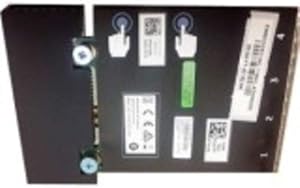
Dell 540-BBUQ Broadcom 57416 10Gigabit Ethernet Card
Dual 10GbE ports over PCIe deliver the full network bandwidth that NVMe storage arrays and virtualized workloads demand from a single validated Dell server card.
$240.00*
View on Amazon
✓ In Stock on Amazon.com
*Price sourced from Amazon.com. Last updated:Aug 30, 2026.Price and availability are subject to change — details.
Affiliate Disclosure: As an Amazon Associate, Studio Supplies earns from qualifying purchases made through links on this page, at no additional cost to you. This helps support our editorial team.
Notice a mistake? Let Us Know
Overview
Specifications
Model
540-BBUQ
Ethernet Speed
10Gigabit
Brand
Dell
Chipset
Broadcom 57416
Frequently Asked Questions
What PCIe slot does the Dell Broadcom 57416 card require, and will it work in a PCIe x8 or x16 slot?
The 57416 uses a PCIe x4 electrical interface. It will physically fit and operate in any PCIe slot of x4 width or wider (x4, x8, x16) — PCIe slots are backward compatible for wider physical slots. A PCIe x1 slot will not accommodate the card physically or electrically. The card will operate at x4 Gen 3 bandwidth (approximately 4GB/s), which is more than sufficient for dual 10GbE simultaneous traffic.
What PCIe lane width and generation does this card require, and will it fit in a x4 or x8 slot?
The Broadcom 57416 is a PCIe card designed for server-class Dell systems. It electrically requires a PCIe x8 or x16 slot to deliver its dual 10GbE (2x 10Gbps = 20Gbps aggregate) without bus bandwidth limitation — running it in a PCIe x4 slot at Gen 3 provides only 32 Gbps theoretical maximum, which technically accommodates the card's aggregate 20Gbps but reduces headroom for burst traffic.
What does 10 Gigabit Ethernet actually enable versus standard 1GbE networking?
10GbE provides 10x the raw throughput of 1GbE — approximately 1.25 GB/s per port versus 125 MB/s. For server workloads, this matters when moving large database backups, streaming uncompressed video from NAS storage, or running multiple VMs with network-intensive workloads simultaneously. On a 1GbE link, a 10GB file transfer takes 80 seconds; on 10GbE, approximately 8 seconds.
What is the maximum throughput of both 10GbE ports simultaneously, and does the PCIe x4 bus create a bottleneck?
Each port delivers 10Gbps (1.25GB/s) — dual-port simultaneous traffic peaks at 20Gbps (2.5GB/s) aggregate. PCIe Gen 3 x4 provides approximately 4GB/s of bidirectional bandwidth, meaning the bus can sustain dual 10GbE full-duplex traffic (5GB/s theoretical maximum) without creating a bottleneck. The NIC's bandwidth ceiling is determined by the 10GbE port speeds, not the PCIe interface.
Does this card require specific Dell drivers, and will it work with generic Broadcom drivers?
Dell validates this card against its own driver stack on PowerEdge and Precision platforms, and Dell's driver packages are recommended for stability on listed compatible systems. The Broadcom 57416 chipset is broadly supported by standard Broadcom NetXtreme drivers on Windows Server, Linux (inbox driver: bnxt_en), and VMware ESXi — making it functional on non-Dell hardware with appropriate drivers, though Dell only provides validation support on its own platforms.
Is this card compatible only with Dell servers, or can it be installed in third-party server hardware?
Dell validates and tests this card specifically for Dell PowerEdge server platforms. The Broadcom 57416 chipset is broadly compatible, but Dell's firmware version may not initialize optimally outside Dell's BIOS environment, and driver support via Dell's iDRAC management plane is specific to Dell infrastructure. For non-Dell hardware, seek the OEM-agnostic Broadcom 57416 variant.
Does this card support SR-IOV for virtualization, and what does that mean for VM networking?
The Broadcom 57416 supports SR-IOV (Single Root I/O Virtualization), which allows a single physical NIC to present multiple virtual network adapters to a hypervisor. In VMware ESXi or Hyper-V environments, this means VMs can each have near-native 10GbE performance without the hypervisor software stack imposing significant overhead — essential for latency-sensitive virtualized workloads.
Does the Broadcom 57416 support SR-IOV for virtual machine networking?
The Broadcom NetXtreme-E series (which includes the 57416) supports SR-IOV (Single Root I/O Virtualization), allowing the physical NIC to be partitioned into virtual functions for direct VM NIC assignment in hypervisor environments. This is a significant feature for VMware ESXi and Hyper-V deployments where network-intensive VMs need hardware-level NIC performance without passing through the hypervisor's software switch.
What cabling is required for the twisted pair (RJ-45) ports on this card?
The twisted pair ports use standard RJ-45 connectors. 10GBASE-T operation requires Cat 6A cabling for runs up to 100 meters. Cat 6 cabling supports 10GbE for runs up to 55 meters under favorable conditions. Cat 5e is not suitable for 10GbE — it is limited to 1GbE. Switch and cabling infrastructure must support 10GBASE-T for both ports to operate at full 10Gbps speed.
What cabling does the twisted pair port type require, and how far can runs extend?
Twisted pair (BASE-T) 10GbE requires Cat6A cabling for reliable 10Gbps operation at up to 100 meters. Cat6 cable supports 10GbE at shorter runs (up to 55 meters depending on crosstalk). This is a meaningful infrastructure advantage over SFP+ fiber-based 10GbE NICs, which require optical transceivers and fiber cable for each run.
Related Products


