



Dell
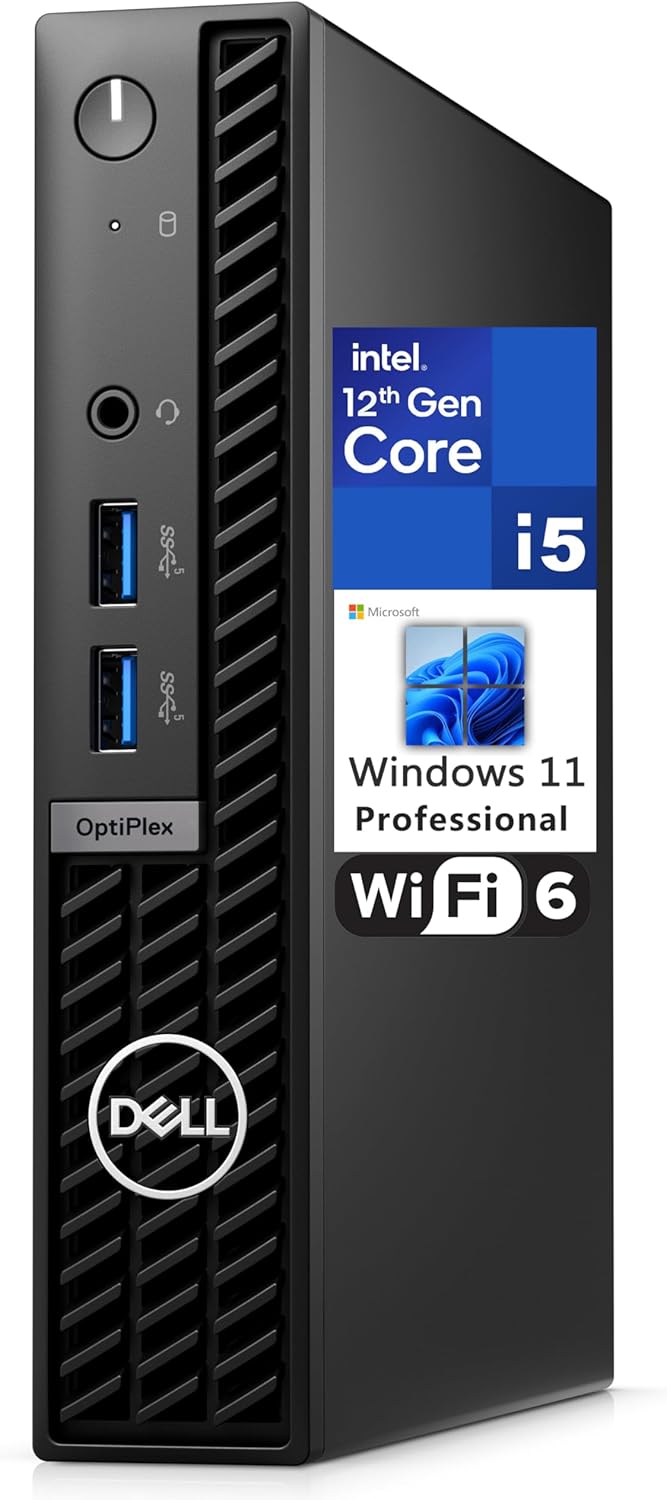
Dell 7010 MFF OptiPlex i5 Micro Desktop WiFi 6
★★★★★
UHDi5-12500T16GB DDR4WiFi 6USB 3.2
12th Gen Intel i5 performance in a sub-3-pound micro chassis with Wi-Fi 6 and dual display output.
View price on Amazon
Affiliate Disclosure: Studio Supplies may earn a commission from qualifying purchases made through links on this page, at no additional cost to you. This helps support our editorial team.
Notice a mistake? Let Us Know
Overview
Key Features
OptiPlex Micro Form Factor CPU: 12th Gen Intel Core i5-12500T (18 MB cache, 6 cores, 12 threads, 2.00 GHz to 4.40 GHz Turbo). Intel UHD Graphics 770.
Memory: 16GB DDR4 RAM; Hard Drive: 512GB M.2 PCIe NVMe SSD.
Optical Drive: No. Realtek Wi-Fi 6 RTL8852BE, 2x2, 802.11ax, MU-MIMO, Bluetooth wireless card, internal antenna.
Front: 1x Universal Audio Port, 2x USB 3.2 Type-A Gen 1.
Rear: 1x RJ-45 port 10/100/1000 Mbps, 1x USB 2.0 Type-A with Smart Power, 1x USB 2.0 Type-A, 2x USB 3.2 Type-A Gen 1, 1x HDMI 1.4b, 1x DisplayPort 1.4a, 1x Power Connector. Windows 11 Professional, English.
Specifications
Processor
12th Gen Intel Core i5-12500T (6 cores, 12 threads, 2.00 GHz base / 4.40 GHz Turbo, 18 MB cache)
Graphics
Intel UHD Graphics 770
Memory
16GB DDR4
Storage
512GB M.2 PCIe NVMe SSD
Wireless
Realtek Wi-Fi 6 RTL8852BE, 2x2, 802.11ax, MU-MIMO, Bluetooth
Front Ports
1x Universal Audio, 2x USB 3.2 Type-A Gen 1
Rear Ports
1x RJ-45 (10/100/1000 Mbps), 1x USB 2.0 Type-A Smart Power, 1x USB 2.0 Type-A, 2x USB 3.2 Type-A Gen 1, 1x HDMI 1.4b, 1x DisplayPort 1.4a, 1x Power Connector
Operating System
Windows 11 Professional
Form Factor
Micro Form Factor (MFF)
Dimensions
7.01 x 7.17 x 1.42 inches
Weight
2.95 lbs
Pros & Cons
👍 Pros
- Micro form factor at 7.01 x 7.17 x 1.42 inches and 2.95 lbs fits virtually anywhere, including VESA-mounted behind a monitor.
- 12th Gen i5-12500T delivers 6 cores and 12 threads with boost to 4.40 GHz on a power-efficient 35W TDP.
- 512GB PCIe NVMe SSD provides fast boot and application load times compared to SATA-based alternatives.
- Dual video output via HDMI 1.4b and DisplayPort 1.4a supports two monitors without an adapter.
- Wi-Fi 6 802.11ax with MU-MIMO built in eliminates the need for a USB wireless adapter or Ethernet-only deployment.
👎 Cons
- No discrete GPU option means this chassis is unsuitable for GPU-accelerated workloads or even light gaming.
- HDMI 1.4b output caps at 4K 30Hz, so a high-refresh 4K display must use the DisplayPort connection.
- Only two USB 2.0 ports on the rear — peripherals like external drives will bottleneck unless connected to the USB 3.2 ports.
- 35W TDP processor will thermal-throttle under sustained all-core loads faster than its desktop T-series counterparts in larger chassis.
- No optical drive and limited internal expansion — a single M.2 slot is the only storage interface.
Frequently Asked Questions
How many monitors can the Dell 7010 MFF drive simultaneously?
Two. It has one HDMI 1.4b and one DisplayPort 1.4a on the rear, so you can run a dual-monitor setup natively through Intel UHD 770 integrated graphics.
Can the RAM and storage be upgraded later?
Yes. The OptiPlex 7010 MFF supports DDR4 SO-DIMM slots and an M.2 PCIe NVMe slot, so both the 16GB RAM and 512GB SSD can be replaced with higher-capacity modules.
What is the real-world CPU performance like with the i5-12500T?
The i5-12500T is a 35W TDP part with 6 cores and 12 threads that turbos to 4.40 GHz. In sustained multi-threaded workloads it will throttle to stay within its power envelope, but for typical business tasks — browser-heavy workflows, Office, video calls — it handles everything without perceptible slowdown.
Does this unit include a VESA mount for behind-monitor mounting?
A VESA mount is not included in the box. Dell sells the OptiPlex Micro VESA Mount separately, which lets you attach the unit to the back of a compatible monitor for a clean desk setup.
What wireless standard does the included Wi-Fi card support?
It ships with a Realtek RTL8852BE Wi-Fi 6 (802.11ax) 2x2 MU-MIMO card with Bluetooth. This provides theoretical throughput up to around 2.4 Gbps on supported networks, though real-world speeds depend on your router and environment.
Related Products


