



Dell
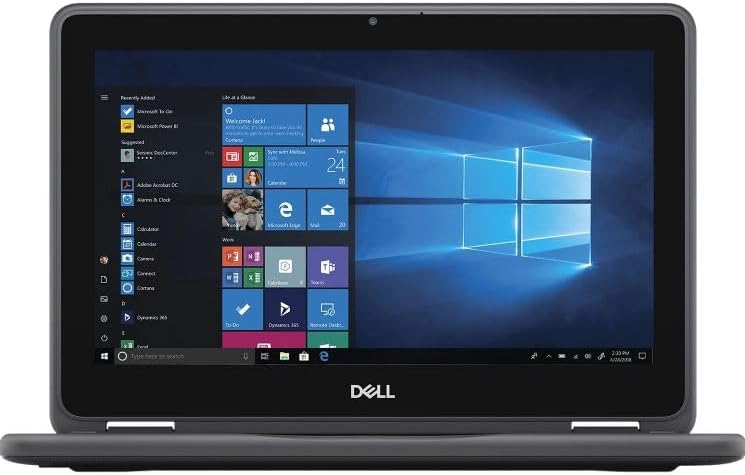
Dell Latitude 3190 2-in-1 Touchscreen Laptop
★★★★★
1366 x 7684GB DDR4USB 3.1
A compact, renewed 2-in-1 touchscreen laptop with Windows 11 Pro for flexible everyday use on the go.
$189.99*
View on Amazon
✓ In Stock on Amazon.com
*Price sourced from Amazon.com. Last updated:Jun 06, 2026.Price and availability are subject to change.
Affiliate Disclosure: Studio Supplies may earn a commission from qualifying purchases made through links on this page, at no additional cost to you. This helps support our editorial team.
Notice a mistake? Let Us Know
Overview
Key Features
1.1 GHz (boost up to 2.4GHz) Intel Celeron N5030 Quad-Core
4GB DDR4 System Memory; 128GB Solid State Drive
11.6" HD (1366 x 768) Multi-Touch Display
Combo headphone/microphone jack - Noble Wedge Lock slot - HDMI; 2 USB 3.1 Gen 1
Windows 11 Pro
Specifications
Brand
Dell
Model
Latitude 3190 2-in-1
Condition
Renewed
Processor
Intel Celeron N5030 Quad-Core (1.1 GHz, up to 2.4 GHz)
Memory
4GB DDR4
Storage
128GB SSD
Display
11.6" HD (1366 x 768) Touchscreen
Operating System
Windows 11 Pro
Ports
2x USB 3.1 Gen 1, HDMI, Headphone/Mic Combo Jack
Security
Noble Wedge Lock Slot
Pros & Cons
👍 Pros
- 360-degree hinge provides laptop, tablet, and tent modes for flexible use
- 11.6-inch touchscreen makes navigation intuitive in tablet mode
- Compact and lightweight design is easy to carry for mobile work or school
- SSD storage delivers faster boot and application load times than a traditional hard drive
- Windows 11 Pro includes business-grade security and management features
👎 Cons
- 4GB of RAM limits multitasking and is not upgradeable on many Latitude 3190 configurations
- The Intel Celeron N5030 struggles with demanding applications or heavy browser tab usage
- 11.6-inch 1366x768 display has a low resolution by current standards
- 128GB SSD fills up quickly if storing large files, media, or multiple applications
- As a renewed unit, it may show cosmetic wear from prior use
Frequently Asked Questions
What does "renewed" mean for this Dell Latitude 3190?
Renewed indicates the laptop has been professionally inspected, tested, cleaned, and restored to full working condition. It may have minor cosmetic signs of previous use but is functionally reliable.
Can the Dell Latitude 3190 handle basic office tasks like email, documents, and web browsing?
Yes, the Intel Celeron N5030 quad-core processor and 4GB of RAM are sufficient for light productivity tasks including web browsing, email, document editing, and video conferencing.
Does the 2-in-1 hinge allow it to be used as a tablet?
Yes, the 360-degree hinge lets you fold the display all the way back to use the Latitude 3190 in tablet mode, tent mode, or traditional laptop mode.
What ports are available on this laptop?
The Latitude 3190 includes two USB 3.1 Gen 1 ports, an HDMI output, and a combo headphone/microphone jack. It also has a Noble Wedge Lock slot for physical security.
Is 128GB of SSD storage upgradeable?
Storage upgrade options depend on the internal drive form factor. The 128GB SSD provides fast boot and load times, but users with large file needs should plan to use external or cloud storage.
Related Products


