



Dell
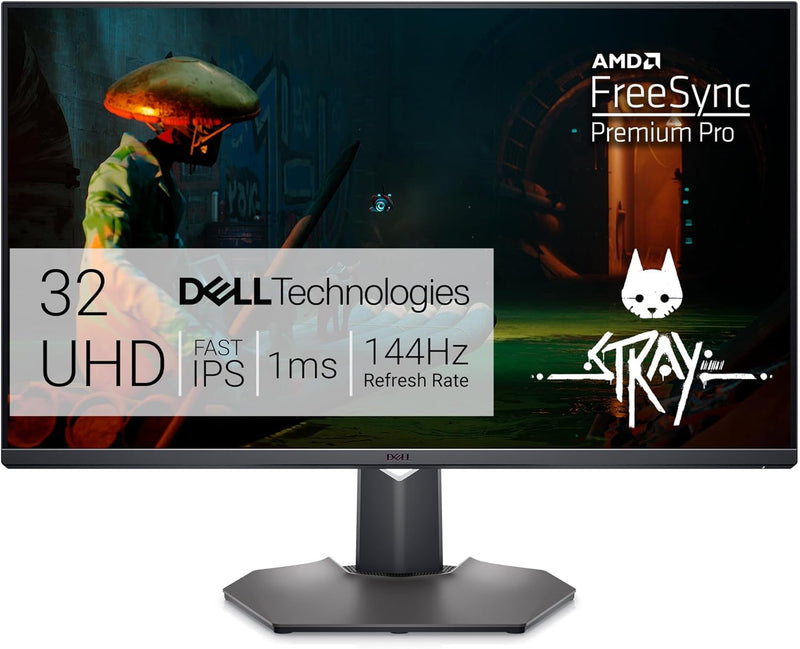
Dell G3223Q 32" 4K UHD 144Hz 1Ms Gaming Monitor
★★★★★
4KUHDHDMI 2.1HDR
4K at 144Hz over HDMI 2.1 — the Dell G3223Q eliminates the resolution-vs-refresh-rate compromise for PC and console gamers.
$484.97*$699.99Save 30%
Check availability
*Price sourced from Amazon.com. Last updated:Jul 14, 2026.Price and availability are subject to change.
Affiliate Disclosure: Studio Supplies may earn a commission from qualifying purchases made through links on this page, at no additional cost to you. This helps support our editorial team.
Notice a mistake? Let Us Know
Overview
Key Features
HDMI 2.1 unlocks a native 4K resolution alongside a smooth 144Hz refresh rate for even the most demanding graphics for PC Gaming and supports at 120Hz for consoles.
The Fast IPS panel enables a 1ms GTG response time and the AMD FreeSync Premium Pro gives tear free, stutter free low latency HDR gaming experience.
VESA DisplayHDR 600 and a wide colour coverage of DCI-P3 95% gives players truly vibrant and realistic graphics.
TUV Certified ComfortView Plus reduces harmful blue light emissions all without sacrificing colour accuracy or visual clarity.
The Dell 32 4K UHD gaming monitor is a fantastic addition to your creative toolkit. Swap seamlessly between the DCI-P3 (native) and sRGB colour space or adjust the gamma settings.
Specifications
Screen Size
32 inches
Resolution
3840 × 2160 (4K UHD)
Refresh Rate
144Hz (PC); 120Hz (console via HDMI 2.1)
Response Time
1ms GTG
Panel Type
Fast IPS
HDR Certification
VESA DisplayHDR 600
Color Coverage
DCI-P3 95%
Adaptive Sync
AMD FreeSync Premium Pro; NVIDIA G-SYNC Compatible
Connectivity
HDMI 2.1
Blue Light Reduction
TÜV Certified ComfortView Plus
Brand
Dell
Model
G3223Q
Pros & Cons
👍 Pros
- Genuine 4K 144Hz output via HDMI 2.1 — no compromises on resolution or frame rate
- Fast IPS 1ms GTG eliminates ghosting without the color accuracy penalty of TN at this refresh rate
- FreeSync Premium Pro enables simultaneous VRR and HDR, covering both AMD and NVIDIA (G-SYNC Compatible) setups
- DCI-P3 95% gamut makes this viable for photo editing and color grading alongside gaming
- TÜV-certified ComfortView Plus reduces blue light without a yellow-tinted low-blue-light mode
👎 Cons
- DisplayHDR 600 relies on edge-lit local dimming — black levels cannot match OLED or mini-LED panels at any price
- HDMI 2.1 at 144Hz/4K requires a GPU with HDMI 2.1 output; older cards are limited to 120Hz or lower at 4K over HDMI
- At 32 inches with a 4K panel, pixel density is 138 PPI — sharp, but not retina-level; those expecting MacBook-like clarity may find it underwhelming at arm's length
- The G-SYNC Compatible implementation lacks hardware-level G-SYNC HDR; ultra-low latency mode requires NVIDIA driver configuration
Frequently Asked Questions
Does the G3223Q actually hit 144Hz at 4K, or is that only at lower resolutions?
Yes — 144Hz at full 3840×2160 is achievable over HDMI 2.1 or DisplayPort on PC. Console players on PS5/Xbox Series X are capped at 120Hz at 4K, which is still the maximum those consoles output. The HDMI 2.1 bandwidth (48Gbps) is what makes this possible without resolution downscaling.
What does the 1ms GTG response time mean in practice on a Fast IPS panel?
GTG (gray-to-gray) at 1ms on Fast IPS means pixel transitions are rapid enough to avoid visible ghosting during fast-paced games at 144Hz. Fast IPS achieves this without the aggressive overshoot that plagues some TN panels — you get speed without inverse ghosting artifacts in most game settings.
Is G-SYNC compatibility the same as a native G-SYNC module?
No, but the difference is minor for most users. G-SYNC Compatible means NVIDIA has validated the FreeSync Premium Pro implementation on this panel — variable refresh rate works correctly over a validated range. You won't have the hardware G-SYNC module's HDR certification, but AMD FreeSync Premium Pro covers VRR + HDR simultaneously, which is the operative feature here.
What does VESA DisplayHDR 600 mean versus DisplayHDR 400 monitors?
DisplayHDR 600 requires a minimum 600 nits peak brightness with local dimming — a meaningful step above the entry-level HDR 400 spec. In practice, HDR content on the G3223Q shows noticeably brighter highlights and better shadow detail than monitors that merely meet HDR 400, though it still trails OLED or mini-LED panels for true black levels.
Is the DCI-P3 coverage relevant for content creation or only gaming?
Both. DCI-P3 95% coverage makes the G3223Q usable as a secondary grading or photo editing display, particularly since it supports switching between DCI-P3 native and sRGB color spaces with gamma adjustment. It's not a calibrated professional display out of the box, but the gamut is there for serious color work.
Related Products


