



Dell
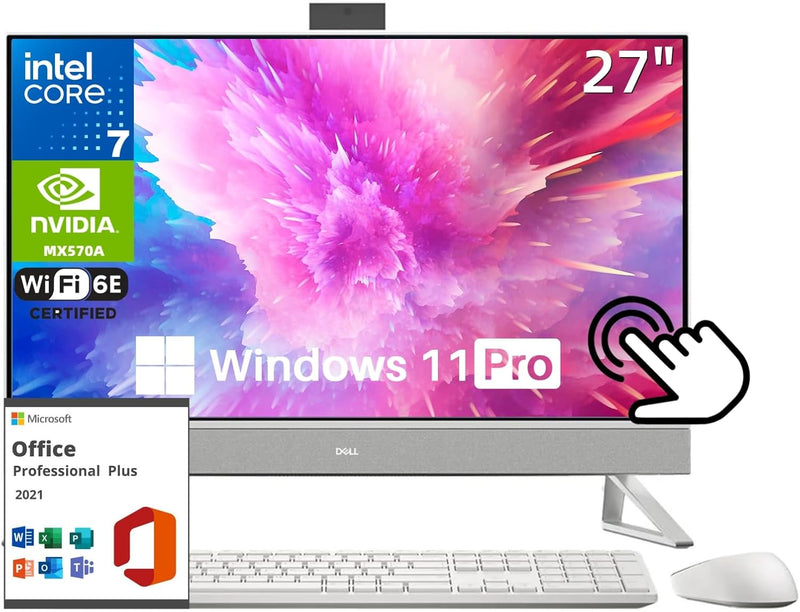
Dell i7730-7173WHT-PUS Inspiron 27" Touch All-in-One Desktop
★★★★★
A 27-inch FHD touchscreen with a 10-core i7, 64GB DDR4, and 4TB SSD gives this all-in-one the processing muscle and storage depth for demanding creative and professional workloads.
$2,069.99*
Check availability
*Price sourced from Amazon.com. Last updated:Jul 24, 2026.Price and availability are subject to change.
Affiliate Disclosure: Studio Supplies may earn a commission from qualifying purchases made through links on this page, at no additional cost to you. This helps support our editorial team.
Notice a mistake? Let Us Know
Overview
Key Features
Dell Aio 05
Dell Aio 05
Dell Aio 05
Dell Aio 05
Dell Aio 05
Specifications
Processor
Intel Core i7-150U (10-core, up to 5.40 GHz)
RAM
64GB DDR4
Storage
4TB SSD
Display
27" FHD (1920x1080) InfinityEdge Touchscreen
GPU
NVIDIA GeForce MX570A
Operating System
Windows 11 Pro
Wireless
Wi-Fi 6E, Bluetooth
Ports
1x USB 3.2 Gen 2 Type-A, 3x USB 3.2 Gen 1 Type-A, 1x USB 3.2 Gen 2 Type-C, 1x HDMI 1.4 Out, 1x HDMI In, 1x Headphone/Mic Combo, 1x SD Card Reader 3.0
Dimensions
17.93" H x 23.76" W x 7.9" D
Weight
15.4 lbs
Color
White
Included Peripherals
Dell Pro Wireless Keyboard and Mouse
Frequently Asked Questions
What processor is in the Dell Inspiron 7730 AIO and what does the core configuration mean for performance?
The i7730-7173WHT-PUS is equipped with the Intel Core i7-150U, a 10-core (2P+8E hybrid architecture) chip with a boost frequency up to 5.40 GHz. The P-cores handle single-threaded performance bursts while E-cores manage parallelizable background tasks efficiently — delivering responsive daily-use performance without the thermal output of a full H-series chip in a slim all-in-one chassis.
Is the 27-inch display's 1920x1080 resolution adequate at this screen size?
At 27 inches, FHD (1920x1080) yields approximately 82 PPI — noticeably lower pixel density than 1440p or 4K panels at the same size. For general productivity, spreadsheets, and media consumption, it is acceptable, but graphics professionals or users sensitive to pixel-level sharpness may find text and fine details softer than expected.
What graphics card is installed and what workloads can it handle?
The NVIDIA GeForce MX570A is a discrete entry-level GPU with roughly 3–4x the 3D rendering throughput of Intel integrated graphics. It handles light gaming, accelerated video export (via NVENC), and Adobe app GPU acceleration, but is not suited for heavy 3D rendering, VR, or 4K multi-stream video production.
Can I expand the RAM or storage beyond the factory configuration?
All-in-one desktops have highly constrained upgrade paths compared to tower builds. RAM and SSD accessibility varies by revision — Dell's AIO chassis typically allows RAM replacement but not always easy access. The 64GB DDR4 and 4TB SSD configuration, however, provides sufficient headroom that most users will not need to upgrade.
What does the HDMI In port enable on this desktop?
The HDMI 1.4 In port allows the 7730 AIO's display to function as an external monitor for a laptop, gaming console, or secondary PC. This effectively turns the 27-inch touchscreen into a secondary display without powering on the AIO's own system — a meaningful utility feature for mixed-device setups.
Related Products


