

Dell
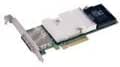
Dell KKFKC Perc H810 RAID Controller with Battery
★★★★★
The Dell PERC H810 delivers enterprise-grade RAID acceleration with battery-backed write cache for external SAS storage expansion.
$51.24*$69.00Save 25%
View on Amazon
✓ In Stock on Amazon.com
*Price sourced from Amazon.com. Last updated:Jul 14, 2026.Price and availability are subject to change.
Affiliate Disclosure: Studio Supplies may earn a commission from qualifying purchases made through links on this page, at no additional cost to you. This helps support our editorial team.
Notice a mistake? Let Us Know
Overview
Specifications
Product Type
RAID Controller
Model
Perc H810
Includes
Battery
Brand
Dell
Pros & Cons
👍 Pros
- Battery-backed write cache enables aggressive write caching without data-loss exposure, delivering measurably higher sustained write throughput under I/O bursts
- RAID 6 and RAID 60 support provides dual-parity protection, allowing two simultaneous drive failures without data loss — critical for large-capacity SAS enclosures
- External SAS connector architecture offloads storage expansion to dedicated enclosures, keeping the host server's internal bay count available for OS and primary workloads
- Broad RAID level support (0, 1, 5, 6, 10, 50, 60) covers the full spectrum of capacity-versus-redundancy trade-offs without requiring a second controller
- Dell's mature PERC firmware and OpenManage integration provide stable, well-documented management tooling in Windows Server environments
👎 Cons
- External-only SAS connectivity means the H810 cannot manage internal server drives — a second controller is required for mixed internal/external RAID configurations
- BBU battery degrades over time and requires periodic replacement — a recurring maintenance and procurement cost that is often overlooked in initial deployment planning
- As a refurbished/older-generation controller, firmware update paths and Dell support coverage may be limited depending on the server's service contract status
- MegaRAID-family CLI tooling (MegaCLI) has a steep learning curve and non-intuitive syntax — StorCLI is an improvement but availability depends on the firmware generation
Frequently Asked Questions
What RAID levels does the H810 support, and which configuration is appropriate for mixed read/write workloads?
The PERC H810 supports RAID 0, 1, 5, 6, 10, 50, and 60. For mixed read/write enterprise workloads — databases, virtualization, file services — RAID 10 provides the most practical balance of redundancy and write performance, leveraging the battery-backed cache to absorb write bursts without the write penalty inherent to parity-based RAID 5 or 6.
What does the included battery backup unit (BBU) actually protect against, and how long does the cache retention last on battery?
The BBU protects the onboard write cache during unplanned power loss events. Without battery backup, a controller must either flush write cache immediately (reducing write performance) or risk data loss on power failure. The H810's BBU maintains cache data for typically 24–72 hours depending on cache size and battery state — long enough to survive most maintenance windows and power events.
Is the H810 compatible with non-Dell SAS enclosures and drives?
The H810 is designed primarily for Dell's PowerVault external SAS enclosures via a SAS external connector. While the controller communicates over standard SAS protocol, Dell's firmware on the H810 may restrict or limit functionality with non-Dell certified drives and enclosures. Drive compatibility lists should be verified against Dell's HCL before deployment.
What is the maximum raw storage capacity the H810 can address?
The H810 supports up to 32 physical drives across connected SAS enclosures. Maximum addressable capacity scales with drive density — at current large-capacity SAS drive sizes, the controller can manage hundreds of terabytes of raw storage, though practical limits are governed by the connected enclosure's bay count.
Does the H810 include management software, and how is RAID configuration performed?
Dell PERC controllers are managed through Dell OpenManage Storage Manager (OMSM) under Windows Server environments, or via the BIOS-level CTRL+R utility during POST. In Linux environments, MegaCLI and StorCLI tools provide command-line management. The controller does not require additional licensing for core RAID management functionality.
Related Products


