



Dell
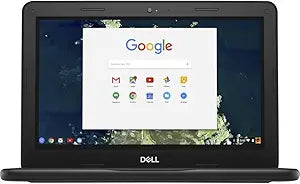
Dell TDFVJ 11.6-inch Chromebook Celeron N3350 16GB eMMC
★★★★★
Chrome OS on a dual-core Celeron platform delivers a stripped-down, fast-booting endpoint for light web workloads with minimal overhead.
Check availability
Affiliate Disclosure: Studio Supplies may earn a commission from qualifying purchases made through links on this page, at no additional cost to you. This helps support our editorial team.
Notice a mistake? Let Us Know
Overview
Key Features
TDFVJ
DELL
Specifications
Model
TDFVJ
Screen Size
11.6-inch
Processor
Celeron N3350
Storage
16GB eMMC
Pros & Cons
👍 Pros
- Chrome OS boots in under 10 seconds and applies updates silently, eliminating maintenance overhead common to Windows deployments.
- Celeron N3350's low TDP enables extended battery runtime suited to mobile all-day use scenarios.
- 11.6-inch compact form factor keeps weight and footprint minimal for students and mobile workers.
- 4GB RAM is sufficient for Chrome OS's managed memory model under single-session light workloads.
👎 Cons
- Dual-core N3350 with no hyper-threading creates a hard ceiling on concurrent task performance — CPU saturation is reachable with moderate multitasking.
- 16GB eMMC storage is critically constrained for users who need local file storage beyond a handful of documents.
- eMMC flash storage achieves sequential read speeds of roughly 150–250MB/s — significantly slower than even entry-level SATA SSDs.
- 4GB RAM cannot be upgraded — it is soldered — so the memory ceiling is permanent for the device's lifespan.
- 1366x768 resolution on an 11.6-inch panel is the norm for this tier but limits the usable workspace compared to 1080p alternatives.
Frequently Asked Questions
What are the real-world performance limits of the Intel Celeron N3350 in this Chromebook?
The N3350 is a dual-core Apollo Lake processor running at 1.1GHz base with a 2.4GHz burst — it has no hyper-threading. Under single-tab browsing and document editing, it is responsive. Open more than 6–8 Chrome tabs simultaneously or run a Google Meet session alongside other apps and the CPU ceiling becomes tangible.
Is 16GB eMMC storage sufficient for Chrome OS use?
Chrome OS itself consumes roughly 4–6GB, leaving approximately 10GB usable. For users who rely primarily on cloud storage (Google Drive) and web apps, this is functional. Local file storage is severely constrained — downloading large files or installing Android apps from the Play Store will fill the drive quickly.
Can this Chromebook run Android apps?
The Dell Chromebook 11 series with Chrome OS supports Google Play Store access on supported builds, but the N3350 and 4GB RAM ceiling means Android app performance varies significantly — simple productivity apps run acceptably, but graphics-intensive apps will stutter.
How does the 4GB LPDDR4 RAM affect multitasking on this device?
4GB is Chrome OS's practical minimum for comfortable use. Chrome's per-tab memory isolation means background tabs are aggressively suspended to stay within the 4GB envelope. Users doing more than light browsing and document work will notice tab reloads when switching.
What is the battery life expectation for this Chromebook?
Specific battery capacity is not published in the provided specs, but the Chromebook 11 platform is designed for all-day classroom use — typical reported runtimes range from 8 to 10 hours under mixed light workloads, which is the primary engineering advantage of the low-TDP N3350.
Related Products


