



Dell
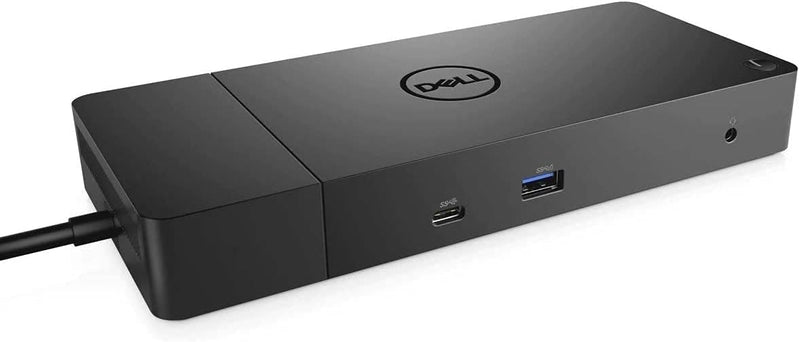
Dell WD19 180W Docking Station USB-C HDMI DisplayPort
180WUSB-CDisplayPort20.63 oz
One USB-C cable replaces your entire desk cable nest — 130W power delivery, triple-display output, and Gen 2 data throughput in a form factor that fits under a monitor.
$109.98*$124.98Save 12%
View on Amazon
✓ In Stock on Amazon.com
*Price sourced from Amazon.com. Last updated:Oct 24, 2026.Price and availability are subject to change — details.
Affiliate Disclosure: As an Amazon Associate, Studio Supplies earns from qualifying purchases made through links on this page, at no additional cost to you. This helps support our editorial team.
Notice a mistake? Let Us Know
Overview
Key Features
Ports: 1x USB-C 3.1 (Gen 2), 1x USB-A 3.1 (Gen 1 with PowerShare), 2x USB-A 3.1 (Gen 1), 1x Combo Audio/ Headset, 1x Audio Out.
Ports: 2x DisplayPort 1.4, 1x HDMI, 1x USB-C Multifunction DisplayPort, 1x Gigabit Ethernet RJ45.
Power: Power Adapter 180 Watt AC 120/230 V (50/60 Hz). Docking Interface: USB-C. Cable Included: 1x SuperSpeed USB-C Cable (3.3 Ft).
Dimensions: 8.1 x 3.5 x 1.1 inches. Weight: 20.63 oz.
See Description for Important Compatibility Information.
Specifications
Power Adapter
180 Watt AC 120/230 V (50/60 Hz)
Docking Interface
USB-C
USB-C 3.1 (Gen 2) Ports
1
USB-A 3.1 (Gen 1 with PowerShare) Ports
1
USB-A 3.1 (Gen 1) Ports
2
Combo Audio/Headset Ports
1
Audio Out Ports
1
DisplayPort 1.4 Ports
2
HDMI Ports
1
USB-C Multifunction DisplayPort Ports
1
Gigabit Ethernet RJ45 Ports
1
Cable Included
1x SuperSpeed USB-C Cable (3.3 Ft)
Dimensions
8.1 x 3.5 x 1.1 inches
Weight
20.63 oz
Frequently Asked Questions
What is the actual power delivery to the connected laptop — 130W or 180W?
130W to the laptop. The 180W figure is the AC adapter rating — the dock draws power for itself and its connected peripherals, then passes 130W upstream to the host. For most business-class laptops this is sufficient to charge at full speed under load, though high-TDP mobile workstations may charge more slowly during sustained CPU+GPU tasks.
How many external displays can the WD19 drive simultaneously, and at what resolution?
Up to three external displays via the two DisplayPort 1.4 outputs, one HDMI port, and the USB-C Multifunction DisplayPort. DisplayPort 1.4 supports up to 8K at 60Hz per port (with DSC), though actual maximum resolution depends on the host laptop's GPU and the specific Dell driver configuration.
Is the WD19 compatible with non-Dell laptops?
Partially. USB-C docking functionality (data, audio, Ethernet) will work with most USB-C laptops that support USB Power Delivery. However, full multi-display support and the 130W charging output are officially supported only on compatible Dell systems. Non-Dell hosts may see reduced power delivery or limited display output depending on their USB-C controller implementation.
What USB speeds can I expect from the dock's ports?
The USB-C port runs at USB 3.1 Gen 2 (10 Gbps). The three USB-A ports run at USB 3.1 Gen 1 (5 Gbps). One of the USB-A Gen 1 ports supports PowerShare, which keeps connected devices charging even when the host laptop is asleep or disconnected.
Does the WD19 require driver installation?
Dell recommends installing the WD19 firmware and Dell Docking Station WD19 driver for full feature support, particularly for display configuration and power delivery optimization. Without updated firmware, some multi-display modes may not initialize correctly on supported Dell platforms.
Related Products


