



Epson
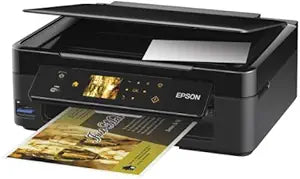
Epson C11CB22201 Stylus NX430 Wireless All-in-One Printer
★★★★★
A compact wireless all-in-one printer with built-in card slots and mobile printing for easy home photo and document output.
$239.99*
View on Amazon
✓ In Stock on Amazon.com
*Price sourced from Amazon.com. Last updated:Jun 28, 2026.Price and availability are subject to change.
Affiliate Disclosure: Studio Supplies may earn a commission from qualifying purchases made through links on this page, at no additional cost to you. This helps support our editorial team.
Notice a mistake? Let Us Know
Overview
Key Features
Small-in-One - space-saving design, great performance, exclusively from Epson
Epson Connect - instant wireless printing from popular mobile devices
Print photos, PC-free - built-in card slots and large, smart touch panel LCD
Easy Epson Wireless - connect to your wireless network in seconds
Red-eye removal, photo restoration, and correction of over/ underexposed images
Specifications
Brand
Epson
Model
C11CB22201 (Stylus NX430)
Functions
Print, Copy, Scan, Photo
Wireless
Wi-Fi CERTIFIED n
Mobile Printing
Epson Connect
LCD
2.5" Color LCD with Smart Touch Panel
Card Slots
Built-in (PC-free photo printing)
Ink System
Individual Ink Cartridges
Photo Features
Red-eye Removal, Photo Restoration, Exposure Correction
Compatible OS
Windows 7, Vista, XP; Mac OS X 10.4.11 and higher
Design
Small-in-One (compact form factor)
Pros & Cons
👍 Pros
- Compact Small-in-One design saves significant desk space compared to standard all-in-one printers
- Built-in card slots and LCD touch panel enable convenient PC-free photo printing
- Individual ink cartridges reduce waste and cost by replacing only the color that runs out
- Wireless setup is straightforward with Wi-Fi Certified n connectivity
- Built-in photo correction tools handle red-eye, restoration, and exposure fixes without editing software
👎 Cons
- The 2.5-inch LCD is functional but small for previewing detailed photo edits
- Operating system support is limited to older versions including Windows 7, Vista, XP, and Mac OS X 10.4.11
- Print speeds are modest compared to newer all-in-one models
- No automatic duplex (two-sided) printing capability
- No ethernet port for wired network connections
Frequently Asked Questions
Can I print from my phone or tablet?
Yes, the NX430 supports Epson Connect for wireless printing from popular mobile devices, allowing you to send print jobs without being at your computer.
Does this printer have a scanner and copier?
Yes, it is a true all-in-one that combines printing, scanning, and copying functions in a single compact unit.
Can I print photos without a computer?
Yes, the built-in memory card slots and 2.5-inch color LCD with smart touch panel let you preview, edit, and print photos directly from a memory card without needing a PC.
Does the NX430 use individual ink cartridges?
Yes, each color has its own separate cartridge, so you only replace the color that runs out rather than an entire multi-color cartridge.
What photo correction features are built in?
The printer includes automatic red-eye removal, photo restoration for old or faded prints, and correction for overexposed or underexposed images, all accessible from the touch panel.
Related Products


