

Epson
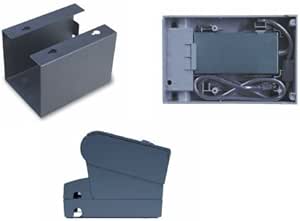
Epson C32C845040 Printer Wall Hanging Bracket
★★★★★
Reclaim your desk surface by mounting your compatible Epson printer directly to the wall with a purpose-built bracket.
$54.60*
View on Amazon
✓ In Stock on Amazon.com
*Price sourced from Amazon.com. Last updated:Jun 27, 2026.Price and availability are subject to change.
Affiliate Disclosure: Studio Supplies may earn a commission from qualifying purchases made through links on this page, at no additional cost to you. This helps support our editorial team.
Notice a mistake? Let Us Know
Overview
Key Features
C32C845040
Specifications
Brand
Epson
Model
C32C845040
Product Type
Wall Mount Bracket
Mount Style
Fixed position
Compatibility
Epson printer model C32C845040
Pros & Cons
👍 Pros
- Printer-specific engineering ensures the bracket's attachment points align precisely with the compatible Epson model's mounting interface.
- Wall-mounting frees the full desk or counter footprint previously occupied by the printer, meaningful in tight point-of-sale or back-office environments.
- Epson OEM sourcing means the bracket is designed to the same load and dimensional tolerances as the printer itself.
- Fixed-mount design eliminates movement during operation, reducing vibration-related print quality issues associated with unstable surfaces.
👎 Cons
- Compatibility is limited to one specific Epson printer model — it has zero utility as a general-purpose printer mounting solution.
- Fixed positioning offers no height, tilt, or reach adjustment once installed, requiring precise initial placement decisions.
- Wall-mounting makes printer relocation significantly more involved than simply moving a desktop unit.
- No confirmed hardware inclusion means a separate trip for anchors or fasteners may be required before installation can proceed.
Frequently Asked Questions
Which Epson printer models is the C32C845040 wall bracket compatible with?
Epson's own compatibility documentation identifies this bracket by the model number C32C845040, indicating it is designed for a specific Epson printer bearing that same model designation. Confirm your printer's model number before ordering — this is not a universal bracket.
How difficult is installation of this wall mount?
Epson positions this as a straightforward wall-mount solution. Standard installation requires locating wall studs or using appropriate anchors for drywall, a drill, and basic hand tools. The bracket itself provides the mounting interface to the printer.
Does the bracket hold the printer at a fixed position or allow angle adjustment?
Based on available product information, this is a fixed-position wall mount. It does not describe articulating arms or tilt/swivel adjustment.
Will this bracket work with non-Epson printers of similar size?
No. This bracket is designed specifically for the compatible Epson model. Mounting points, weight distribution, and attachment mechanisms are matched to that printer's chassis — using it with a different device creates a safety and stability risk.
Does this bracket ship with mounting hardware?
Epson's product documentation does not explicitly confirm included wall-mounting fasteners. Verify hardware contents before installation and source appropriate anchors for your wall type if needed.
Related Products


