



Epson
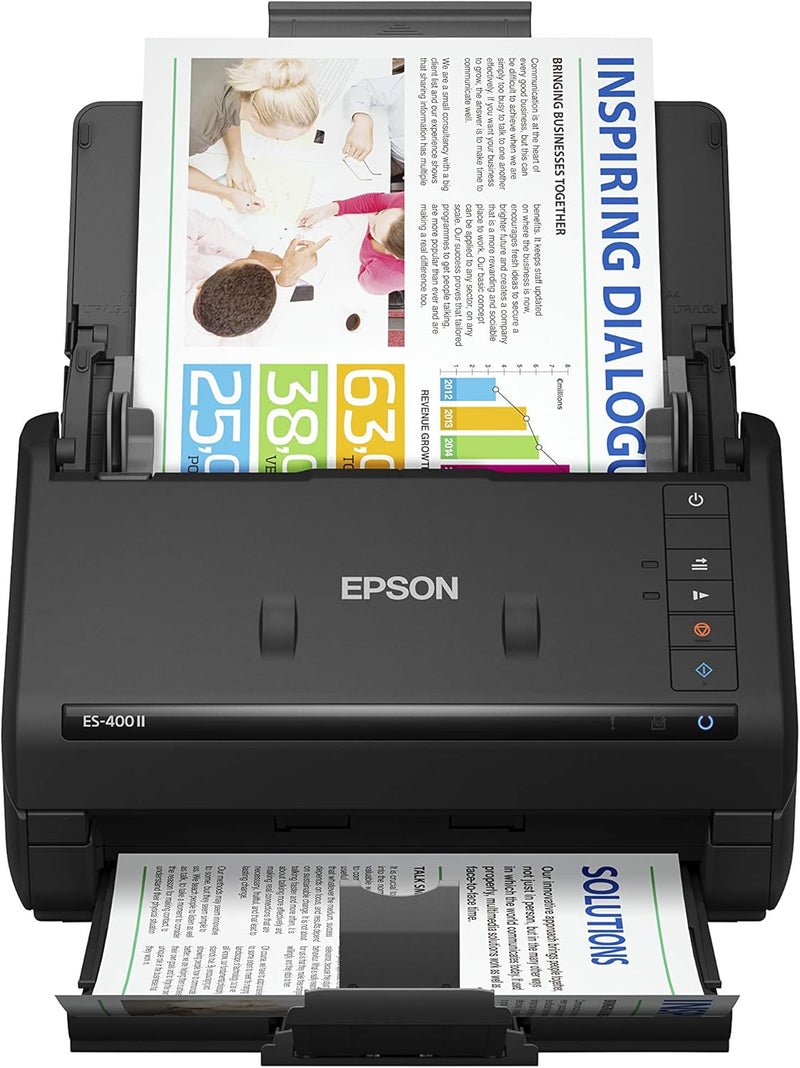
Epson ES-400 II Color Duplex Desktop Document Scanner
★★★★★
Streamline Your Workflow with the Epson WorkForce ES-400 II Document ScannerDigitize documents quickly and efficiently with the Epson WorkForce ES-400 II. This duplex desktop scanner offers fast scanning speeds, a convenient auto document feeder, and intuitive software, making it perfect for home...
$299.99*$379.99Save 21%
View on Amazon
✓ In Stock on Amazon.com
*Price sourced from Amazon.com. Last updated:Jun 28, 2026.Price and availability are subject to change.
Affiliate Disclosure: Studio Supplies may earn a commission from qualifying purchases made through links on this page, at no additional cost to you. This helps support our editorial team.
Notice a mistake? Let Us Know
Overview
Streamline Your Workflow with the Epson WorkForce ES-400 II Document Scanner
Digitize documents quickly and efficiently with the Epson WorkForce ES-400 II. This duplex desktop scanner offers fast scanning speeds, a convenient auto document feeder, and intuitive software, making it perfect for home and office use.
- Scanning Speed: Up to 35 ppm
- 50-sheet Auto Document Feeder (ADF)
- Epson ScanSmart Software
- TWAIN Driver Included
- Scan to Cloud Storage or Searchable PDFs
- Automatic Image Adjustment Tools
Key Features
FAST DOCUMENT SCANNING — Document scanner with feeder allows you to speed through stacks with a 50-sheet Auto Document Feeder (ADF); Efficient office scanner to help you scan more productively
INTUITIVE, HIGH-SPEED SOFTWARE — Quickly scan with this desktop document scanner; Epson ScanSmart Software lets you easily preview scans, email files, upload to the cloud, and more; Plus, automatic file naming saves even more time
SEAMLESS INTEGRATION — Easily incorporate your data into most document management software with the included TWAIN driver; Office document scanner integrates seamlessly with business workflows
EASY SHARING — Duplex scanner allows you to scan straight to email or popular cloud storage2 services like Dropbox, Evernote, Google Drive, and OneDrive for simple storage and sharing
SIMPLE FILE MANAGEMENT — Scanner allows the creation of searchable PDFs with Optical Character Recognition (OCR) and convert scans to editable Word or Excel files effortlessly; Designed for home and office document scanning
IMAGE ADJUSTMENTS — Features include auto crop, blank page and background removal with Epson Image Processing Technology
DOUBLE FEED DETECTION — A reliable paper feeding system with ultrasonic double feed detection and dynamic skew correction helps prevent missed pages
Specifications
Brand
Epson
Model
ES-400 II
Type
Color Duplex Desktop Document Scanner
Feeder Capacity
50-sheet Auto Document Feeder
Software Included
Epson ScanSmart Software
Driver Support
TWAIN driver
Cloud Integration
Dropbox, Evernote, Google Drive, OneDrive
Output Formats
Searchable PDFs, editable Word, editable Excel
Feature
Optical Character Recognition (OCR)
Pros & Cons
👍 Pros
- Features a 50-sheet Auto Document Feeder for rapid scanning of large document stacks, enhancing office productivity.
- Includes Epson ScanSmart Software for intuitive scanning, allowing easy previewing, emailing, and cloud uploads.
- Ensures seamless integration with most document management software through the included TWAIN driver.
- Enables easy sharing of documents by scanning directly to email or popular cloud services like Dropbox and Google Drive.
- Simplifies file management by creating searchable PDFs with OCR and converting scans to editable Word or Excel files.
👎 Cons
- As a desktop scanner, it requires a dedicated physical space and a connection to a computer for operation.
- The reliance on included software for advanced features means functionality is tied to software compatibility and updates.
- The primary focus on document scanning means it may not be ideal for scanning photos or other specialized media.
- Optical Character Recognition (OCR) performance can vary with document quality, potentially requiring manual corrections.
- While designed for speed, very high-volume scanning might still benefit from industrial-grade machines with greater capacity.
Frequently Asked Questions
What is the sheet capacity of the automatic document feeder on the Epson ES-400 II?
The Epson ES-400 II is equipped with a 50-sheet Auto Document Feeder, designed for processing stacks of documents efficiently.
Can I scan documents directly to cloud storage services?
Yes, with Epson ScanSmart Software, you can easily scan documents directly to popular cloud storage services such as Dropbox, Evernote, Google Drive, and OneDrive.
Does this scanner come with software for managing scanned files?
Yes, it includes Epson ScanSmart Software, which allows for previewing scans, emailing files, uploading to the cloud, and offers automatic file naming.
Is the Epson ES-400 II compatible with existing document management systems?
Yes, it ensures seamless integration with most document management software thanks to its included TWAIN driver.
Can the scanner convert scanned documents into editable text files?
Yes, it offers Optical Character Recognition (OCR) functionality, enabling you to create searchable PDFs and convert scans to editable Word or Excel files.
Is this scanner suitable for home office use or larger business environments?
Its features like fast scanning, easy sharing, and simple file management make it ideal for both home or office scanning needs.
Related Products


