

HP
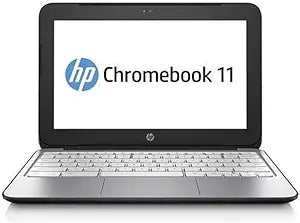
HP 11 G2 Chromebook 11.6" 2GB LED Notebook
Lightweight and affordable Chromebook with an 11.6-inch display for web-based productivity and everyday browsing.
View price on Amazon
Affiliate Disclosure: Studio Supplies may earn a commission from qualifying purchases made through links on this page, at no additional cost to you. This helps support our editorial team.
Notice a mistake? Let Us Know
Overview
Mobile Computing Companion: HP Chromebook 11 G2
The HP Chromebook 11 G2 offers a lightweight and efficient solution for on-the-go computing. Powered by the Chrome operating system, it provides a streamlined experience for web browsing, productivity tasks, and more. With its compact design and essential features, it's an ideal choice for students and professionals alike.
Specifications:
- Brand: HP
- Model: 11 G2
- Display: 11.6 Inch LED Notebook
- Memory: 2 GB DDR3L
- Storage: 16GB Flash Storage
- Operating System: Chrome OS
Pros & Cons
👍 Pros
- Very lightweight and portable design makes it easy to carry for students and mobile workers
- Chrome OS boots quickly and requires minimal maintenance with automatic updates
- Low price point makes it an accessible option for basic computing needs
- 16GB flash storage is faster and more durable than a traditional spinning hard drive
👎 Cons
- 2GB of RAM limits multitasking and can cause slowdowns with multiple browser tabs open
- 16GB of internal storage fills up quickly if files are not managed in the cloud
- Chrome OS does not support traditional desktop applications like Microsoft Office installers
- The 11.6-inch display is small for extended productivity work or media viewing
- Older hardware specifications limit the lifespan for running newer Chrome OS features
Frequently Asked Questions
What operating system does the HP Chromebook 11 G2 run?
It runs Chrome OS, which is Google's cloud-based operating system built around the Chrome browser and web applications.
How much storage does the Chromebook 11 G2 have?
It includes 16GB of internal flash storage, with the expectation that users store most files in cloud services like Google Drive.
Is 2GB of RAM enough for everyday use?
With 2GB of DDR3L RAM, the Chromebook handles basic web browsing and light productivity tasks but may struggle with many tabs open simultaneously or more demanding web applications.
Can I install traditional Windows or Mac software on this Chromebook?
No, Chrome OS runs web-based applications and supported Android apps. Traditional desktop software designed for Windows or macOS cannot be installed.
Related Products


