



HP
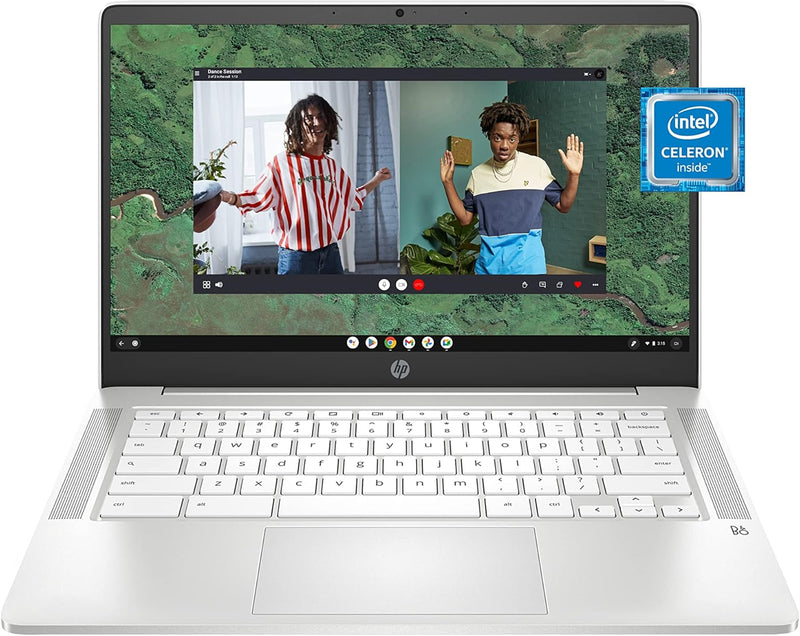
HP 60F97UA#ABA 14" Chromebook, Celeron N4120, 64GB SSD
FHD64GB SSD
A lightweight 14-inch Chromebook with an FHD display and all-day battery for work and school on the go.
$341.77*
Check availability
*Price sourced from Amazon.com. Last updated:Jul 13, 2026.Price and availability are subject to change.
Affiliate Disclosure: Studio Supplies may earn a commission from qualifying purchases made through links on this page, at no additional cost to you. This helps support our editorial team.
Notice a mistake? Let Us Know
Overview
Key Features
Chrome OS: This easy-to-use operating system was designed to be fast in every possible way, while keeping you safe and more secure on the web
Quad-core Intel Celeron processor: Handle multitasking reliably with the perfect combination of performance, power consumption, and value
HP Fast Charge: Go from 0 to 50% charge in approximately 45 minutes
FHD display: 2 million pixels for crystal-clear visuals and vibrant image quality
Sleek design: Easily take this thin and light PC from room to room or on the road
Specifications
Brand
HP
Model
60F97UA#ABA
Processor
Intel Celeron N4120
Graphics
Intel UHD Graphics 600
Memory
4 GB RAM
Storage
64 GB SSD
Display
14" FHD (1920 x 1080)
Operating System
Chrome OS
Pros & Cons
👍 Pros
- 14-inch FHD 1920x1080 display delivers sharp text and clear visuals at this price range
- Lightweight design makes it easy to carry between classes, meetings, or rooms
- Chrome OS boots in seconds and receives automatic security updates without user intervention
- 64GB SSD provides faster app launches and file access compared to eMMC storage common at this price
- Intel Celeron N4120 quad-core processor handles everyday browsing and productivity tasks efficiently
👎 Cons
- 4GB of RAM can become a bottleneck when running many browser tabs and Android apps simultaneously
- 64GB of local storage fills up quickly if you download large files or apps rather than relying on cloud storage
- Intel Celeron N4120 is not suited for demanding tasks like video editing or heavy multitasking
- Chrome OS limits software options to web apps, Android apps, and Linux apps — no native Windows applications
Frequently Asked Questions
How long does the battery last on a full charge?
The HP Chromebook 14 is designed for all-day use, with battery life that typically covers a full day of web browsing, document editing, and streaming on a single charge.
Can this Chromebook run Android apps?
Yes, Chrome OS supports Android apps through the Google Play Store, giving you access to a wide range of productivity, communication, and entertainment applications.
Is 4GB of RAM enough for everyday tasks?
For Chrome OS, 4GB handles typical workloads like web browsing with multiple tabs, Google Workspace apps, and media streaming. However, users who routinely keep many tabs open or run several Android apps simultaneously may notice performance limits.
What kind of storage expansion is available?
The 64GB internal SSD is supplemented by microSD card expansion and Google Drive cloud storage, which Chrome OS integrates directly into the file manager.
Does this Chromebook receive automatic updates?
Yes, Chrome OS updates automatically in the background, including security patches and feature updates, with no manual intervention required.
Related Products


