

HP
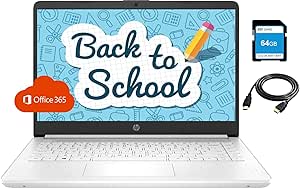
HP Back to School Laptop Intel N4020 4GB 128GB Storage Office365
★★★★★
UHD1366x7688GB DDR464GB eMMC
HP 14" Back to School Laptop: Your Lightweight and Efficient Learning Companion Equip yourself for success with the HP 2021 14" Thin Laptop. Powered by an Intel Celeron processor and featuring a generous storage setup, this laptop is ideal for students and professionals seeking a portable and rel...
$349.99*
Check availability
*Price sourced from Amazon.com. Last updated:Jul 18, 2026.Price and availability are subject to change.
Affiliate Disclosure: Studio Supplies may earn a commission from qualifying purchases made through links on this page, at no additional cost to you. This helps support our editorial team.
Notice a mistake? Let Us Know
Overview
HP 14" Back to School Laptop: Your Lightweight and Efficient Learning Companion
Equip yourself for success with the HP 2021 14" Thin Laptop. Powered by an Intel Celeron processor and featuring a generous storage setup, this laptop is ideal for students and professionals seeking a portable and reliable device. Ready for remote learning and business tasks, it comes with essential software and connectivity options in a sleek white design.
Specifications:
- Brand: HP
- Model: Back to School Office Laptop
- Processor: Intel Celeron N4020 (Up to 2.8 GHz)
- Memory: 4GB RAM
- Storage: 128GB (64GB eMMC + 64GB SD Card)
- Display: 14" HD Anti-Glare Micro-Edge (1366x768)
- Graphics: Intel UHD Graphics 600
- Wireless: Realtek RTL8821CE Wi-Fi and Bluetooth 4.2 Combo
- Ports: 2x USB-A, 1x USB-C, 1x HDMI, 1x RJ-45, 1x Headphone/Microphone
- Operating System: Windows 10 S
- Color: White
Key Features
【Intel Celeron N4020】1.1 GHz base frequency, up to 2.8 GHz burst frequency, 4 MB L2 cache, 2 cores. Enjoy a computer with an Intel Celeron processor. Experience Intel performance with entertainment features and fast connectivity. The Intel Celeron processor delivers performance in a new computer that fits your lifestyle and budget.
【14" Diagonal HD Display】14" diagonal HD anti-glare micro-edge, 220 nits, 45% NTSC (1366x768); Intel UHD Graphics 600,on-processor Graphics with Shared video Memory provide everyday image quality for Internet use, basic photo editing and casual gaming.
【Upgrade to 8GB DDR4 RAM】Substantial high-bandwidth RAM to smoothly run your games and photo- and video-editing applications, as well as multiple programs and browser tabs all at once.
【64GB eMMC flash memory & 128GB Micro SD Card】This ultracompact memory system is ideal for mobile devices and applications, providing enhanced storage capabilities, streamlined data management, quick boot-up times and support for high-definition video playback. Come with 128GB Micro SD card.
【Windows 10 Home in S mode】You may switch to regular windows 10: Press "Start button" bottom left of the screen; Select "Settings" icon above "power" icon;Select Update & Security and Activation, then Go to Store; Select "Get" option under "Switch out of S mode"; Hit Install. (If you also see an "Upgrade your edition of Windows" section, be careful not to click the "Go to the Store" link that appears there.)
Specifications
Brand
HP
Processor
Intel Celeron N4020
Processor Base Frequency
1.1 GHz
Processor Burst Frequency
Up to 2.8 GHz
Processor Cache
4 MB L2
RAM
8GB DDR4
Storage
64GB eMMC flash memory & 128GB Micro SD Card
Display
14" diagonal HD anti-glare micro-edge (1366x768)
Graphics Card
Intel UHD Graphics 600
Operating System
Windows 10 Home in S mode (switchable to Windows 10)
Display Brightness
220 nits
NTSC Color Gamut
45%
Frequently Asked Questions
What operating system is pre-installed on this HP laptop?
This HP laptop comes with Windows 10 Home in S mode, which can be easily switched to regular Windows 10.
What kind of storage capacity does this laptop offer?
It provides a combination of 64GB eMMC flash memory and an included 128GB Micro SD card for storage.
Can the RAM be upgraded on this laptop?
The listing states an "Upgrade to 8GB DDR4 RAM," indicating that it is configured with 8GB of RAM.
What is the display resolution of the 14-inch screen?
The laptop features a 14-inch diagonal HD anti-glare display with a resolution of 1366x768.
What kind of processor is in this HP laptop?
It is powered by an Intel Celeron N4020 processor, suitable for everyday computing tasks.
How do I switch out of Windows 10 S mode to regular Windows 10?
You can switch by going to "Settings," then "Update & Security," "Activation," and selecting "Go to Store" under "Switch out of S mode," then hitting "Get" and "Install."
Related Products


