

HP
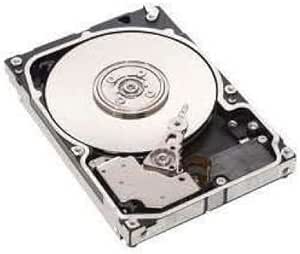
HP CE502-67915 LJ M4555F MFP 250GB Encrypted HD
Encrypted 250GB hard drive that keeps sensitive print job data secure inside your HP LaserJet M4555F MFP.
View price on Amazon
Affiliate Disclosure: Studio Supplies may earn a commission from qualifying purchases made through links on this page, at no additional cost to you. This helps support our editorial team.
Notice a mistake? Let Us Know
Overview
Securely Store Your Data
The CE502-67915 HP LJ M4555F MFP Encrypted 250GB Hard Drive. This new, encrypted hard drive ensures the security of your sensitive data within your HP LaserJet M4555F MFP.
Specifications:
- Brand: HP
- Model: CE502-67915
- Capacity: 250GB
- Encryption: Yes
- Compatibility: HP LaserJet M4555F MFP
- Condition: New
Pros & Cons
👍 Pros
- Hardware encryption protects sensitive documents stored on the drive without performance overhead
- 250GB capacity handles heavy print, scan, and fax workloads in busy offices
- Purpose-built for the M4555F ensures plug-and-play compatibility with no configuration
- New condition provides full drive lifespan and reliability
👎 Cons
- Compatible only with the HP LaserJet M4555F MFP, so it cannot be repurposed for other printers
- 250GB capacity is fixed with no option to upgrade to a larger drive in this form factor
- Relatively expensive for a 250GB drive due to the specialized encryption and printer-specific design
Frequently Asked Questions
What type of encryption does this hard drive use?
The CE502-67915 uses hardware-based AES encryption to protect all data stored on the drive, including cached print jobs, scan files, and fax logs.
Is this hard drive compatible with other HP LaserJet models?
No, this drive is specifically designed for the HP LaserJet M4555F MFP. It will not work in other HP printer models without the matching interface and firmware support.
Why would a printer need a dedicated hard drive?
The hard drive stores spooled print jobs, scanned documents, and fax data. In high-volume office environments, it enables features like private printing, job storage, and faster processing of complex documents.
Is installation something an end user can do?
Yes, the drive is designed to be user-installable in the M4555F's hard drive bay. HP provides documentation for the installation process, and no special tools are typically required.
Related Products


