



HP
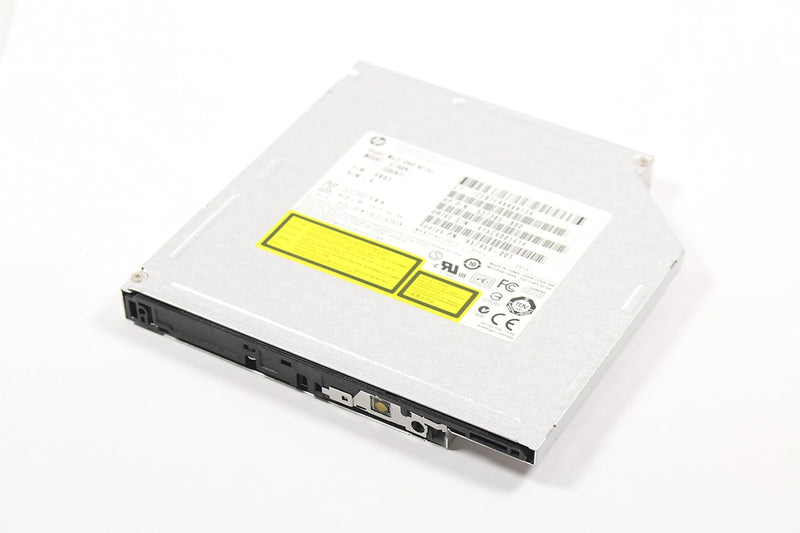
HP GTA0N OEM Pavilion All-In-One DVD Writer Drive
Restore full optical drive functionality to the HP Pavilion All-In-One 23-G013W with this exact-fit OEM SATA DVD writer.
$19.99*
Check availability
*Price sourced from Amazon.com. Last updated:Jul 14, 2026.Price and availability are subject to change.
Affiliate Disclosure: Studio Supplies may earn a commission from qualifying purchases made through links on this page, at no additional cost to you. This helps support our editorial team.
Notice a mistake? Let Us Know
Overview
Key Features
OEM Genuine HP GTA0N Pavilion All In One 23-G013W SATA Super Multi DVD Writer
Specifications
Type
DVD Writer Drive
Interface
SATA
Compatibility
HP Pavilion All-In-One 23-G013W
Pros & Cons
👍 Pros
- Exact OEM match for the HP Pavilion All-In-One 23-G013W means no fitment guesswork — mounting points, connector position, and bezel profile are designed for this chassis.
- SATA interface is the same standard used in the original drive, so no adapters or wiring modifications are required.
- Super Multi format support covers the full DVD read/write specification set, including dual-layer discs, which is the complete functionality of the original drive.
- OEM firmware compatibility means the host system's HP software stack and disc burning utilities will interact with the drive exactly as expected.
👎 Cons
- Compatibility is locked to the HP Pavilion All-In-One 23-G013W — this is not a universal optical drive and will not necessarily fit or function correctly in other systems.
- No Blu-ray support; if you need BD read/write capability, this drive does not provide it.
- As a likely OEM-pull component, the remaining lifespan is uncertain — optical drives are mechanical and do wear over time.
- All-In-One disassembly for optical drive replacement is more involved than a desktop swap and carries a risk of housing damage if not done carefully.
Frequently Asked Questions
Will this drive work in any HP Pavilion All-In-One, or is it specific to one model?
It is specifically designed for the HP Pavilion All-In-One 23-G013W. While SATA optical drives share the same interface standard, physical form factor, mounting points, and firmware can vary between AIO models. Using this in a different Pavilion model may result in fitment issues or driver incompatibilities.
What does "Super Multi DVD Writer" mean in terms of disc format support?
Super Multi indicates the drive can read and write to the full range of DVD formats — DVD-R, DVD+R, DVD-RW, DVD+RW, DVD-RAM, and dual-layer variants — as well as read and write standard CDs. It does not support Blu-ray.
How difficult is it to replace the optical drive in the HP Pavilion All-In-One 23-G013W?
All-In-One optical drive replacements typically require disassembling the rear panel and disconnecting the SATA and power connectors — a moderate task that requires careful prying tools and patience to avoid cracking the housing. It is not a beginner-level repair, but it is manageable with a service manual or a reliable teardown guide.
Does this drive require any driver installation after fitting it in the machine?
As an OEM drive matched to this specific HP model, Windows should recognize it via the built-in inbox driver with no additional software needed. If the system doesn't detect it automatically, a Windows Update scan typically resolves it.
Is this drive new or pulled from another machine?
The listing identifies it as an OEM part but does not specify new versus refurbished. OEM optical drives sold as service replacements are frequently pulls from donor machines. Confirm the condition with the seller before purchasing.
Related Products


