

HP
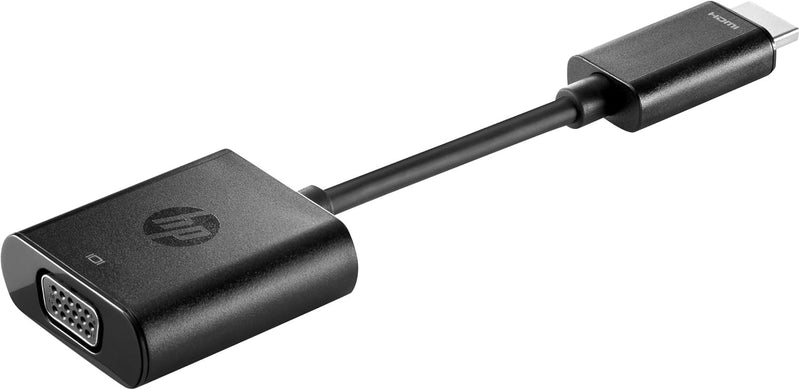
HP H4F02UT HDMI to VGA Adapter for Monitors
★★★★★
1080P
Bridge your HDMI notebook to legacy VGA monitors with a compact, plug-and-play adapter supporting up to 1080p output.
$29.99*$43.00Save 30%
Check availability
Price history
*Price sourced from Amazon.com. Last updated:Jul 15, 2026.Price and availability are subject to change.
Affiliate Disclosure: Studio Supplies may earn a commission from qualifying purchases made through links on this page, at no additional cost to you. This helps support our editorial team.
Notice a mistake? Let Us Know
Overview
Key Features
Compact size is Easy to carry with your notebook inside the carrying case so you can easily connect to a monitor wherever you work
Designed to complement HP Ultrabook's and business notebooks
Leverages notebook's HDMI port to enable VGA connectivity
Supports full-size high Definition resolutions of 720P and 1080P on an external Display
Specifications
Brand
HP
Model
H4F02UT#ABA
Type
HDMI to VGA Adapter
Compatibility
HP Ultrabooks and business notebooks
Supported Resolutions
720p, 1080p
Input
HDMI
Output
VGA
Power
Bus-powered (no external power required)
Drivers Required
No (plug-and-play)
Pros & Cons
👍 Pros
- Compact form factor fits easily in a laptop bag alongside the notebook without adding noticeable bulk
- Plug-and-play operation requires no drivers or external power source
- Supports full 1080p output which is the maximum useful resolution for most VGA monitors
- Converts digital HDMI signal to analog VGA reliably for connecting to older projectors and displays
👎 Cons
- Maximum output is capped at 1080p so it cannot drive higher-resolution VGA displays at their native resolution
- VGA output means no audio passthrough requiring a separate audio solution for presentations with sound
- Designed specifically for HP notebooks so compatibility with other manufacturers is not officially supported
- No locking mechanism on either connector end so the adapter can work loose from a port if bumped
- Single-link conversion only so it does not support daisy-chaining or multi-monitor setups through one adapter
Frequently Asked Questions
Does this adapter support 1080p resolution or is it limited to lower outputs?
It supports both 720p and 1080p full HD resolutions over the VGA output. Keep in mind that VGA is an analog signal, so while the resolution is supported, image sharpness will depend on the quality of your VGA cable and monitor.
Will this adapter work with non-HP laptops that have an HDMI port?
HP designed this adapter for their Ultrabooks and business notebooks, and compatibility with non-HP devices is not guaranteed. Most standard HDMI outputs will work, but some laptops with non-standard HDMI implementations may not output correctly through this adapter.
Does this adapter carry audio or is it video-only?
VGA is a video-only standard, so no audio is transmitted through this adapter. You will need a separate audio connection — either the laptop's headphone jack, Bluetooth, or USB audio — to get sound to external speakers.
Can I use this adapter to extend my display or does it only mirror?
It supports both mirror and extended desktop modes. The display mode is controlled by your operating system's display settings, not the adapter itself.
Does the adapter require a driver installation or external power?
No drivers or external power are required. It draws the small amount of power it needs directly from the HDMI port and functions as a plug-and-play device on Windows, macOS, and most Linux distributions.
Related Products


